5
6
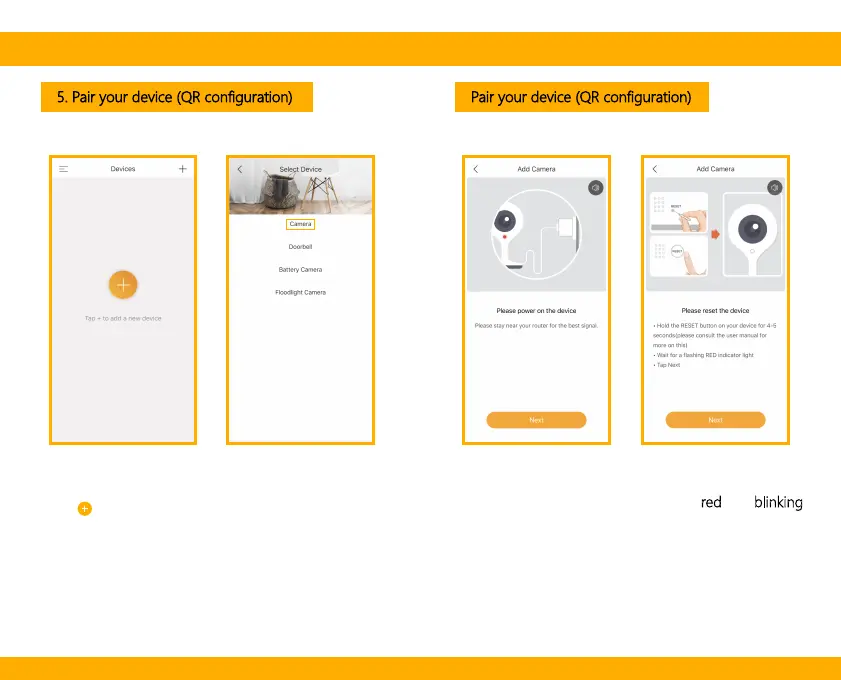
5. Pair your device (QR configuration) Pair your device (QR configuration)
Power on your camera, you will hear a welcome sound.
Confirm the working status indicator is red
and blinking
(once per second). The camera is successfully powered
on and ready for pairing.
Click to add a new device, and select “Camera”.


 To Next Page