7
8
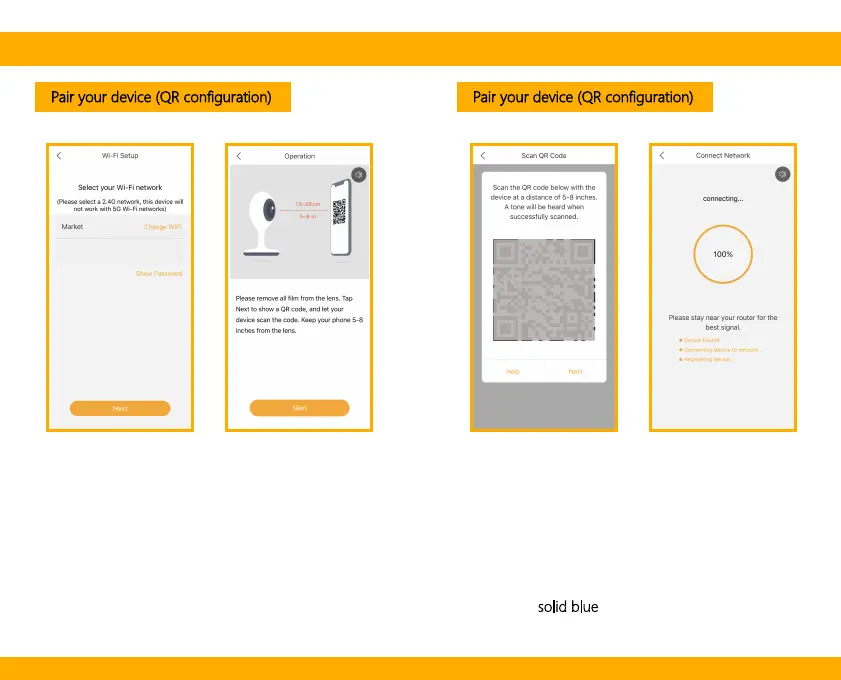
Pair your device (QR configuration) Pair your device (QR configuration)
Press “Next” after hearing a sound from your
camera.
The Arenti App will start to connect to the
camera automatically as indicated by the
status indicator light blinking rapidly and
then staying solid blue
.
Enter the Wi-Fi password and tap Next to proceed.
If needed, you can tap Change WiFi to switch to
another suitable WiFi network for your camera.
Scan
QR
Code
on screen
Press “Next” to scan QR code using your camera.
Hold 15~25cm away from your mobile screen.


 To Next Page