Pair your device (QR configuration) Pair your device (QR configuration)
9
10
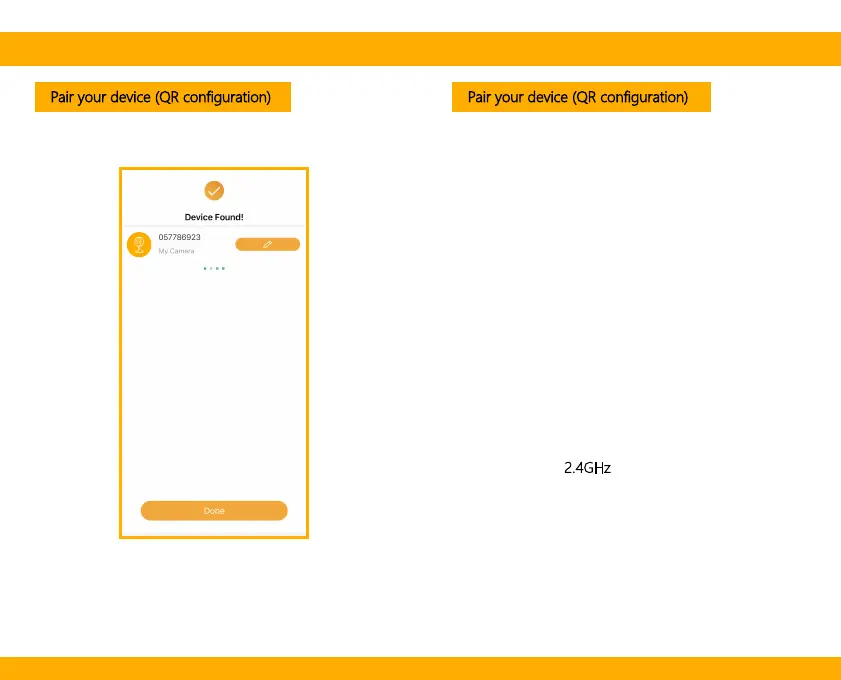
Once the pairing process is complete, a page showing
“Device Found!” will appear.
You may choose to edit the device name or assign the
device to a dedicated room before tapping Done to
finish the pairing process.
Once your camera is paired to your WiFi network,
your camera can be viewed at anytime from your
smartphone as long as there is Internet access.
If no device is found and the pairing process is not
successful, please check below instructions:
1 WiFi network is 2.4GHz
.
2 WiFi password entered is correct and the same WiFi
network is used on the mobile device.
3 Arenti device is in pairing mode.
4 Check your WiFi for network activity.


 To Next Page