11
12
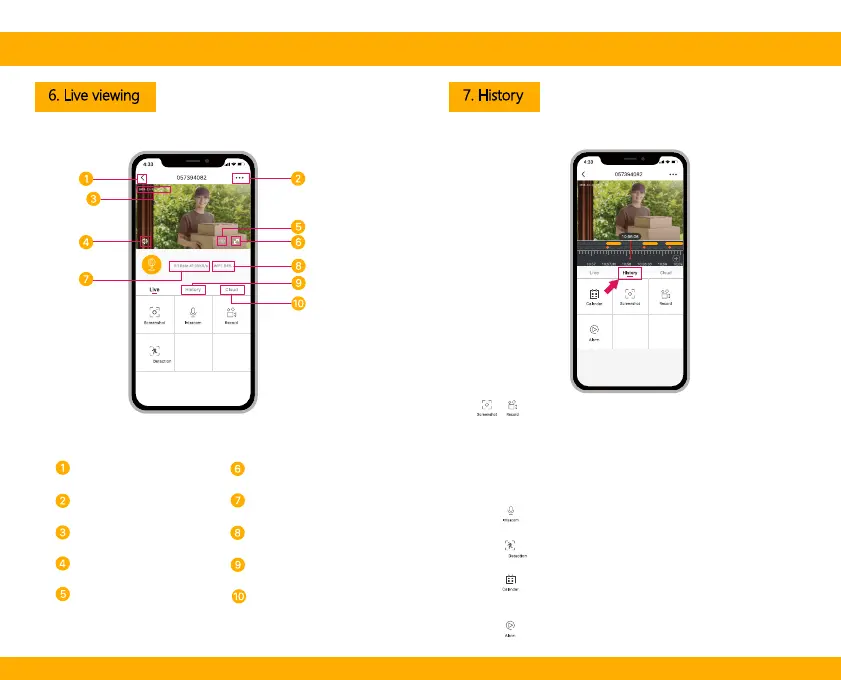
6. Live viewing 7. History
Tap to enable the talk function
Tap to enable the motion detection function
Select a data to review your playback
from SD card
Tap to search video clips by date
Tap to capture a photo/video
during live view
Note: the photo and video
are saved to the internal
memory of your smartphone
Quit live viewing
Setting menu
Volume on/off
Notification history
Timestamp
HD/SD switch Cloud storage service
Full screen display
WiFi signal status
Stream bit rate


 To Next Page