‘sound.
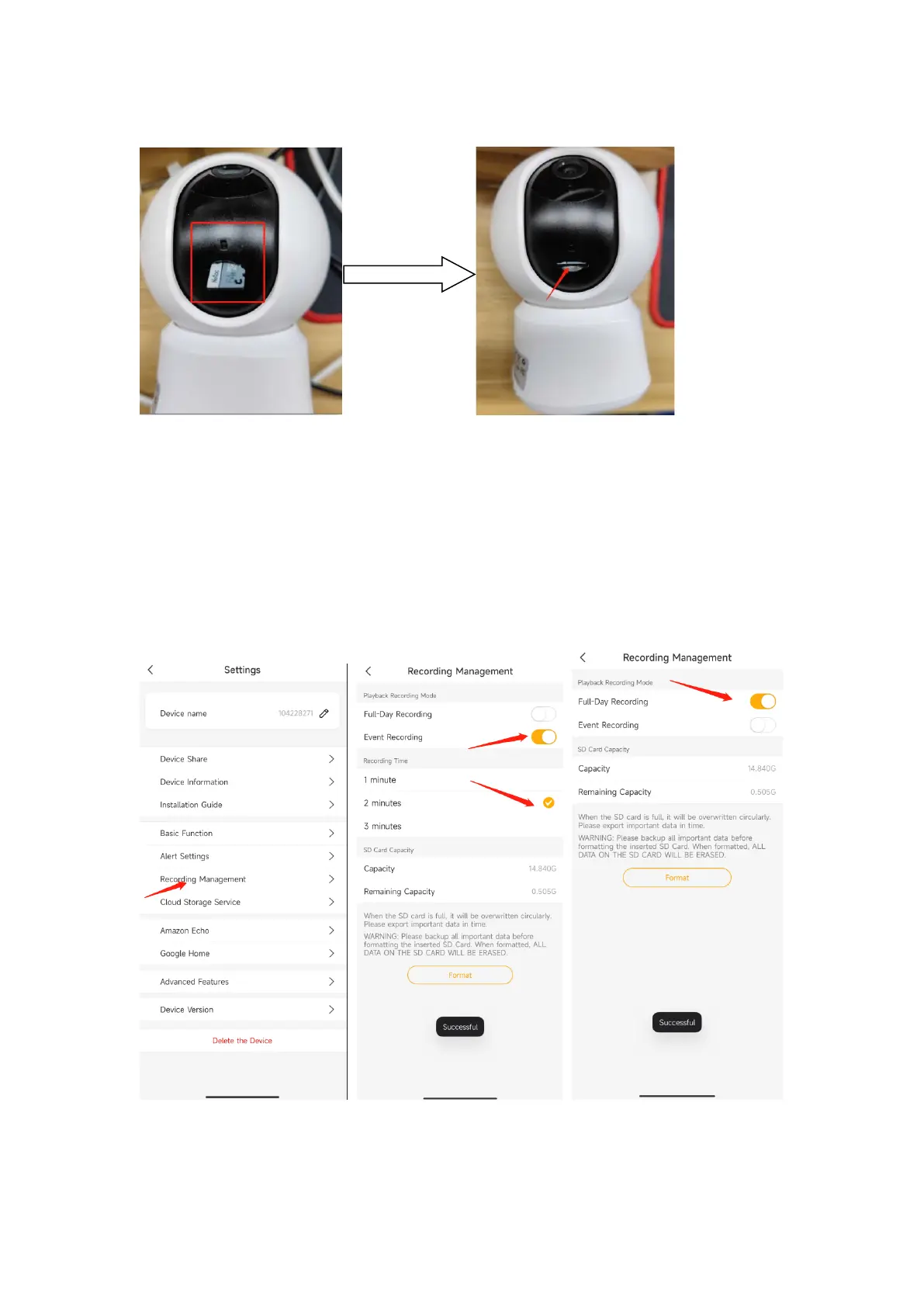
Set Recording(Micro SD card)
1. Event recording: Arenti APP-Device(tap device to live video page)-Settings-Recording
Management- Event recording-Choose the Recording time-1/2/3 minutes
Note: It will only record the motion alarm recordings to the SD card. Each event
recordings 1/2/3 minutes
2. Full day recording: Arenti APP-Device(tap device to live video page)-Settings-
Recording Management-Full-Day Recording
Note: Camera will save continuous recordings to the SD card.
SD Card Capacity
After you insert the properly SD card, You can check the SD card Capacity/Remaining


 To Next Page