Capacity information.
Support to Format the SD card by APP. After format the SD card, all data will be clear in SD
card.
Cloud storage service
Arenti will give away 3 months free event cloud storage service for each camera. Each
device needs its own plan, Cloud Storage Service Fee will be charged per device.
Note: the rules may change in the future
Activate Cloud storage service
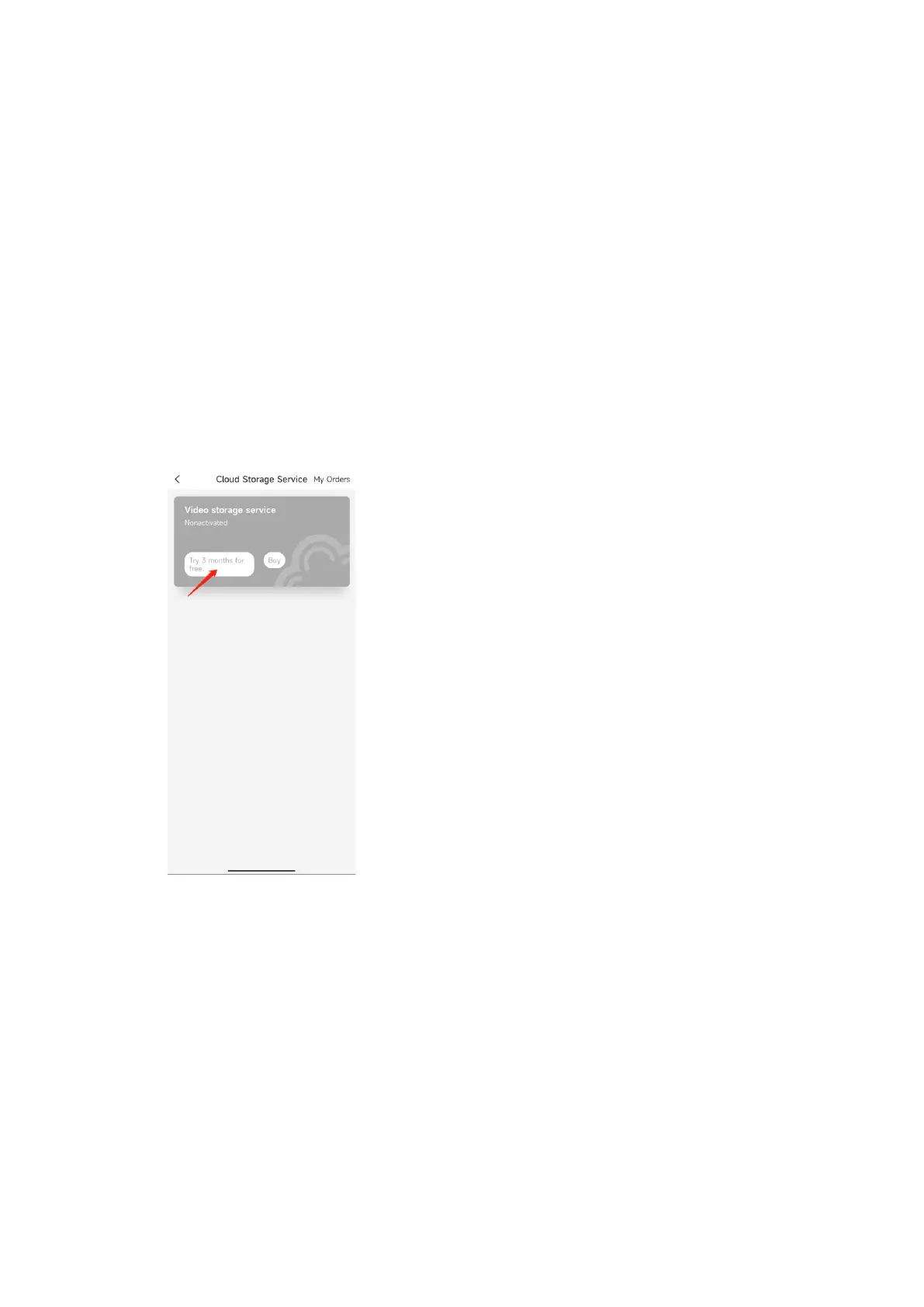
1. Activate the free cloud storage service
Arenti APP-Device(Tap device to live video page)-Settings-Could Storage Service-Try 3
months for free
2. End free trial event cloud storage service
Arenti APP-Device(Tap device to live video page)-Settings-Could Storage Service-End
trial



 To Next Page