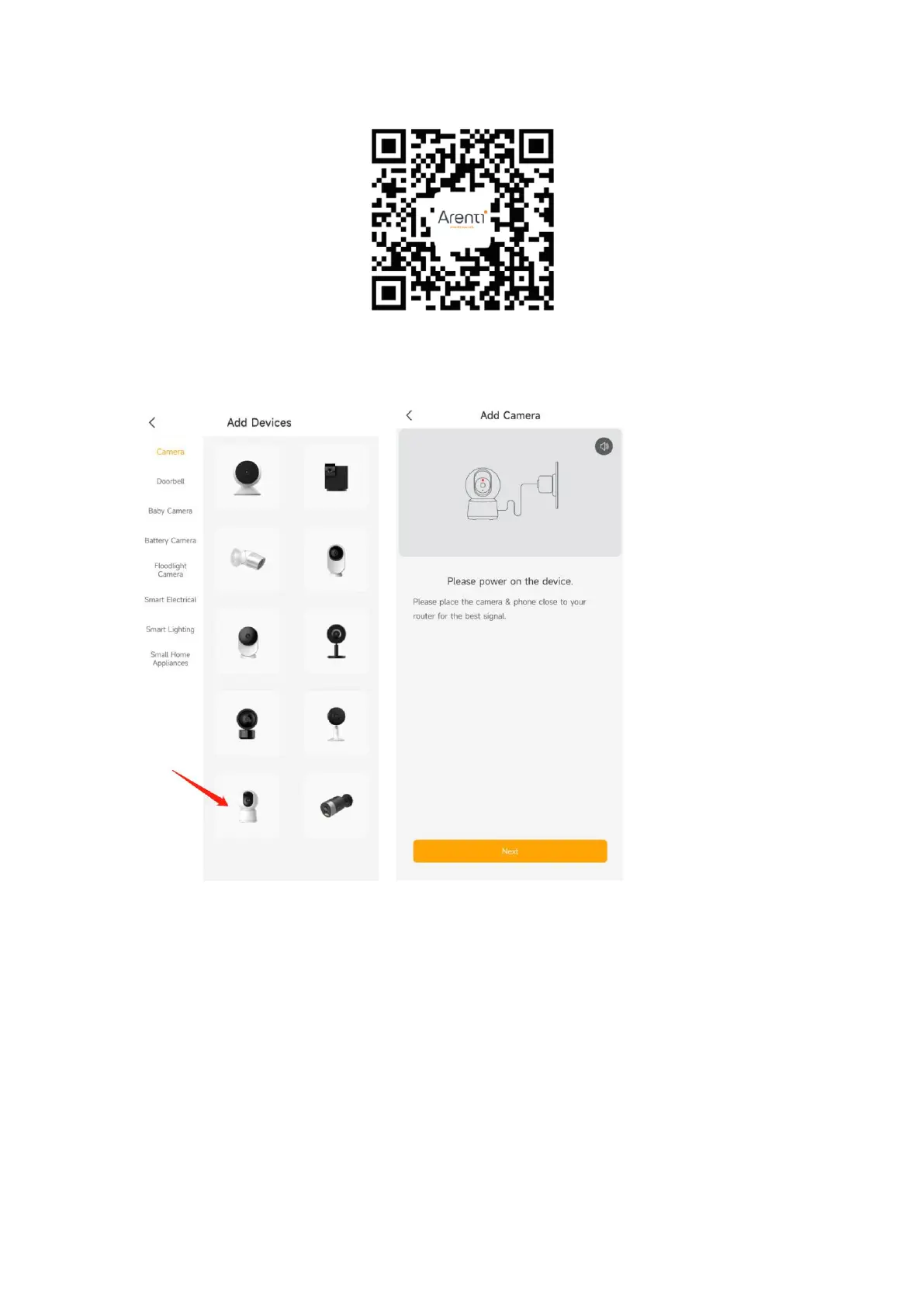
Open the Arenti APP home page, Click’+’ at the right top page. Follow the guide on the
APP to add the camera.
1. Choose P2 camera on APP and power on the P2 camera
2. Waiting camera boot up around 30s. Make sure the network indicator red flashing
slowly and enable it . If not please reset the camera, then wait the network indicator
red flashing slowly. Then tap ‘Next’.



 To Next Page