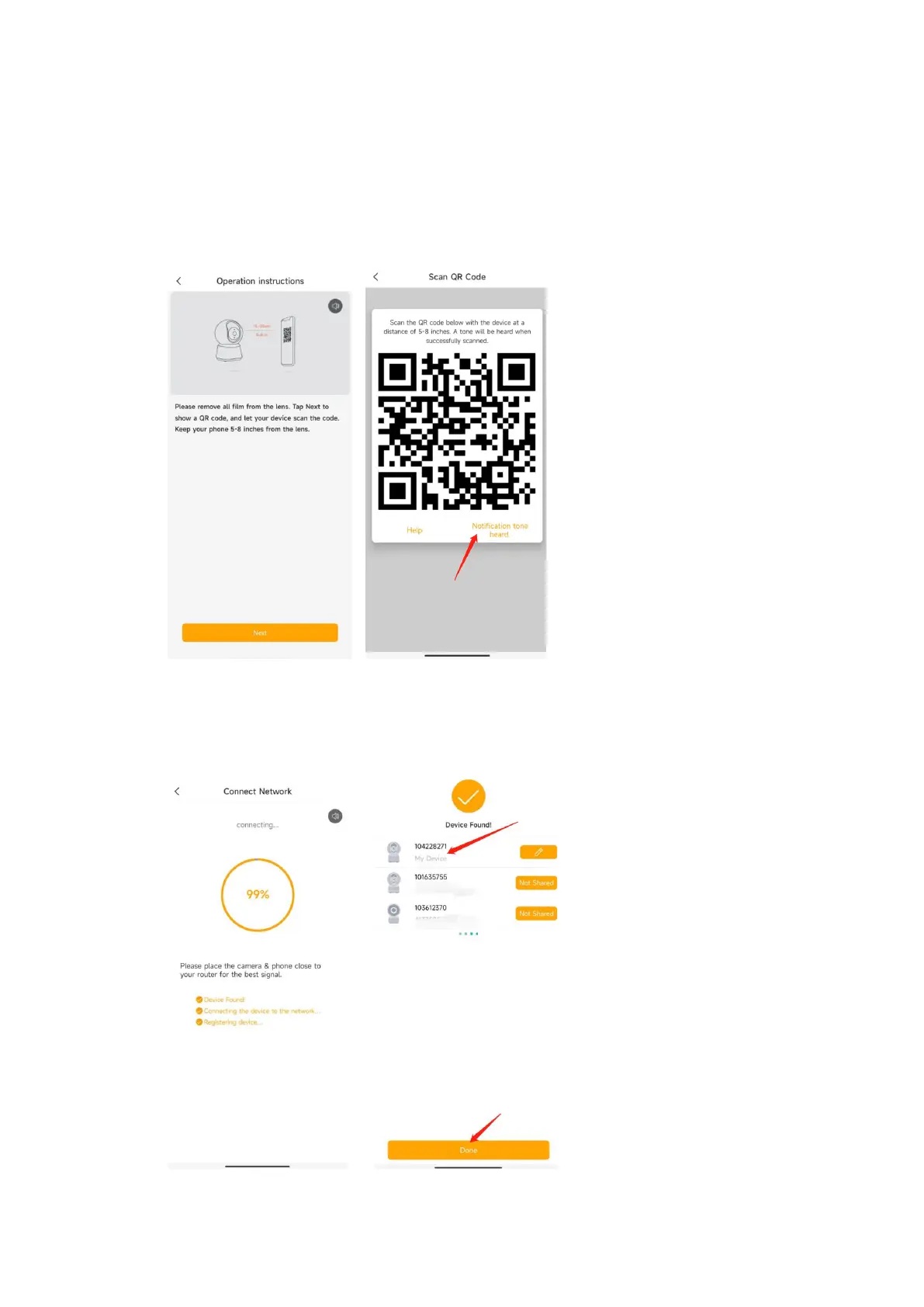
4. APP will generate the QR code for camera to scan. Keep your phone 5-8 inches(15-
25cm) from the lens . Please scan the QR code when indicator in red flashing slowly.
5. A tone will be heard when successfully scanned. Then tap ‘Notification tone heard’
After reading QR code, camera get the WiFi information(name/password) from APP QR
code, and start to connect the WiFi. The network indicator will turn to red fast flashing.
6. Around 30s later, the camera indicator turns to constant blue, means camera
connect the WiFi. And APP will find the device and add it to APP. Tap ‘Done’ to finish
the process.


 To Next Page