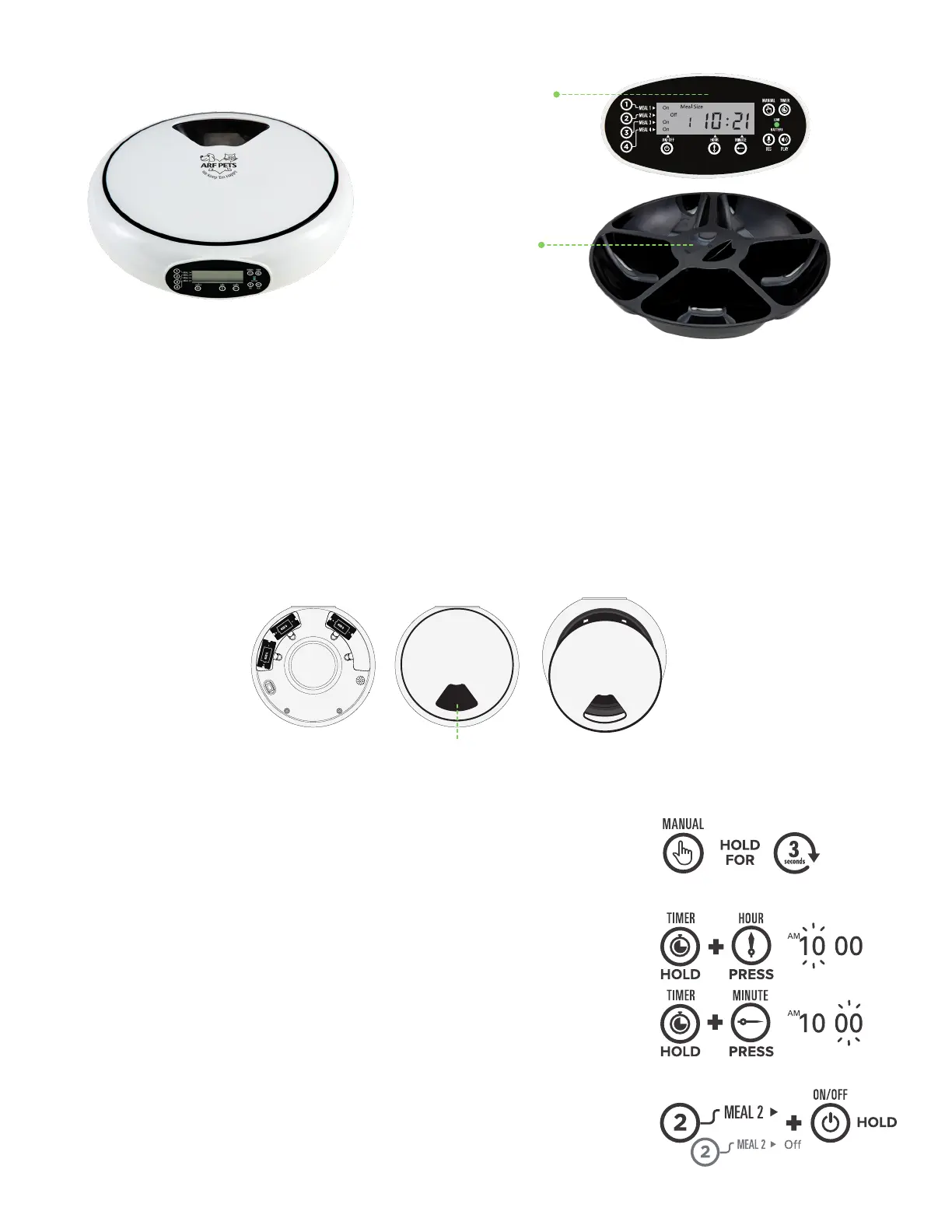
3. Grab the opening of the lid and pull outward. Then, lift the lid upward to remove it the food bowl base.
4. Fill the food tray with dry food, wet food, or both.
5. Locate the tabs on the lid and line them up with the gaps in the food bowl base.
6. Place lid on the base and press down on the lid.
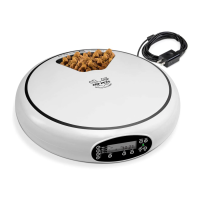
Product Overview
Voice record, play
at the programmed
meal time
Five separate
large food trays
for wet & dry food
Installation Instructions
2
1 5
1. Turn the feeder upside down and install three (3) D batteries.
2. Connect AC adapter to the pet feeder and plug into a power outlet. Then, flip the power switch to
the ON position.
NOTE: Batteries should always be installed before plugging in the pet feeder. The batteries are
used in case of power outages. The pet feeder will still run using the batteries as backup power.
2. Press and hold the TIMER button. Then, click the HOUR or
MINUTE button to adjust the hour or minute to the right time.
Operating Instructions
SETTING THE TIME
1. Press and hold the MANUAL button for three (3) seconds. If the
food tray rotates then there is no problem with feeder.
NOTE: The MANUAL button can also be used to operate feeder
manually.
SETTING MEAL TIMES
1. Press and hold the MEAL 1 button. Then, click the ON/OFF
button to activate or deactivate the option.
EX.
3


 To Next Page