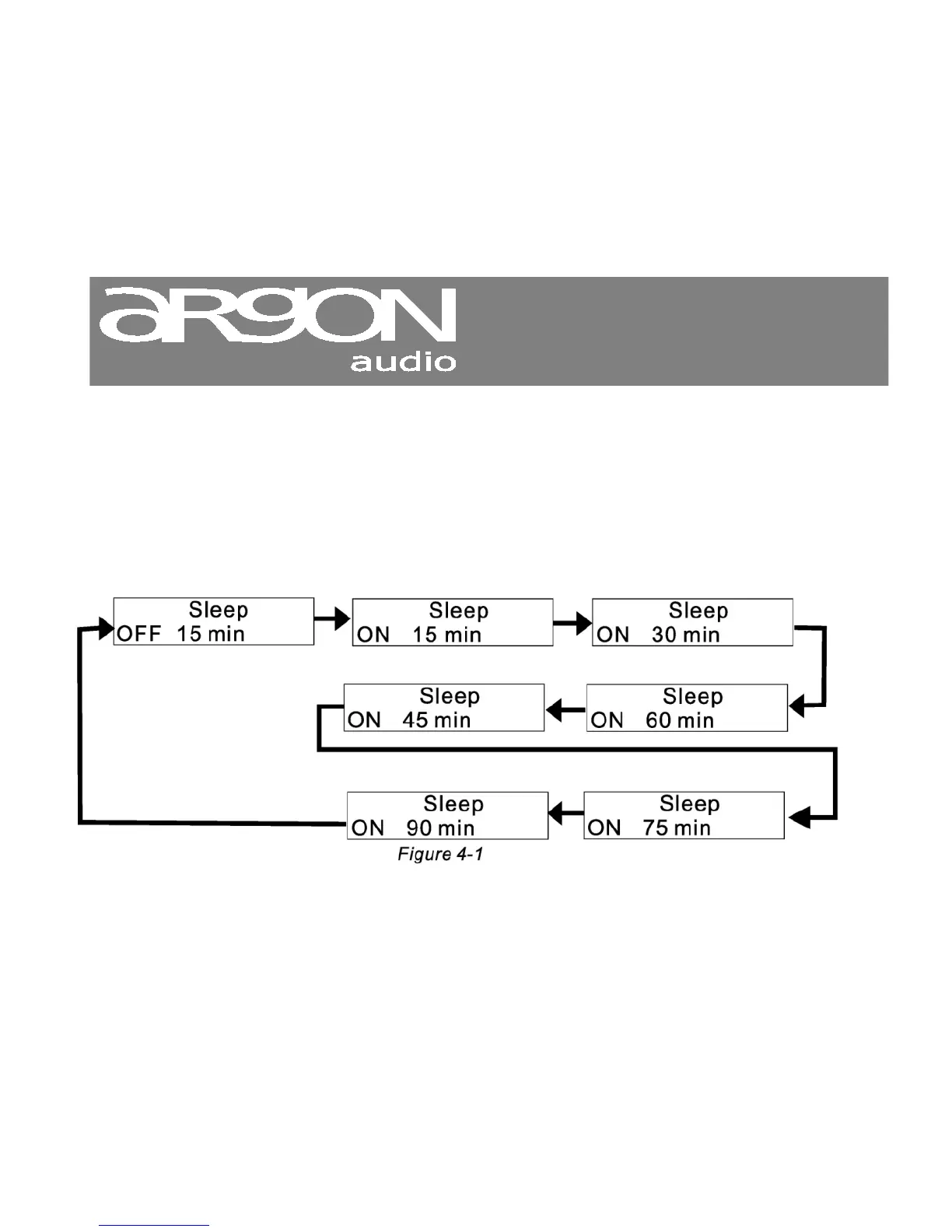
4.2 Setting the sleep timer
This option turns the radio off automatically after a specified period.
Press and hold the Sleep button for around 3 seconds when OFF is flashing then turn the Tuning knob to
ON.
Turn the Tuning knob to increase the specified sleep period by intervals of 15 minutes (to maximum of 90
minutes) shown as Figure 4-1
At last press the Tuning knob to confirm and it will show that the sleep mode has been enabled.


 To Next Page