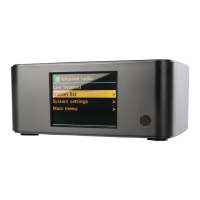
7. DAB radio mode
DAB radio mode receives DAB/DAB+ digital radio and displays
information about the station, stream and track playing.
To enter DAB mode, either press Mode until the display shows
DAB Radio or select Menu > Main menu > DAB.
7.1 Scanning for stations
The first time you select DAB radio mode, or if the station list is
empty, Argon iNet6+ automatically performs a full scan to see what
stations are available. You may also need to start a scan manually
to update the list of stations for one of the following reasons:
• Available stations change from time to time.
• If reception was not good for the original scan (for
example the antenna was not up), this may result in an
empty or incomplete list of available stations.
• If you have poor reception of some stations (burbling), you may wish to list only stations with good
signal strength.
To start a scan manually, select Menu > Scan.
Once the scan is complete, the radio shows a list of available stations.
To remove stations that are listed but unavailable, select Menu > Prune invalid.


 To Next Page