w w w . a r g o n a u d i o . c o m
2. Controls, connectors and display
2.1 Main controls
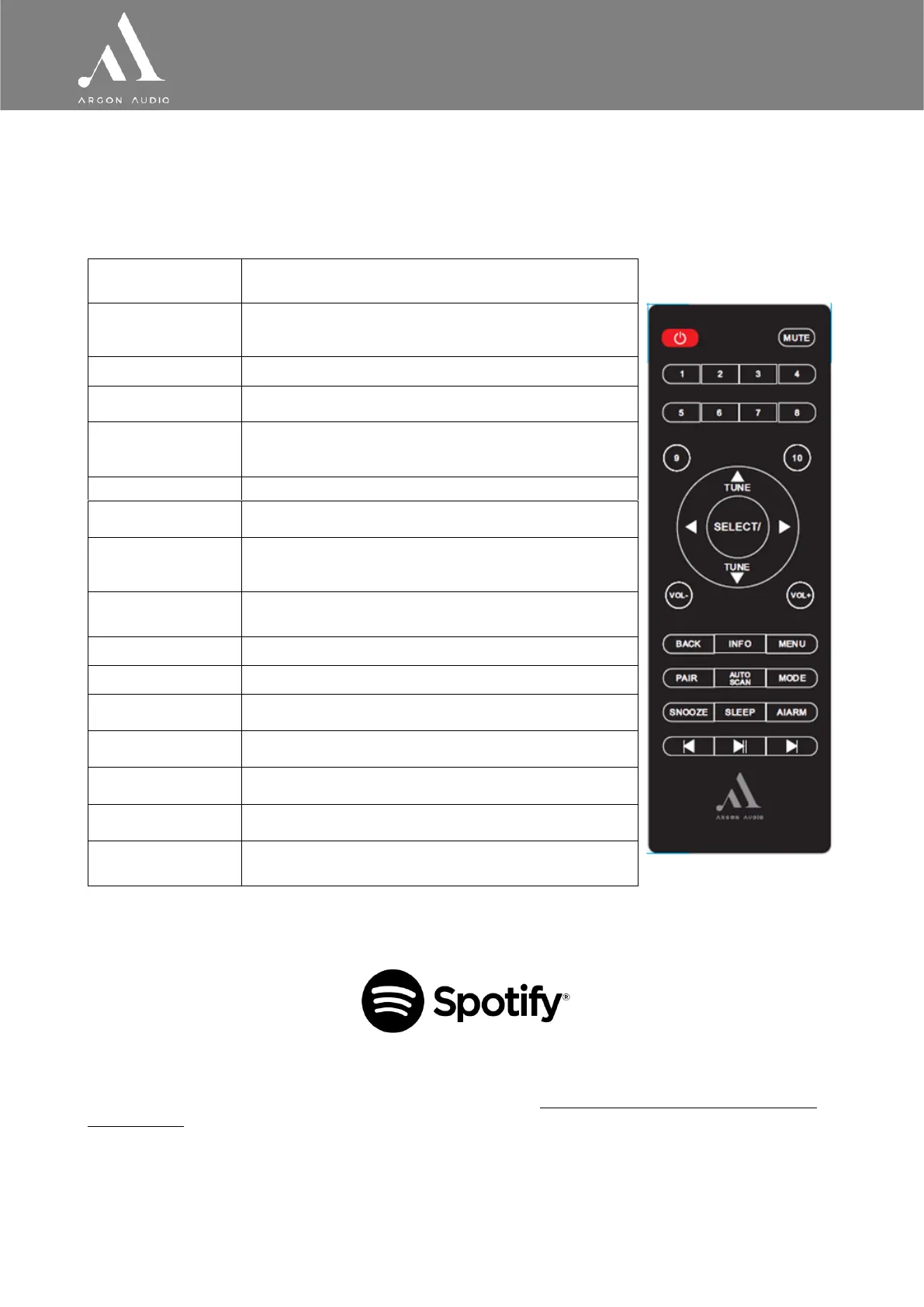
The Stream3M is fully and only controlled from the remote control. There are no operating controls on
Stream3M itself.
[1] Some buttons have alternate functions depending on whether they are pressed quickly or held down.
2.2 Spotify Connect Control and playback
Use your phone, tablet or computer as a remote control for Spotify. Go to spotify.com/connect to learn how.
The Spotify Software is subject to third party licenses found here: https://www.spotify.com/connect/third-
party-licenses
Notice: When you stop playback on your Spotify device, Stream 3 MK2 will show “no media” in the display.
To get back to Internet Radio, DAB etc., you need to press the MODE button on the Stream 3 MK2.
Red button top left - Standby: Turn on or back to
standby mode (showing clock and date). Cancels sleep
function.
Press to mute or unmute the sound
Presets to stores stations: Press for the Preset
recall/Save menu. Hold to save a preset.
Press to scroll through a menu or station list. The
chosen option is highlighted in reverse text (dark
characters on a white background). Press to select.
Turn to adjust the volume up or down
Return to previous screen. In play mode, this button may be used to return
the last track list or station list
View more information about the station or track
playing. Press again to cycle through further information
screens then return to the normal Now playing screen
Show menu for the current mode. Press again to show
Now playing screen.
Press to pair a Bluetooth device
Press to scan stations in DAB or FM mode
Cycle through the modes: Internet Radio, Music player,
DAB, FM, Bluetooth
Press Sleep/snooze: When playing, standby after a set
time
Set time interval for the Stream3 to turn off
automatically
Enters alarm wizard, turns off alarm (when alarm is
sounding) and toggles between alarms in standby.
Symbol buttons at the bottom of the remote. Skip, stop
or play in Music player mode.



 To Next Page