6
Check the box and make sure you have all the parts and fittings listed. If not, contact your local store or the
Helpline
0844-335-0229 who will be able to help you.
4
3
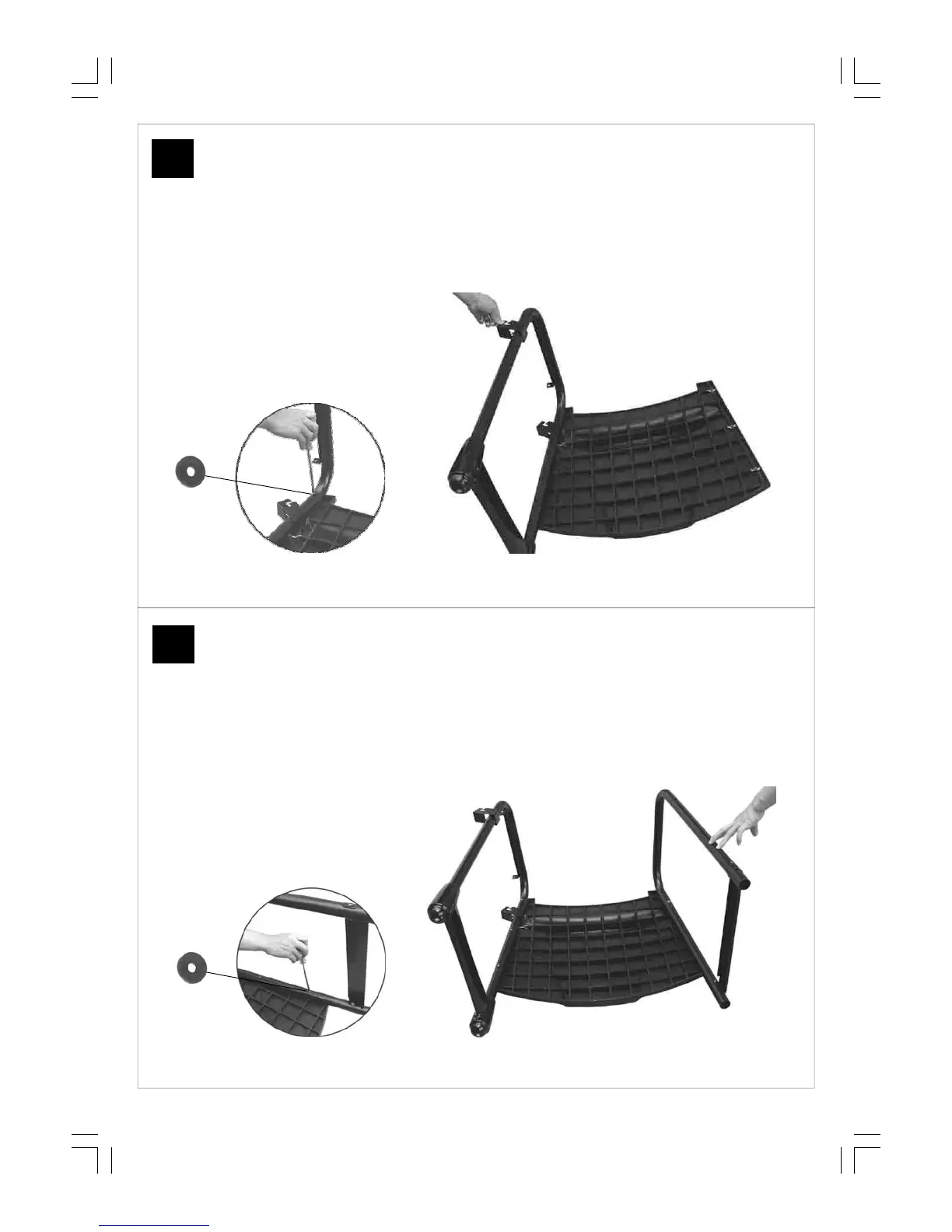
Attach the right leg assembly to the Front
Panel (C11) using the M6x40 Bolts (D9) and
Ø6 Washers (D13) as shown.
Attach the left leg assembly to the Front
Panel (C11) using the M6x40 Bolts (D9) and
Ø6 Washers (D13) as shown.



 To Next Page