EasyManua.ls Logo

Argos VC-403 - User Manual

Argos VC-403
16 pages
Print Icon
To Next Page IconTo Next Page
Loading...
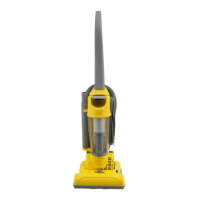
VC-403 Bagless Cylinder Vacuum Cleaner
Instruction Manual -
Please keep for future reference
VC-403
For help, spares or
assistance please call
0845 6042377
or visit
www.bagsandfilters.com
VC-403 Guide.qxd:Value 21/1/10 12:55 Page 1

Questions and Answers

  • K
    katherineochoaJul 31, 2025
    Why won't my Argos VC-403 pick up?
    • J
      Joshua DayJul 31, 2025
      Your Argos Vacuum Cleaner might not be picking up dirt due to several reasons. First, make sure the hose and tools are correctly attached. Second, check for any blockages in the hose or accessories that might be obstructing airflow. Third, the dirt container or dust bag might be full, requiring emptying or replacement. Finally, the filters could be blocked or clogged, so frequent cleaning of filters will maintain performance.
  • R
    Robert SmithAug 6, 2025
    What to do if my Argos Vacuum Cleaner does not switch on?
    • A
      Alex RossAug 6, 2025
      If your Argos Vacuum Cleaner isn't switching on, there are a few things to check: 1. Ensure the unit is firmly plugged into a working mains socket and switched on. 2. Make sure the power button on the unit is depressed. 3. If the unit cut out during use, disconnect it from the wall socket, allow it to cool for one hour, clean the filters, empty the bin/dust bag, and check the hose/accessories for blockages. 4. If there is still no electricity to the power socket, seek expert help from a qualified electrician.
  • G
    Gregory FoleyAug 12, 2025
    Why does the blockage indicator activate on my Argos VC-403 Vacuum Cleaner?
    • C
      collinskennethAug 12, 2025
      The blockage indicator on your Argos Vacuum Cleaner may activate due to a few reasons: * The filters, dust bag, or dirt container are blocked. Frequently cleaning filters will maintain performance. * The dust bag or dirt container is full, so check and empty the dirt container or replace the dust bag. * The accessories, hose, or tube are blocked. Inspect the air paths of the accessories, hose, and tubes for any obstructions.
  • S
    Sharon HaynesAug 18, 2025
    What to do if accessories won't pick up dust/debris with my Argos VC-403?
    • Y
      youngsydneyAug 18, 2025
      If the accessories on your Argos Vacuum Cleaner aren't picking up dust or debris, consider the following: * Ensure you're using the correct tool for the task. * Check the air paths of the tools are not obstructed by blockages. * Frequently cleaning filters will maintain performance. * Check and empty the dirt container or replace the dust bag. * Check the air paths of the hose or tubes are not obstructed by blockages.
  • D
    Daniel JonesAug 25, 2025
    Why is dust escaping from my Argos VC-403 Vacuum Cleaner?
    • J
      Jeffrey MartinezAug 26, 2025
      Dust might be escaping from your Argos Vacuum Cleaner because the filters, dust bag, or dirt container are not fitted correctly. Also, check if the filters or dust bag are damaged and need replacement.

Summary

Important Safety Instructions

Know Your Machine

Assembly

Operation

Packing Away and Storage

Instructions on how to store the vacuum cleaner after use.

Accessories

Information about the various accessories included with the vacuum cleaner.

Maintenance

Emptying the Dirt Container

Step-by-step instructions on how to safely empty the dirt container.

Cleaning the HEPA Central Filter

How to clean the HEPA central filter to maintain suction power.

Cleaning the Pre Motor Filter

Instructions for cleaning the pre-motor filter to ensure optimal airflow.

Cleaning the Post Motor Filter

Guide to cleaning the post-motor filter for exhaust air quality.

Clearing Blockages

Removing Debris from the Hose

Steps to remove obstructions from the vacuum cleaner's hose.

Troubleshooting

Technical Specifications

Product Guarantee

Argos VC-403 Specifications

General IconGeneral
BrandArgos
ModelVC-403
CategoryVacuum Cleaner
LanguageEnglish

Related product manuals