4
OS-2130D & OS-2130DE User’s Manual
Loading Media
Preparing Media
In case media roll may become dirty or dusty during shipment,
handling, or storage, firstly remove the outside length of media, which
helps to avoid dragging adhesive or dirty media between the print
head and platen roller. When loading media, it must be placed onto
the media hangers.
Placing Media Roll
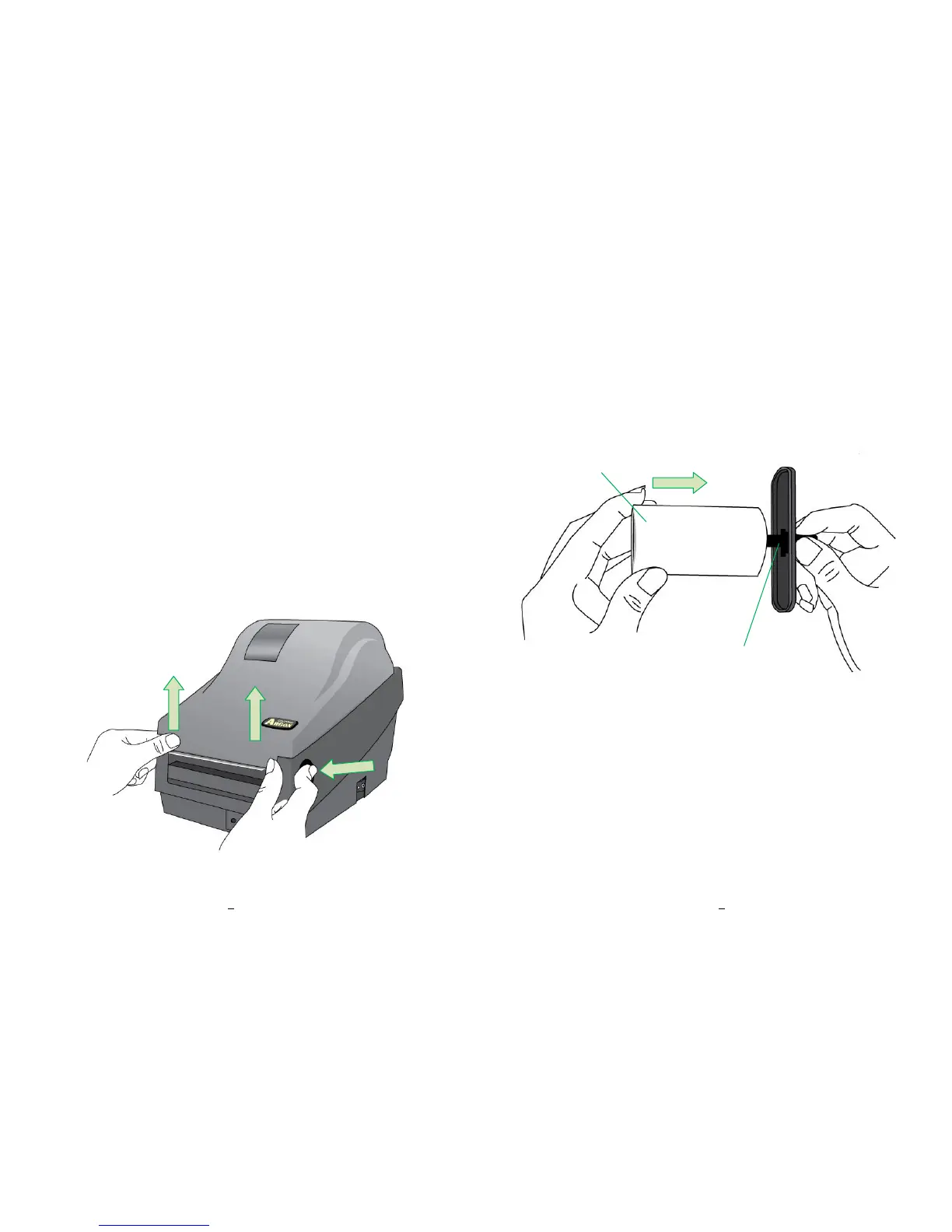
1. Open Top Cover of the printer.
5
OS-2130D & OS-2130DE User’s Manual
2. Put the Media Hanger through media supply roll, and then
centrally align with the two Media Shields to closely lean against
the media supply roll.
Media Hanger


 To Next Page