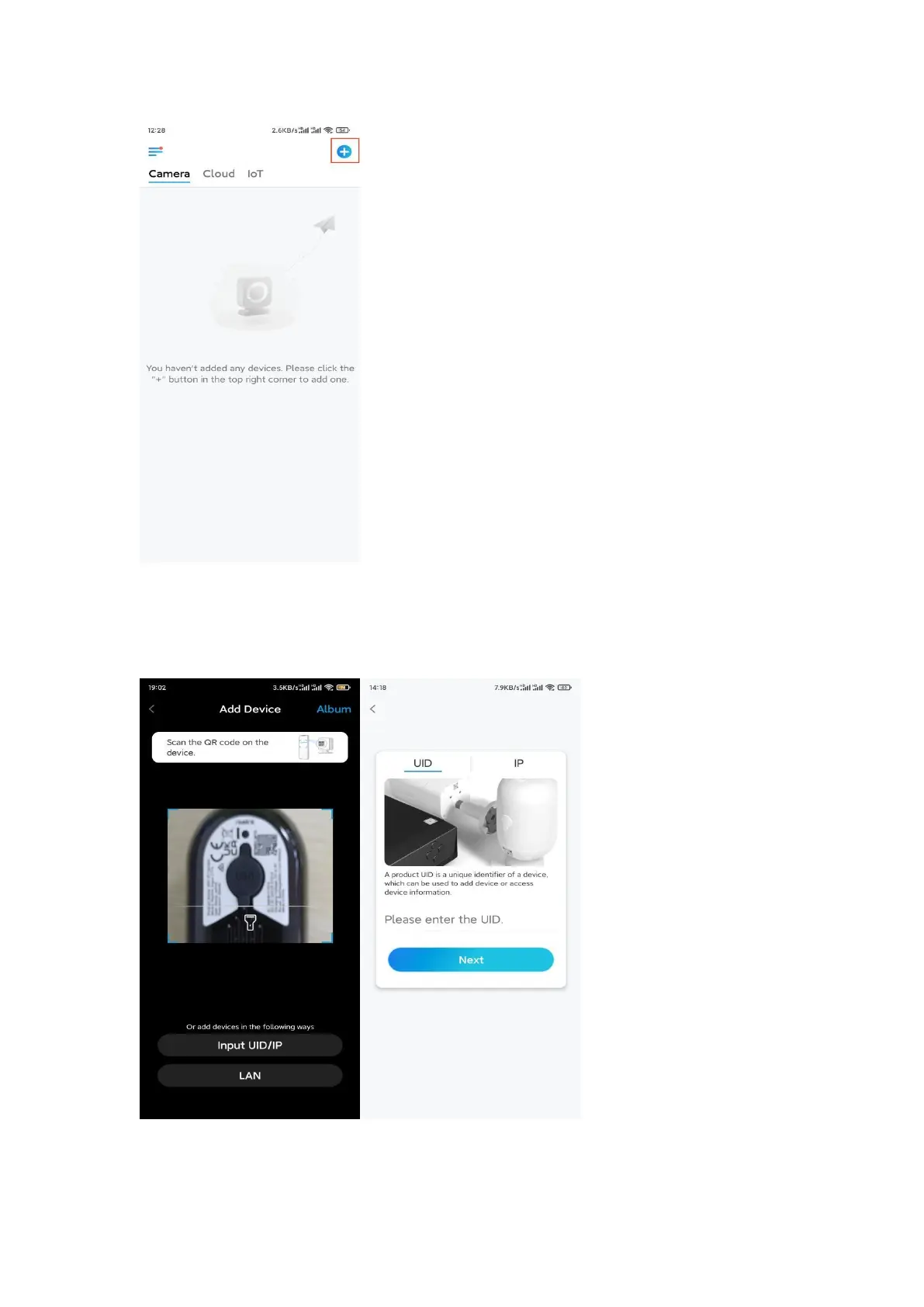
Step 3. Scan the QR code on the back of the camera. You may tap Light to enable
a flashlight when setting up the camera in a dark environment. If the phone
doesn't respond, please tap Input UID/IP and then manually type in the UID
(16-digit characters under the QR code of the camera). Then click Next.
Step 4. Select Wi-Fi Not Configured. If you hear a voice prompt played by the
camera, please tick correspondingly and then tap Next.


 To Next Page