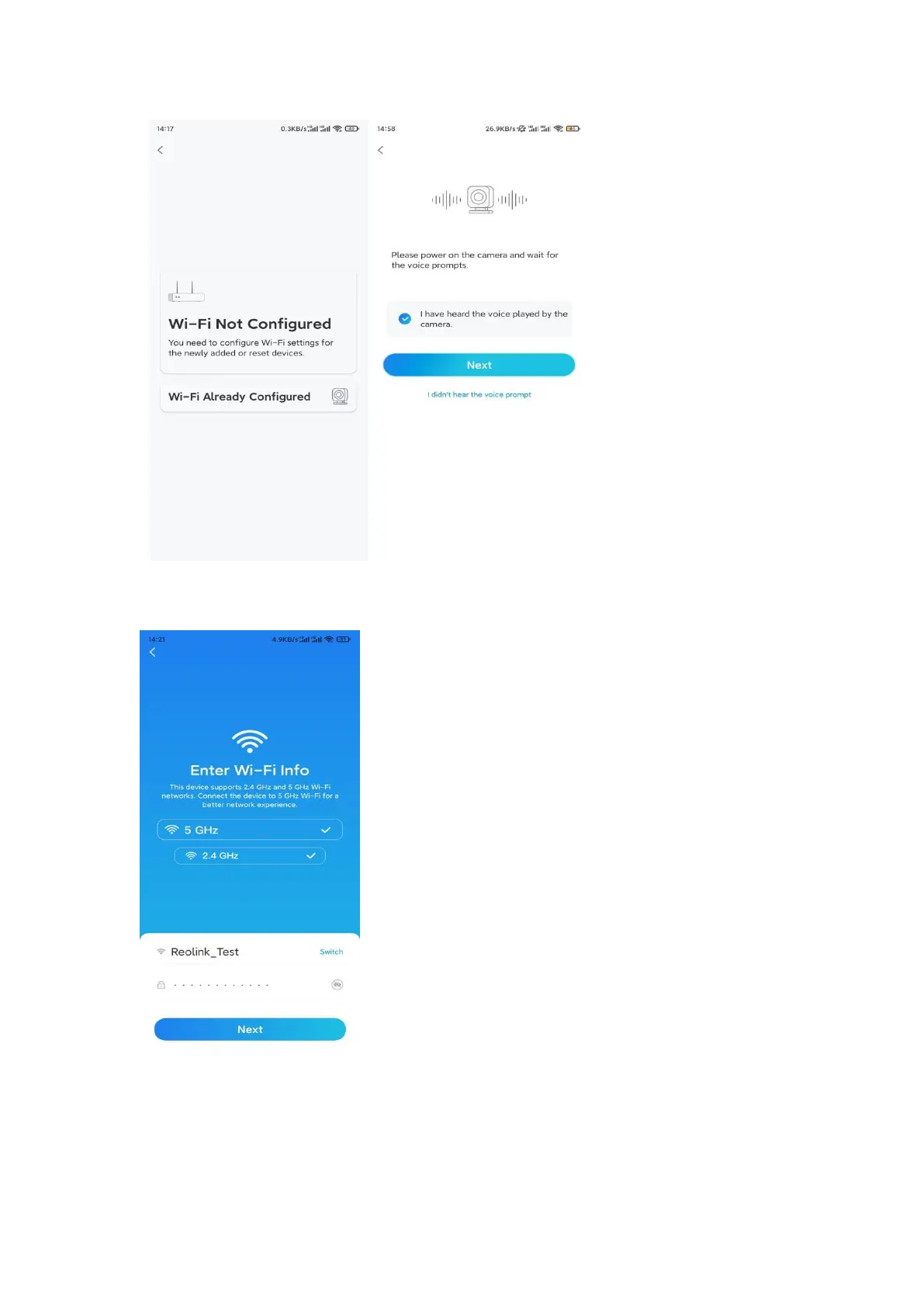
Step 5. Enter the WiFi password of the selected WiFi network (you may tap the
right eye icon to see and double-check the password) and tap Next.
Note: Argus 2E only supports the WiFi frequency of 2.4GHz.
Step 6. Tap Scan Now. Place the QR code on your phone in front of the camera’s
lens at a distance of about 20 cm (8 inches) and let the camera scan the QR code.
Tick correspondingly and tap Next.


 To Next Page