EN - 13
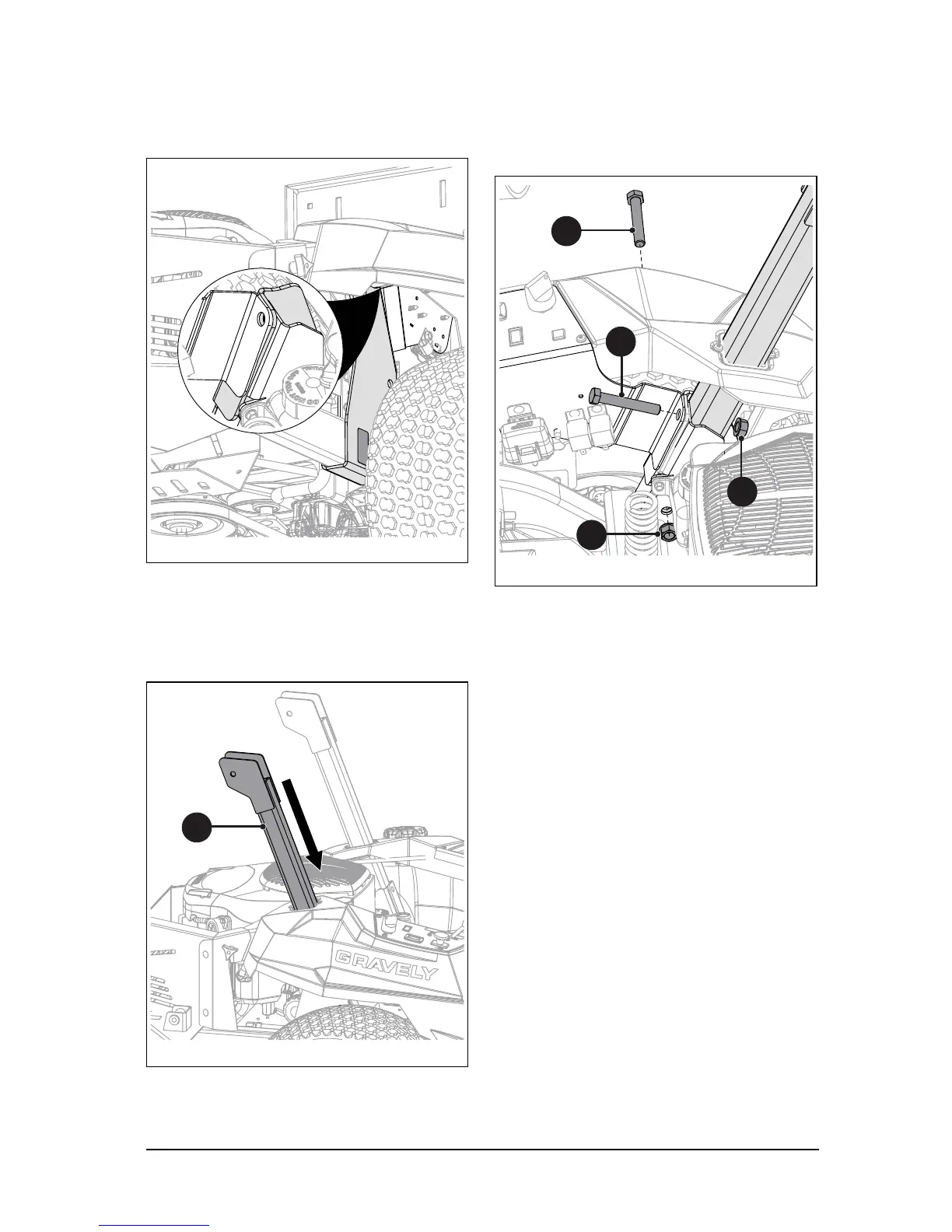
3. From below unit, position right-side
support bracket on frame. Ensure that
support bracket is positioned between
control panel bracket and existing support
bracket. See Figure 13.
4. Insert bagger support (item 19) through
the opening and between right support
bracket and frame. Ensure that hinge
plates are positioned facing the rear. See
Figure 14.
5. Attach bagger support with one
1/2"-13 x 3 1/4” hex bolt (item 21), one
1/2"-13 x 3" hex bolt (item 20) and two
1/2"-13 top-lock flange nuts (item 22).
DO NOT fully tighten hardware at this
time. See Figure 15.
6. Re-tighten the rear fuel tank strap
mounting bolt.



 To Next Page