EasyManua.ls Logo

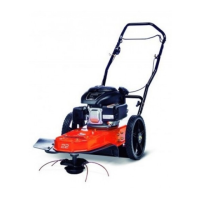
Ariens 946101-ST622 - User Manual

Ariens 946101-ST622
20 pages
Print Icon
To Next Page IconTo Next Page
Loading...
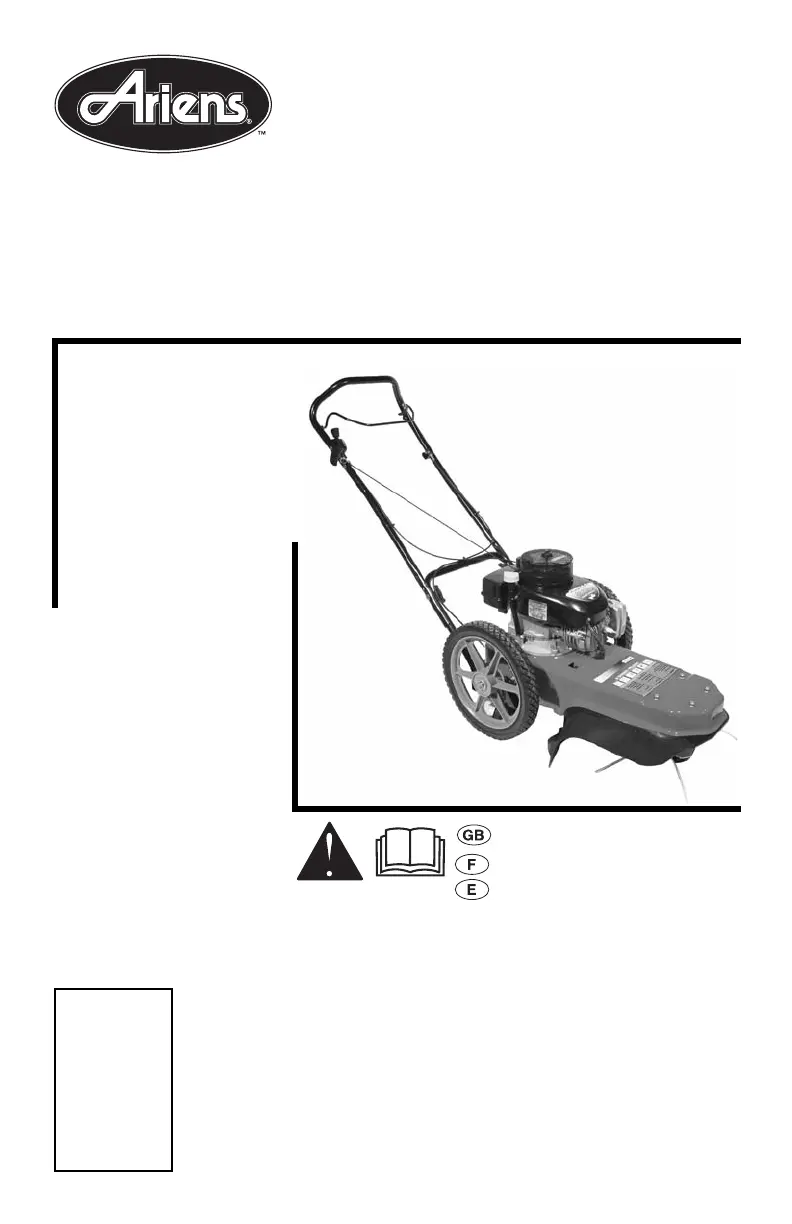
Owner/Operator Manual
Models
946101 - ST622
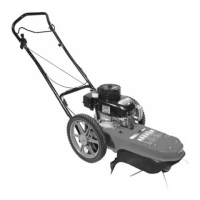
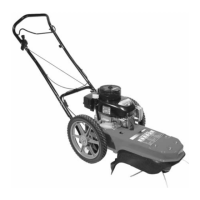
String Trimmer
04648400 10/05
Printed in USA
ENGLIS
H
FRANÇAI
S
ESPAÑO
L
Transfer
model &
serial number
label from
product
registration
here.
Coller l’autocollant du
modèle et du numéro de
série dans cet encadré.
Transferir aquí la etiqueta
del modelo y número de
serie del registro del
producto.

Questions and Answers

  • D
    David SmithJul 31, 2025
    Why won't my Ariens 946101-ST622 start?
    • C
      Cynthia OrtizJul 31, 2025
      If your Ariens Trimmer won't start, several factors could be the cause. It might be a disconnected spark plug wire, which you should reconnect. The engine might need priming, or the fuel tank could be empty, requiring a refill. Also, the engine could be flooded; in this case, wait a few minutes before trying again. Stale or contaminated gasoline could also be the culprit, so drain the tank and refill with fresh gasoline. A defective or incorrectly gapped spark plug can prevent starting, so replace or regap it.
  • A
    Adam AllenAug 6, 2025
    What to do if my Ariens 946101-ST622 Trimmer engine overheats?
    • G
      George DavisAug 6, 2025
      If your Ariens Trimmer engine is overheating, it could be due to the engine cooling system being overloaded with debris. Clean the engine screen and cooling fins to resolve this.
  • C
    Carlos HollowayAug 13, 2025
    Why is my Ariens Trimmer vibrating?
    • J
      jcontrerasAug 14, 2025
      If your Ariens Trimmer is vibrating, it could be because the cutter line lengths are too uneven; trim or adjust the cutter line to equal lengths, replacing if necessary. Also, check all bolts and nuts, including the engine mounting hardware, for tightness.
  • M
    Michael GarnerAug 22, 2025
    How to improve trimming performance of my Ariens 946101-ST622 Trimmer?
    • M
      Megan YorkAug 22, 2025
      To improve the trimming performance of your Ariens Trimmer, ensure the engine is set at Fast speed by setting the engine throttle to the Fast position.

Summary

Introduction and Unit Identification

Before Operation & Unit ID

Guidance on reading manuals, understanding controls, and locating model/serial numbers.

Product Registration and Policies

Covers product registration process, unauthorized parts, and delivery responsibilities.

Safety Alerts and Symbols

Understanding Safety Warnings

Explains the meaning of DANGER, WARNING, and CAUTION symbols and signal words.

Safe Practices and Operator Training

Covers general safety precautions, laws, and requirements for operator training.

Safety Decals and Locations

Decal Replacement and Warnings

Instructions on replacing safety decals and key warnings from decals.

General Safety Rules

Covers pre-operation checks, operation precautions, work area safety, and spark plug wire safety.

String Trimmer Operation Safety

Safe Operating Procedures

Guidelines for safe operation, personal protection, and hazard avoidance.

Emergency Stop and Servicing

Procedures for stopping in an emergency and safety during servicing.

Fuel Handling and Storage Safety

Fueling and Storage Precautions

Covers safe fueling practices, fuel types, and storage guidelines.

Maintenance and Parts Safety

Safety considerations for general maintenance, accessories, and parts.

Unit Assembly Instructions

Preparation and Assembly Steps

Tools required, unpacking, handlebar assembly, and engine oil filling.

Final Assembly Checks

Checklist for completed assembly and important items to learn before operation.

Controls and Features Overview

Component Identification

Labeled diagram identifying all parts of the string trimmer.

Key Controls Explained

Descriptions of the control bail, throttle lever, starter, primer, and swivel head lock.

String Trimmer Operation

Trimmer Head and Control Bail

Operation of the trimmer head and control bail, including function checks.

Filling Fuel Tank and Emergency Stop

Safe procedures for filling the fuel tank and stopping the trimmer in emergencies.

Engine Operation: Starting, Stopping, and Trimming

Pre-Start Checks and Procedures

Checks before starting, starting the engine, and stopping the engine.

Trimming Tips and Transport

Guidance on operating, trimming techniques, slope usage, and transporting the unit.

Maintenance Schedule and Procedures

Key Maintenance Checks

Checks for fasteners, trimmer lines, control bail, engine oil, and air cleaner.

Cleaning and Servicing Units

Procedures for cleaning the unit, debris screen, and cooling fins.

Service and Adjustments

Spark Plug and Oil Change

Procedures for checking spark plugs and changing engine oil.

Trimmer Line and Handlebar Adjustments

Instructions for replacing trimmer line and adjusting handlebar height.

Cutting Height and Swivel Head Adjustments

Adjusting Cutting Height

How to adjust the cutting height using spacers.

Swivel Head and Height Guide

Procedures for adjusting the swivel head and replacing the height guide.

Control Bail and Drive Belt Adjustments

Control Bail Travel Adjustment

Adjusting the control cable for proper bail disengagement.

Drive Belt Replacement Overview

Identification of components for drive belt replacement.

Drive Belt Replacement Procedure

Removing the Old Belt

Steps to safely remove the old drive belt.

Installing the New Belt

Detailed instructions for installing a new drive belt.

Troubleshooting Common Problems

Engine Issues

Addresses problems like engine not starting, running poorly, or overheating.

Trimming and Vibration Issues

Solutions for poor trimming performance and excessive trimmer vibration.

Storage and Specifications

Storage Preparation

Steps to prepare the unit for long-term storage.

Product Specifications

Technical details including model, engine, dimensions, and performance specs.

Service Parts List

List of common service parts with part numbers and descriptions.

Ariens Limited Warranties

Consumer and Commercial Warranties

Details the 2-year limited warranties for consumer and commercial use.

Sno-Thro and Auger Warranties

Covers 3-year Sno-Thro warranty and DURA-CLEAN Auger limited lifetime warranty.

Warranty Exceptions and Limitations

Service Conditions and Exclusions

Conditions for warranty service, limitations, and items excluded from warranty coverage.

Remedy Limitations and Disclaimers

Limitations on liability, damages, and disclaimers of further warranties.

Ariens 946101-ST622 Specifications

General IconGeneral
BrandAriens
Model946101-ST622
CategoryTrimmer
LanguageEnglish

Related product manuals