EasyManua.ls Logo

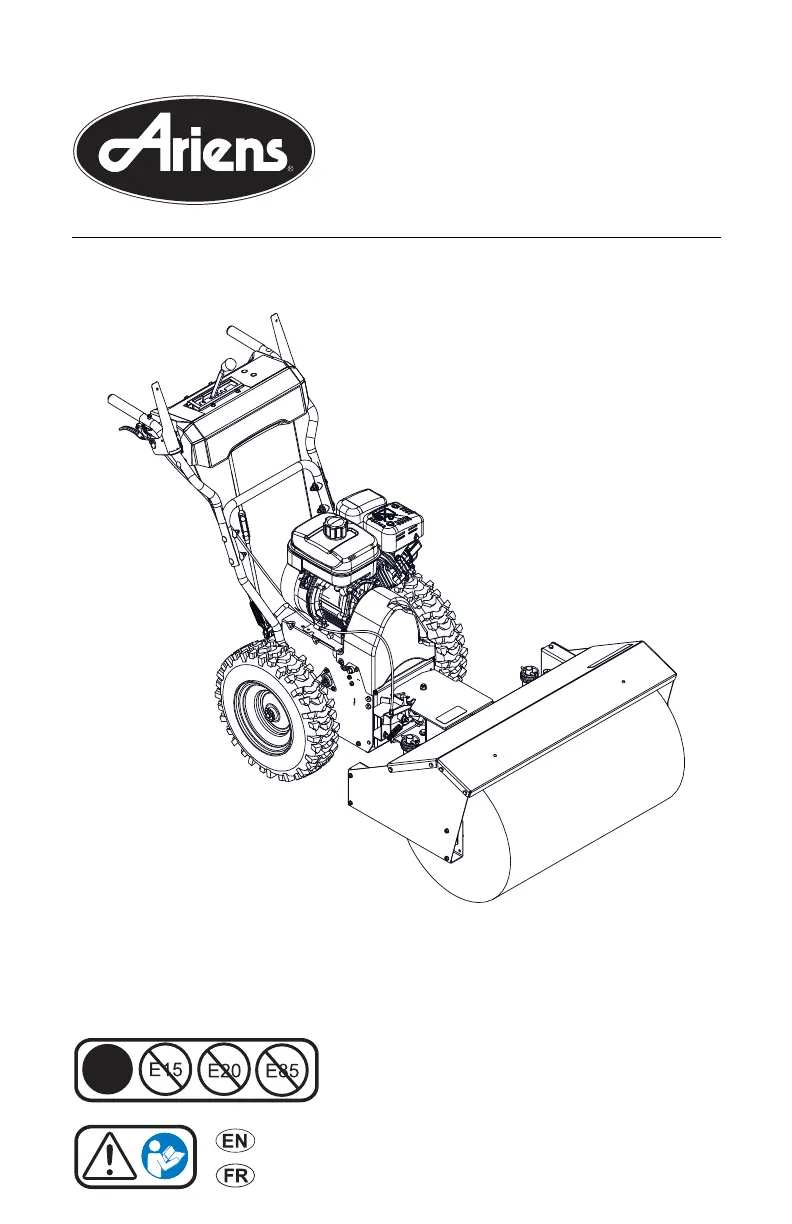
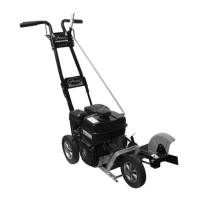
Ariens Power Brush 28 - User Manual

Ariens Power Brush 28
34 pages
Print Icon
To Next Page IconTo Next Page
Loading...
Operators Manual
Manuel de l'utilisateur
04955400 8/15
Printed in USA
ENGLISH
FRANÇAIS
E10
Power Brush 28
Model
921025 – Power Brush 28
(SN 055,000 +)

Other manuals for Ariens Power Brush 28

Questions and Answers

  • S
    sarah73Aug 19, 2025
    How to start an Ariens Blower when the engine won't start?
    • J
      Jose SchroederAug 19, 2025
      If the engine of your Ariens Blower won't start, consider these potential causes: * The engine switch may be in the off position, so push the switch to the on position. * The engine key may not be inserted; insert the key. * The choke may be off; turn the choke control knob to the on position. * The fuel valve may be closed; open the valve. * The fuel tank might be empty; fill the tank with fuel. * The engine may be flooded; turn the choke control knob to the off position and start the engine. * The spark plug wire may be disconnected; connect the spark plug. * The spark plug may be faulty; replace the spark plug.
  • B
    Benjamin ChanAug 21, 2025
    What to do if the engine of my Ariens Blower stops?
    • K
      Kelly SotoAug 21, 2025
      If the engine of your Ariens Blower stops, check these potential causes: * The fuel tank may be empty; fill the tank with fuel. * The fuel valve may be closed; open the valve. * There might be an obstruction in the brush; stop the engine, remove the key, wait for all moving parts to stop, and then remove the obstruction before restarting. * The fuel supply may be contaminated; replace it with clean fuel. * The spark plug may be faulty; replace or clean the spark plug. * The fuel cap vent may be blocked; install a new fuel cap.
  • L
    Lisa WilsonAug 23, 2025
    Why Ariens Blower does not drive forward or in reverse?
    • C
      Colleen SmithAug 25, 2025
      If your Ariens Blower unit does not drive forward or in reverse, the friction disc may be worn; replace the friction disc.
  • F
    Frederick WardAug 26, 2025
    What to do if Ariens Blower runs briefly then stops?
    • M
      Margaret KruegerAug 26, 2025
      If your Ariens Blower unit runs briefly then stops, it may be due to a build-up of fumes in the fuel tank creating too much pressure. Slowly loosen the fuel tank cap.
  • R
    Robert HuangAug 28, 2025
    What to do if Ariens Blower sweeps poorly?
    • J
      Jennifer CummingsAug 28, 2025
      If your Ariens Blower unit sweeps poorly: * Debris may be caught in the brush; stop the engine, remove the key, wait for moving parts to stop, and remove the obstruction before restarting.
  • N
    nrodgersAug 30, 2025
    Why Ariens Blower caster wheels do not pivot?
    • X
      xmorenoAug 30, 2025
      If the caster wheels of your Ariens Blower do not pivot as designed, it may be due to debris in the casters; clean the debris from the casters.
  • R
    Robert Carpenter PhDSep 1, 2025
    Why is the U-joint on my Ariens Blower noisy?
    • Q
      qcoxSep 1, 2025
      If your Ariens Blower's U-joint is noisy, it may be due to excessive friction in the u-joint; lubricate the u-joint or replace worn parts.
  • L
    Lee JonesSep 3, 2025
    Why small rubber beads collect in frame of Ariens Blower?
    • S
      smercadoSep 3, 2025
      Small rubber beads collecting in the frame of your Ariens Blower is normal friction disc wear and no correction is needed unless there are chunks or large pieces of rubber collecting in the frame.
  • C
    Cynthia GarciaSep 5, 2025
    Why won't my Ariens Power Brush 28 engine crank/start?
    • K
      Kimberly ColonSep 5, 2025
      If your Ariens Lawn and Garden Equipment engine won't crank or start, there are several possible causes: * The fuel tank may be empty, so fill it. * The fuel shut-off valve may be closed, so open it. * The engine shut-off switch may be turned off, so turn it on. * There may be engine ignition problems. Consult the Engine Manual for assistance.
  • S
    Stephanie WalkerSep 7, 2025
    Why does my Ariens Power Brush 28 Lawn and Garden Equipment engine keep stopping?
    • S
      sean89Sep 7, 2025
      Your Ariens Lawn and Garden Equipment engine may stop for several reasons: * It may be out of fuel, so fill the fuel tank. * There may be a mechanical jam in the brush. Turn off the engine, wait for all moving parts to stop, check for and remove any obstruction, and repair before restarting. * The fuel supply may be polluted, so replace it with clean fuel. * The spark plug may be faulty, so replace or clean it.

Summary

WELCOME

Have Questions or Need Assistance?

Provides contact information and website for support.

Product Registration

Instructions for registering the product with Ariens Company.

Manuals

Information on obtaining and reading provided manuals.

Disclaimer

Ariens' right to change products and information without notice.

SAFETY

Safety Alert Symbol

Explains the meaning and usage of the safety alert symbol.

Signal Words

Defines danger, warning, caution, notice, and important signal words.

Safety Decals

Explains the meaning and placement of safety decals on the unit.

Safety Rules and Procedures

Provides essential safety rules, training, and preparation guidelines.

FUEL HANDLING

Safe Fuel Handling

Guidelines for safe fuel storage, filling, and handling.

OPERATING GUIDELINES

General Operation Safety

Safety precautions during unit operation, including moving parts and controls.

Safe Operation Practices

Covers operating in various conditions, avoiding hazards, and emergency stops.

MAINTENANCE AND STORAGE

Maintenance Procedures

Information on keeping the unit in safe working condition.

Storage Guidelines

Procedures for short-term and long-term storage of the unit.

PERSONAL PROTECTION

Recommended Safety Gear

Details on wearing appropriate clothing and safety equipment.

SLOPE OPERATION

Safe Operation on Slopes

Precautions and techniques for operating the unit on inclines.

TOWING AND TRANSPORTING

Safe Transport Procedures

Guidelines for safely transporting the unit on vehicles.

ACCESSORIES

Compatible Attachments

Information on available accessories and their part numbers.

ASSEMBLY

Unpack Unit

Instructions for safely unpacking the unit from its box.

Unfold Handlebars

Steps for unfolding and securing the handlebars.

Install Brush Lock Cable

Steps for installing the brush lock cable.

CONTROLS & FEATURES

Control Identification

Identifies and illustrates key controls and features of the unit.

Engine Switch and Fuel Valve

Explains the function of the engine switch and fuel valve.

Throttle and Choke Controls

Details the operation of the throttle and choke control levers.

Speed Selector and Clutch Levers

Describes the function of speed selector and attachment clutch levers.

OPERATING PROCEDURES

Traction Drive and Brush Controls

Explains traction clutch, brush lock trigger, and dual handle interlock.

Starting and Stopping the Engine

Step-by-step instructions for starting and stopping the engine.

Unit Operation and Brush Adjustment

Guidance on operating the unit, setting brush height, and angle.

Transport Unit

Guidelines for safely transporting the unit.

MAINTENANCE

Service Position

Instructions for placing the unit in a service position for maintenance.

Removing Brush Attachment

Steps to remove the brush attachment for maintenance.

Return Unit to Operating Position

Procedures for returning the unit to its operating state after maintenance.

MAINTENANCE SCHEDULE AND CHECKS

Maintenance Schedule Overview

A schedule detailing service tasks based on usage hours.

Routine Checks

Procedures for checking clutch, fasteners, tire pressure, and oil levels.

Oil and Cover Maintenance

Guidance on changing engine oil and cleaning the recoil guard foam cover.

LUBRICATION

Unit Lubrication Points

Instructions for lubricating the U-joint and casters.

Drive Chain Lubrication

Steps for lubricating the drive chains.

ADJUSTMENTS

Traction Drive and Speed Selector Adjustments

Steps for lubricating traction drive and adjusting speed selector lever.

Attachment Clutch and Brake Adjustments

Procedures for adjusting attachment clutch, brake, and idler arm clearance.

Belt Finger and Traction Clutch Adjustments

Checking belt finger clearance and adjusting traction drive clutch.

STORAGE

Short Term Storage

Guidelines for storing the unit for short periods.

Long Term Storage

Procedures for storing the unit for extended periods.

START-OF-SEASON FUEL PREPARATION

Fueling After Storage

Instructions for preparing the fuel system after long-term storage.

AVAILABLE ACCESSORIES

Accessory Part Numbers

Lists specific accessory part numbers for purchase.

TROUBLESHOOTING

Engine Start Issues

Common problems and solutions for the engine not starting.

Engine Performance Issues

Troubleshooting for hard starting, poor running, or engine stopping.

Drive, Belt, and Traction Issues

Solutions for traction, belt, and drive system problems.

Component Functionality Issues

Troubleshooting for noisy U-joints and caster wheel movement.

SPECIFICATIONS

Model and Engine Specifications

Details on engine model, displacement, and RPM.

Brush and Drive Specifications

Technical data for brush dimensions, rotation, and drive system.

Unit Dimensions and Weight

Physical specifications including length, height, width, and weight.

WARRANTY

Ariens Limited Warranty

Overview of the limited warranty for Ariens equipment.

Warranty Exceptions and Limitations

Details on components and uses not covered by warranty.

Customer Responsibilities

Customer obligations for maintaining warranty coverage.

Exclusions and Special Conditions

Lists items not covered by warranty and special exclusions.

Ariens Power Brush 28 Specifications

General IconGeneral
BrandAriens
ModelPower Brush 28
CategoryLawn and Garden Equipment
LanguageEnglish

Related product manuals