Need help?
Do you have a question about the Aristo ARISTOMAT CL 1310 and is the answer not in the manual?
Details electrical connection requirements for the plotter.
Specifies requirements for compressed air connection for pneumatic tool heads.
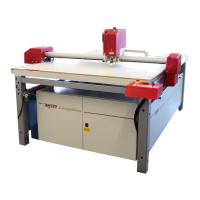
Identifies and illustrates the main components of the ARISTOMAT.
Details the control panel, ON/OFF switches, and emergency stop functions.
Explains the display, function keys, direction keys, and command keys of the control panel.
Details the function of direction keys and command keys for operation.
Step-by-step guide on powering on the ARISTOMAT and initiating reference movements.
Explains the vacuum system for material hold-down.
Describes the console and control panel interface of the ARISTOMAT.
Provides a detailed breakdown of the Main Menu options and function key navigation.
Details the options and navigation within Menu Level 1.
Details the options and navigation within Menu Level 2.
Details the options and navigation within Menu Level 3.
Explains how to reuse stored plot data and its limitations.
Guides on how to set the origin position on the material using direction keys and laser pointer.
Details the laser pointer's roles in origin setting, simulation, and print 'n' cut.
Instructions on how to start plotting and connect to the computer system.
Details parameter settings that influence plot quality and time, including SPEED.
Describes the function and adjustment range of upper and lower angles for cutting.
Details issues with axes, servo amplifiers, and emergency stop related to drive faults.


 To Next Page
 General