
 Need help?
Do you have a question about the Aristo MAT Series and is the answer not in the manual?
Provides an overview of ARISTOMAT SL machines and the manual's scope.
Details the process of installing the plotter at its assigned location.
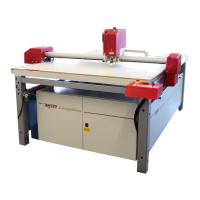
Provides a visual overview of ARISTOMAT SL components without a conveyor.
Provides a visual overview of ARISTOMAT SL components with a conveyor.
Instructions for connecting the ARISTOMAT to a computer via serial port.
Requirements for connecting compressed air to the maintenance unit.
Details power supply requirements for different pump system sizes.
Information on accommodating various optional tool heads.
Guidance on handling and securing material for cutting.
Covers the elements of operation and starting the ARISTOMAT system.
Identifies and explains the main operational components of the ARISTOMAT.
Step-by-step guide for powering on and initiating the ARISTOMAT.
Explains the structure of ARISTOMAT settings accessible through menu levels.
Details the functions available in the ARISTOMAT main menu.
Lists and describes parameters and settings in the first menu level.
Details settings and configurations available in the second menu level.
Outlines the settings and options available in the third menu level.
Guides through various menu settings for plotter configuration and operation.
Explains settings within the main menu like PLOT BUFFER, DELETE, REPEAT, LOAD TEST.
Details settings for PARAMETER, ANGLE, SMOOTHING, ACCELERATION, SPEED, etc.
Covers SAVE, HOST, EMULATION, FORMAT, INTERFACE settings.
Explains settings for MATERIAL WIDTH, LOWER OPTION, ORIGIN SWING, ROT. OPTION.
Provides guidelines for daily, weekly, monthly, and yearly maintenance tasks.
Describes the ARISTOMAT interface standards and pin assignments.
Details the ARISTOMAT's connector pin assignments for data transmission.
Lists technical specifications for ARISTOMAT SL models.
Troubleshooting guide for common HPGL, user, tool, drive, and data faults.
Introduces all elements of material transport for ARISTOMAT SL cutters.
Describes ARISTO's roll material holders and motorized unwind/wind systems.
Explains ARISTO's vacuum systems for material hold down on the cutter table.
Details the air permeable conveyor belt used for cutting.
Introduces the Boardlifter for automated loading of stiff sheeted materials.
Covers the setup and operation of material winding and unwinding systems.
Instructions for preparing a material roll for winding systems.
Overview of roll holders like RA 13xx and RA 16xx.
Details properties and specifications of the RA 13xx/16xx roll holder.
Steps for operating the unwind/wind shaft with material rolls.
Overview of the RA2 13xx/16xx unroll device and suitable rolls.
Instructions for operating the RA2 unroll device.
Details the MAb 13xx/16xx motorized unwinding device and suitable rolls.
Steps for operating the MAb motorized unwinding device.
Overview of the MRA2 13xx/16xx motorized unroll device.
Details the MAbG series motorized unwinding devices and suitable rolls.
Overview of MAbHD series motorized unwinding devices for heavy rolls.
Operational details for MRA2, MAbG, MAbG-C, and MAbHD devices.
Procedure for lifting the unwind/wind shaft from its bearings.
Instructions for loading light to medium weight material rolls.
Guidance on loading heavy material rolls safely.
How to control material wind direction on MAbHD devices.
Overview of motorized wind devices like MAuf-R 13xx, MAuf-R 16xx.
Details the MAuf-R 13xx/16xx motorized wind device and suitable rolls.
Steps for operating the MAuf motorized wind device.
Procedure for lifting the unwind/wind shaft from its bearings.
Procedure for inserting the core into the wind/unwind shaft.
Description of the MAuf take up device for winding film core-less.
Details different vacuum zone types and their configurations.
Details strip vacuum zone layouts for different ARISTOMAT models.
Vacuum zone specifications for ARISTOMAT SL 1310.
Vacuum zone specifications for ARISTOMAT SL 1317.
Vacuum zone specifications for ARISTOMAT SL 1617.
Vacuum zone specifications for ARISTOMAT SL 1625.
Details formatted vacuum zones for ARISTOMATs 1310 and 1317.
Formatted vacuum zone specifications for ARISTOMAT SL 131O.
Formatted vacuum zone specifications for ARISTOMAT SL 1317.
Explains matrix zone division and operation for vacuum tables.
Describes methods for advancing material, including suction cups and clamping.
Details the bridge-mounted suction cups for material advance.
Describes the clamping bar for materials that cannot be sucked.
Information on the Boardlifter for automatic loading of stiff sheeted materials.
Overview of menu functions for vacuum systems and boardlifter.
Guides through menu settings for vacuum and material feed operations.
Procedure for switching the vacuum pump modes (BLOW, VACUUM).
Details switching the vacuum ON and OFF.
Describes setting parameters for material feed operations.
Settings for DYNAMIC (SPEED, ACCELERATION) and LENGTH.
Covers SPEED and ACCELERATION settings for material advance.
Setting the advance speed for material handling.
Setting the acceleration for material advance.
Setting the feed length for material advance.
Controls the delay between blow and vacuum after feed cycle.
Options for START POINT and CORRECTION for material feed.
Initiates the material feed cycle after setting parameters.
Functions for SUCTION ON/OFF and manual material advance.
Operations related to the BOARD LIFTER, including TABLE, PUT ON, STACK.
Moves the board lifter arm over the table.
Executes a sheet delivery cycle for the board lifter.
Lowers the board lifter arm onto the material stack.
Troubleshooting for issues with the material unwinding device and Boardlifter.
Troubleshooting for issues with the material unwinding device.
Troubleshooting for malfunctions related to the Boardlifter.
Introduces ARISTOMATs equipped with light barriers and collision shut-off.
Overview of Standard and Safety light barriers and collision shut-off.
Details components of the standard light barrier system.
Details components of the optional safety light barrier system.
Describes actions to take after an EMERGENCY STOP related to light barriers.
Procedures to check the correct function of light barriers and collision shut-off.
Steps to check the light barrier function, including object detection.
Procedure to check the collision shut-off mechanism.
Instructions for adjusting the light barrier transmitter and receiver.
Maintenance recommendations for light barriers and collision shut-off.
Checks before operation for standard light barriers.
Notes on automatic checks for safety light barriers.
Checks before operation for the collision shut-off.
Periodic cleaning and connection checks for safety devices.

 To Next Page

 General