Page 9For technical questions, please call 1-888-866-5797.Item 70199
SAFETYINSTALLATIONPARTS LIST
Adjustment
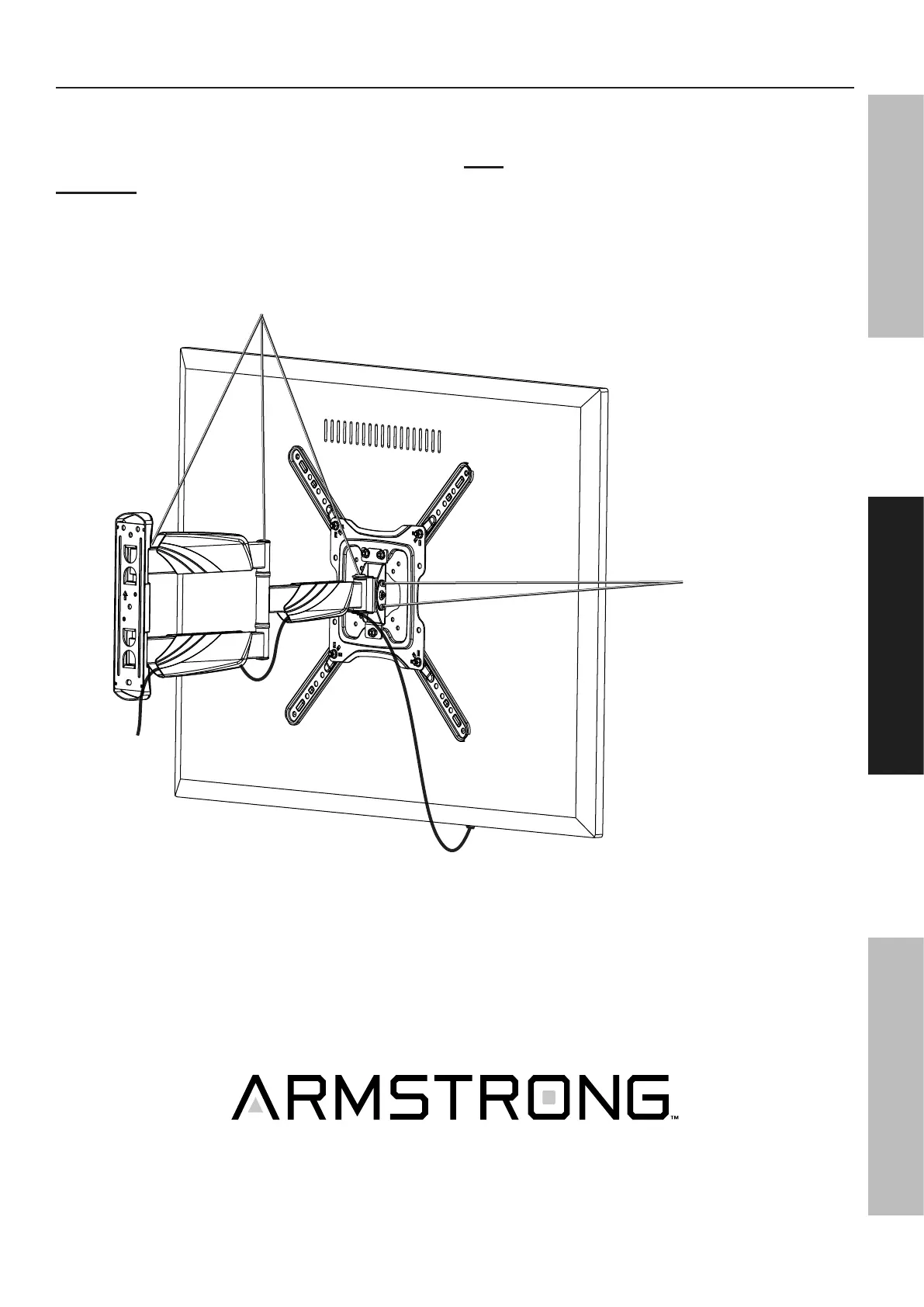
1. Adjust tilt if desired:
a. Loosen four Tilt Adjustment Screws
(2 on each side).
CAUTION!: TO PREVENT INJURY,
Do not loosen middle screws.
b. Adjust tilt.
c. Tighten Tilt Adjustment Screws securely.
2. To swivel, move the mounted TV to the left or right or
side-to-side. The Wall Mount has three pivot points.
Note: Gently move the TV when changing its position.
Do not force it or press on the screen directly.
Pivot
Points
Tilt Adjustment
Screws


 To Next Page