Page 8 For technical questions, please call 1-888-866-5797. Item 70199
SAFETY INSTALLATION PARTS LIST
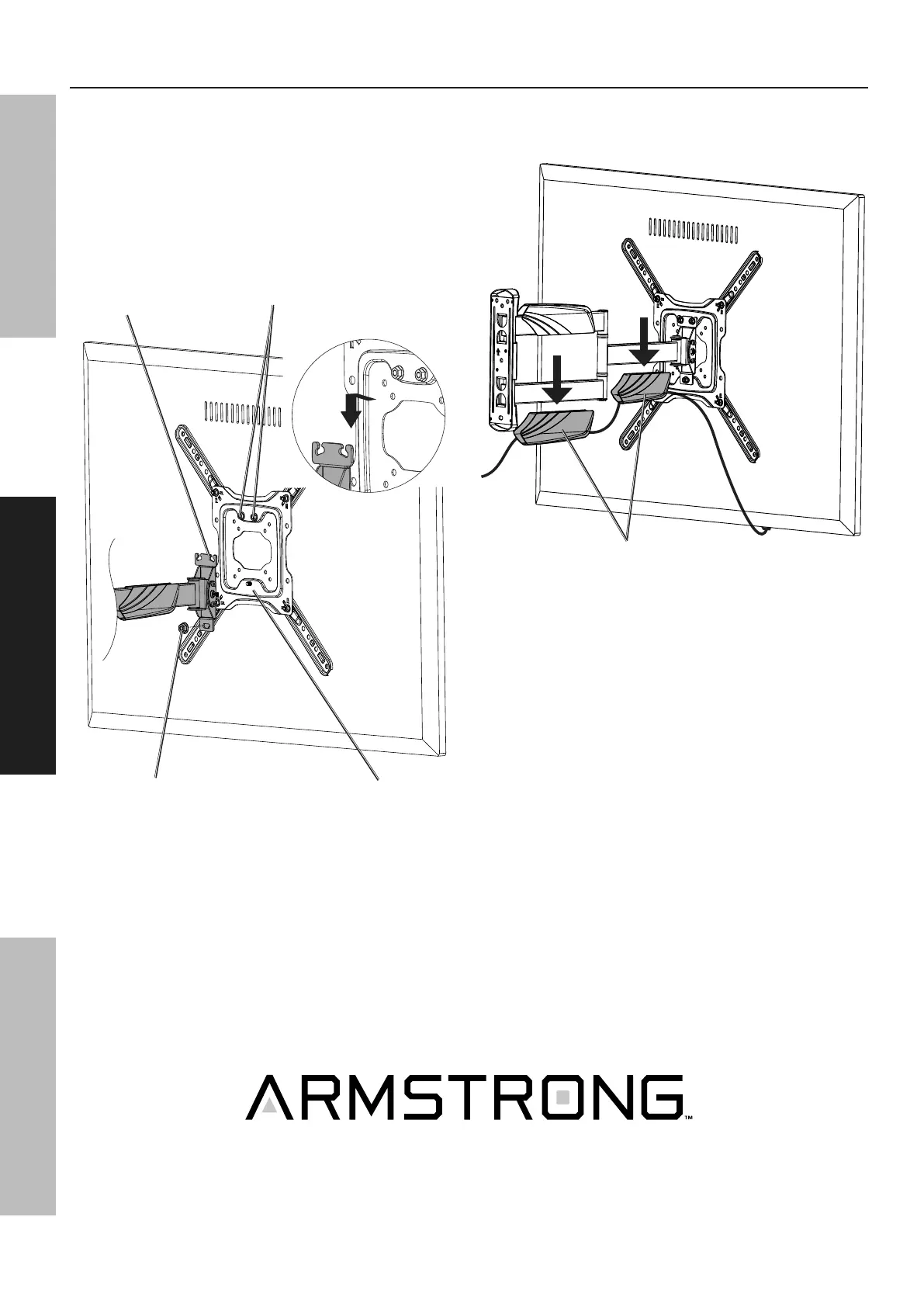
Mount TV to Wall Mount
1. With assistance, lift TV into place and lower onto
the Wall Mount Bracket, making sure the hooks
on the Wall Mount Bracket fit under the Top
Bracket Nuts and the lower threads fit through
the lower hole on the Wall Mount Bracket.
2. Fasten the Lower Bracket Nut and then
the two tops nuts. Tighten securely.
Wall
Mount
Bracket
Mounting
Bracket
Lower Bracket Nut
Top Bracket Nuts
3. Remove Cable Covers.
4. Route cables through Cable Covers and replace.
Cable Covers


 To Next Page