Page 7For technical questions, please call 1-888-866-5797.Item 70199
SAFETYINSTALLATIONPARTS LIST
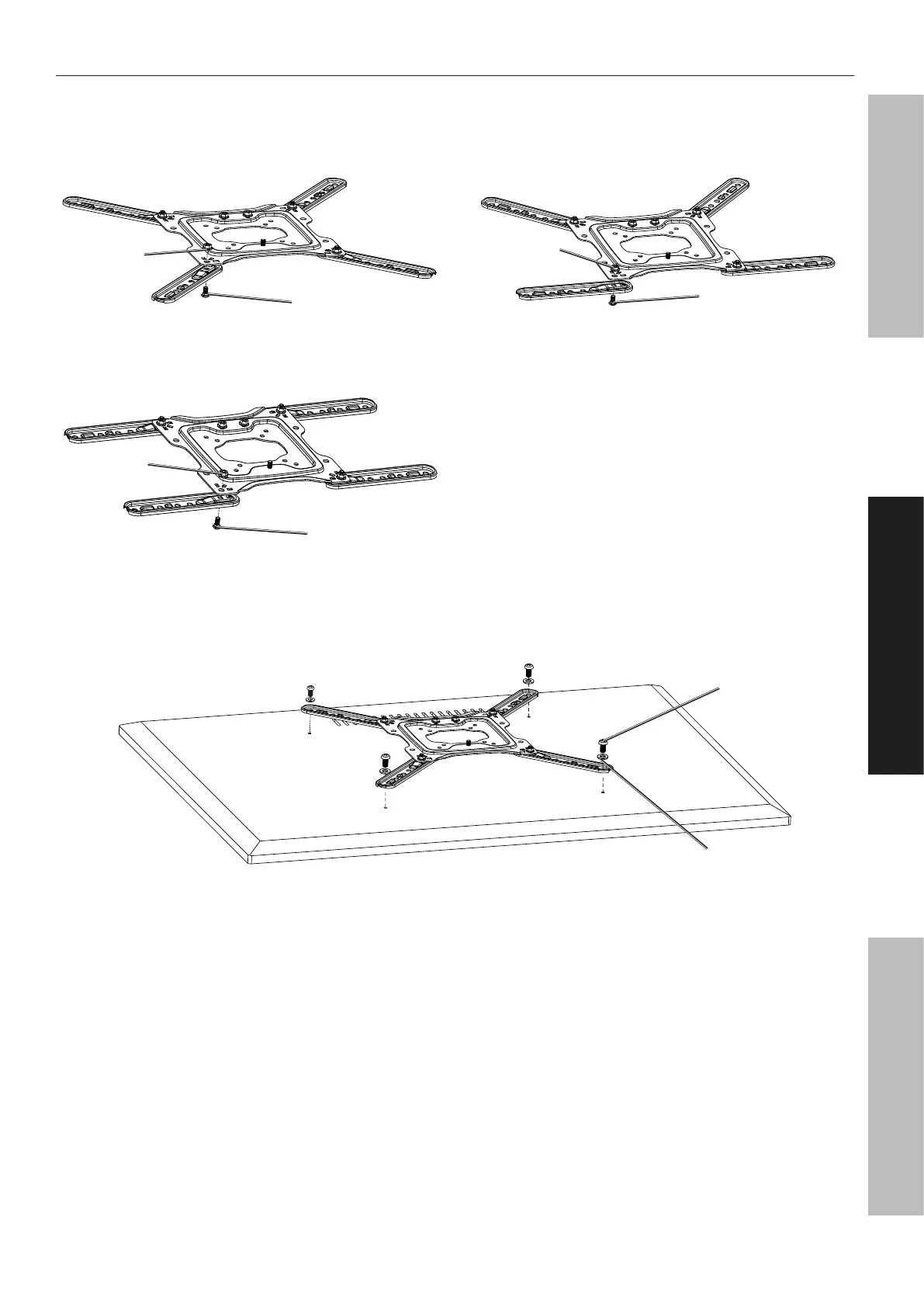
Mounting Instructions for VESA 300x200, 300x300, 400x200, 400x300, 400x400
1. Attach Extension Rods to Mounting Bracket with M6x12 Screw (D) and M6 Nut (E).
VESA 300x300, 400x400
M6x12 Screw (D)
M6 Nut (E)
VESA 300x200, 400x200
M6x12 Screw (D)
M6 Nut (E)
VESA 400x300
M6x12 Screw (D)
M6 Nut (E)
2. Attach Mount Bracket to Mounting Holes on TV using appropriate Screws and Washers. Use included
Spacers between the Mounting Bracket and the TV as needed to prevent Screws from bottoming out.
Screw
Washer


 To Next Page