BRING ALL YOUR ENTERTAINMENT TOGETHER
Get all your shows, movies, music and more from one simple and easy-to-navigate
menu. Just click the TiVo button on your remote and a world of entertainment
is at your fingertips.
TIVO CENTRAL: YOUR STARTING POINT FOR ALL OF YOUR
FEATURES AND SETTINGS
From the TiVo Central screen, you can see a list of all the shows you’ve recorded,
find new shows to watch, explore On Demand choices, popular web applications
and more.
LOCK IN THE SHOWS YOU LOVE
Set up a OnePass® to record every episode of your favorite programs, team names or
sports, all season long, even if the time changes. You can also tailor your OnePass to
record every episode or just every new episode.
EXP IS ALL ABOUT PLEASANT DISCOVERIES
Finding the things you love is a snap with a WishList® search. Have a subject, title,
actor or director you’re curious about? Just set up a WishList and choose to
auto-record to match your WishList search with recordings in your My Shows list.
SCHEDULE RECORDINGS WHEN
THE MOOD STRIKES YOU
Find shows and schedule recordings any time using a computer, tablet,
or smartphone. For instructions, visit ArmstrongOneWire.com/EXP.
THE EXP WHOLE HOME SOLUTION
EXP delivers TV plus web applications such as Netflix, Music Choice, YouTube,
Pandora and more to all TV’s in your home. Record up to 6 shows at once and store
up to 1,300 Standard Definition or 153 High Definition hours of programming.
Record and watch in one room and finish in another.
TAKE YOUR SHOWS WITH YOU
With EXP, you can schedule recordings from anywhere and easily stream
or transfer shows to your tablet or smartphone.
HAVE A MORE ROBUST AND ULTIMATE TV EXPERIENCE WITH
THE NEW ARMSTRONG EXP APP!
Easily stream or transfer shows to your tablet or other mobile device using the EXP
app! The app lets you schedule recordings, control live TV, search for shows and
more, right from your mobile device!
AFTER YOUR INSTALLATION IS COMPLETE, DOWNLOAD THE
FREE EXP APP FROM THE APP STORE OR GOOGLE PLAY
• Single sign-on using your Armstrong username and password
• Access TV Everywhere and live TV channels
• Watch recorded shows anywhere in your home*
• Download shows at home so you can take them on the go*
• Schedule recordings from anywhere
• Browse current listings and What to Watch Now
• Manage One Pass recordings and the To Do List
YOUR GUIDE TO ARMSTRONG EXP
WHOLE-HOME ENTERTAINMENT & CONNECTIVITY AT YOUR FINGERTIPS
EXP REMOTE CONTROL
* Requir es compatible TiVo ha rdware and mob ile devices r unnin g compatible sof tware. Not a ll program ming may be st reamed due to the u se
of copy prot ection mech anisms per mitted un der the FCC’s enco ding rule s. Some shows ca nnot be tran sferred due to t he copy protect ion assigned
them by th e program prov ider. For TiVo hardw are safety a nd complian ce informat ion, visit ti vo. com/safet y-complianc e.
To program your remote, press the TiVo button to go to TiVo Central, then select
SETTINGS & MESSAGES > SETTINGS > REMOTE, CABLECARD & DEVICES > REMOTE
CONTROL. Follow the easy on-screen instructions.
FOR MORE REMOTE CONTROL TIPS, VISIT ArmstrongOneWire.com/EXP
ArmstrongOneWire.com/EXP
TIVO Takes you to t he TiVo Central®
screen , the start ing point for al l TiVo
feature s and settin gs.
TV PWR If programmed,
tur ns your TV on or off.
INPUT Selec ts the input your
TV di splays (such as DVD
player, game s ystem).
BACK Goe s back to the previo us screen
(in cer tain apps).
GUIDE Takes you to the prog ram
guide, wh ere you can find show s to
watch or record.
VOLUME AND MUTE
If progra mmed, control t he
volume on you r TV or A/V rece iver.
THUMBS UP AND
THUMBS DOWN
Rate shows, c ollections, o r video
provide rs for TiVo Suggestions.
PL AY Starts pl aying a show
from the My Sho ws list.
REWIND Rewin ds a show. Press up to
three t imes for three s peeds.
RE PLAY R epeats the last eig ht
seconds o f the show. Press and hold
to jump to the b eginnin g of a show.
A, B, C , D Sort a nd filter views. L ook
for the on-sc reen tips.
SLOW Play s a show
in slow mot ion.
CLEAR Remove s display of info
banne r or program gui de and
deletes ti tles from My Shows
or To Do list.
ENTER/LAST Returns to last
chan nel viewed in L ive TV.
ON DEMAND Takes you to the
main s creen for video -on-
demand opt ions.
ADVANCE Moves forward
in 30-second inc rements. Press
and hold to ju mp to the end
of the show. Pre ss to jump to
the nex t tick mark when f ast-
forwarding or rewinding.
PAUSE Freezes a s how. Press
again to re sume playing.
FAST-FORWARD
Fast-forwards through
a show. Press up to th ree
times for t hree speeds.
RECORD Starts recording
the show you’re watc hing, or
sets up a record ing for a show
selecte d in the progra m guide.
CHANNEL UP/DOWN Change
the cha nnel and page up or
down wh ile in the progr am
guide or T iVo menus.
ARROWS Navigate TiVo
menus and pro gram guide.
EXIT Leave you r current
viewi ng.
SELECT Choose menu items .
When watc hing Live T V, press
to bring up t he Mini Gui de.
INFO Shows the i nfo banner
while w atching Liv e TV. Press
again to m ake it disappea r.
LIVE TV Watch live T V, use it
to cycle t hrough the tu ners.
WHAT IS MOCA?
Your DVR is MoC A ready! MoCA (Multimedia O ver Coax Alliance) uses your
exis ting coaxi al (Coax) cable to tran sfer and stream s hows to every room
in your hom e at blazing speed s!
WHOLE HOME EXPERIENCE
THE
COAX CA BLE
DIGITAL VIDEO RECORDER
WATCH IT ANYWHERE
IN YOUR HO ME WITH
THE APP!
ZOOM
ROUTER
rev 3.17
NETFLIX BUTTON Quic k one-
clic k access to Netfli x.
SEARCH BUTTON Search for TV show s,
movies, actor s, directors or cha nnels by
enteri ng the first few le tters of a title,
episode, sub ject, or name.

 Need help?
 General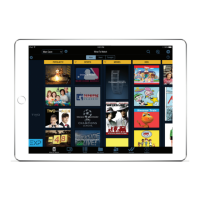

 To Next Page