EasyManua.ls Logo

ARMTEL DCN-2 Central Exchange - User Manual

ARMTEL DCN-2 Central Exchange
48 pages
Print Icon
To Next Page IconTo Next Page
Loading...
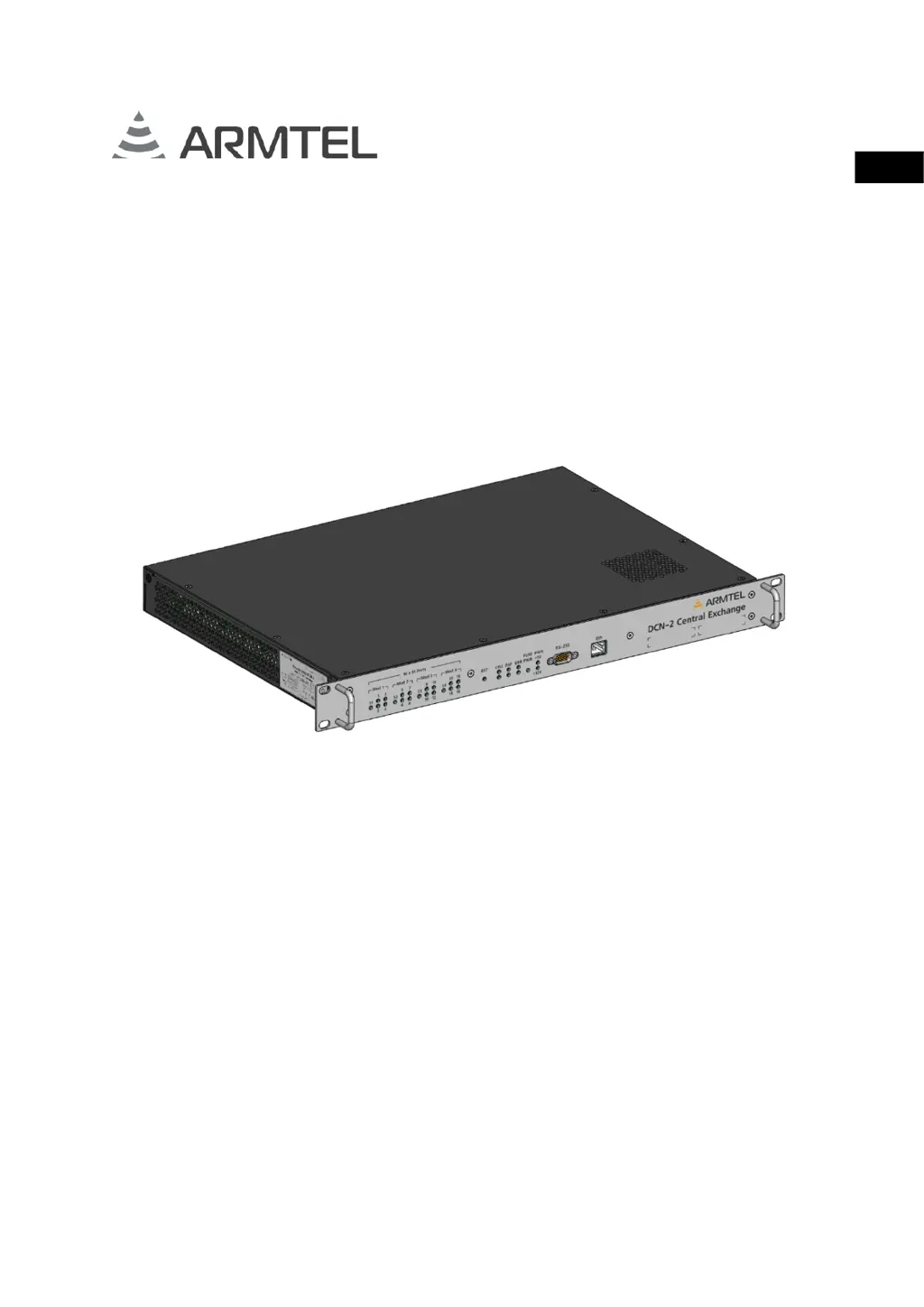
DCN-2 Central Exchange
ARMT.665200.003UM
User Manual
Document version 13 26.30.11.110
2021
ENG

Questions and Answers

  • K
    Katherine CummingsAug 19, 2025
    How to fix ARMTEL DCN-2 Central Exchange Switch when the indicator of one of the ports E1 (1-16) is blinking red?
    • N
      Nathaniel PhillipsSep 12, 2025
      If the indicator of one of the E1 ports is blinking red, it means that the first (physical) level of the port is activated, but the second level of the protocol is not installed. To resolve this, check the configuration and correct the connection on the E1 stream.
  • G
    Gary HouseAug 22, 2025
    Why is FUSE SYS indicator solid red on ARMTEL Switch?
    • C
      Craig JamesAug 22, 2025
      The FUSE SYS indicator is solid red because the power FUSE SYS is burnt out. Replace the FUSE SYS to resolve this issue.
  • M
    Michelle HoltAug 25, 2025
    What to do if Board indicator 4E1 (S1…S4) flashing red on ARMTEL Switch?
    • R
      Ryan YangAug 26, 2025
      If the 4E1 board indicator is flashing red, there is no communication between the 4E1 board and the CPU via the USB interface. Check the quality of the connection of the board in the connector or replace the board.
  • M
    Mr. Alan ReevesAug 28, 2025
    What to do if DSP1 indicator is off, red or green, flashing red on ARMTEL Switch?
    • T
      Tony MitchellAug 28, 2025
      If the DSP1 indicator is off, red, green, or flashing red, the DSP is faulty. Check the board connection in the connector, or replace the board.
  • C
    Calvin MorseAug 31, 2025
    How to fix ARMTEL Switch when you turn it on and DCN-2 LEDs do not light up?
    • C
      Casey HaleAug 31, 2025
      If the DCN-2 LEDs do not light up when you turn on the ARMTEL Switch, it could be due to these reasons: * DCN-2 is not connected to a power source. Connect it to the power supply. * The DCN-2 power fuse is burnt out. Replace the main DCN-2 fuse.
  • M
    Megan WoodSep 3, 2025
    What to do if Board indicator 4E1 (S1…S4) off, glowing red or green on ARMTEL Switch?
    • J
      James PayneSep 3, 2025
      If the 4E1 board indicator is off, glowing red, or green, the 4E1 board is defective. It requires factory board repair, which may involve replacing the board.
  • K
    Katherine KellySep 6, 2025
    What does it mean when the indicator of one of the ports E1 (1-16) glows red on ARMTEL DCN-2 Central Exchange?
    • B
      Brandon HardingSep 6, 2025
      If the indicator of one of the E1 ports glows red, the port E1 is faulty. Check the quality of the connection of the board in the connector.
  • A
    angelaortegaSep 9, 2025
    What does Secondary power control indicator +5 V mean for ARMTEL DCN-2 Central Exchange?
    • A
      April JordanSep 9, 2025
      If the secondary power control indicator +5 V is active, it means the secondary supply is not available, and repair of the DCN-2 is necessary.
  • W
    Walter WellsSep 12, 2025
    What to do if ERR2 indicator (lower) lights red on ARMTEL DCN-2 Central Exchange?
    • B
      Brian JordanSep 12, 2025
      If the ERR2 indicator is red, it indicates an external alarm. Find the cause and fix it.
  • B
    Bonnie RivasNov 15, 2025
    What to do if ERR1 indicator (upper) solid red on ARMTEL DCN-2 Central Exchange?
    • J
      james13Nov 15, 2025
      If the ERR1 indicator is solid red, it could mean several things: * The CPU might be unhealthy, requiring DCN-2 repair. * The DSP could be defective. In this case, check the board connection in the connector or replace the board. * There might be no DSP communication with the CPU. Try restarting the DSP or consider factory repair of the DSP board (replace the board). * The 4E1 board might be defective, requiring factory repair (replace the board). * There might be no connection of the 4E1 Board with the CPU via the USB interface. Check the quality of the board connection or replace the board. * The subscriber device might be unavailable due to a broken communication line, device malfunction, or being disabled. Eliminate the broken communication line, connect the device, or rep...

Summary

Introduction

Introduction

Introduction to the DCN-2 Central Exchange user manual.

Safety Provisions

Safety Provisions

Safety rules and precautions for using the DCN-2.

Design and Description

Product Overview and Specifications

Covers DCN-2 purpose, operation, features, specifications, and scope of supply.

Physical Design and Components

Details on DCN-2 design, dimensions, versions, and key components like cables and boards.

Connected Systems and Devices

Information on devices and modules that interface with the DCN-2.

Intended Use

Operating Limits and Preparation

Defines operating conditions, environmental limits, and preparation steps for the DCN-2.

Safety Measures and Installation

Covers safety precautions during use and detailed instructions for installation and connection.

Maintenance

Maintenance Guidelines and Safety

General procedures, safety rules, and precautions for maintaining the DCN-2.

Maintenance Procedure and Functionality Check

Detailed steps for maintenance and checking the product's operational status.

Repair

Repair

Information on unscheduled repair procedures performed by the manufacturer.

Transportation

Transportation

Guidelines and precautions for transporting the DCN-2 product.

Storage

Storage

Conditions for storing the DCN-2 in its packaging and appropriate facilities.

Appendix A: Product Connection

DCN-2 Connection Cable

Details on the DCN-2 connection cable, its purpose, and specifications.

Power Supply Cable

Information regarding the DCN-2 power supply cable and its connector.

Disposal

Disposal

Instructions for the proper disposal of the DCN-2 electronic product.

ARMTEL DCN-2 Central Exchange Specifications

General IconGeneral
BrandARMTEL
ModelDCN-2 Central Exchange
CategorySwitch
LanguageEnglish