- EN 4 -
1) Compartment for essential oil bottle\nozzle
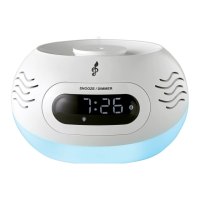
2) Display panel
3) Snooze\Dimmer touch button
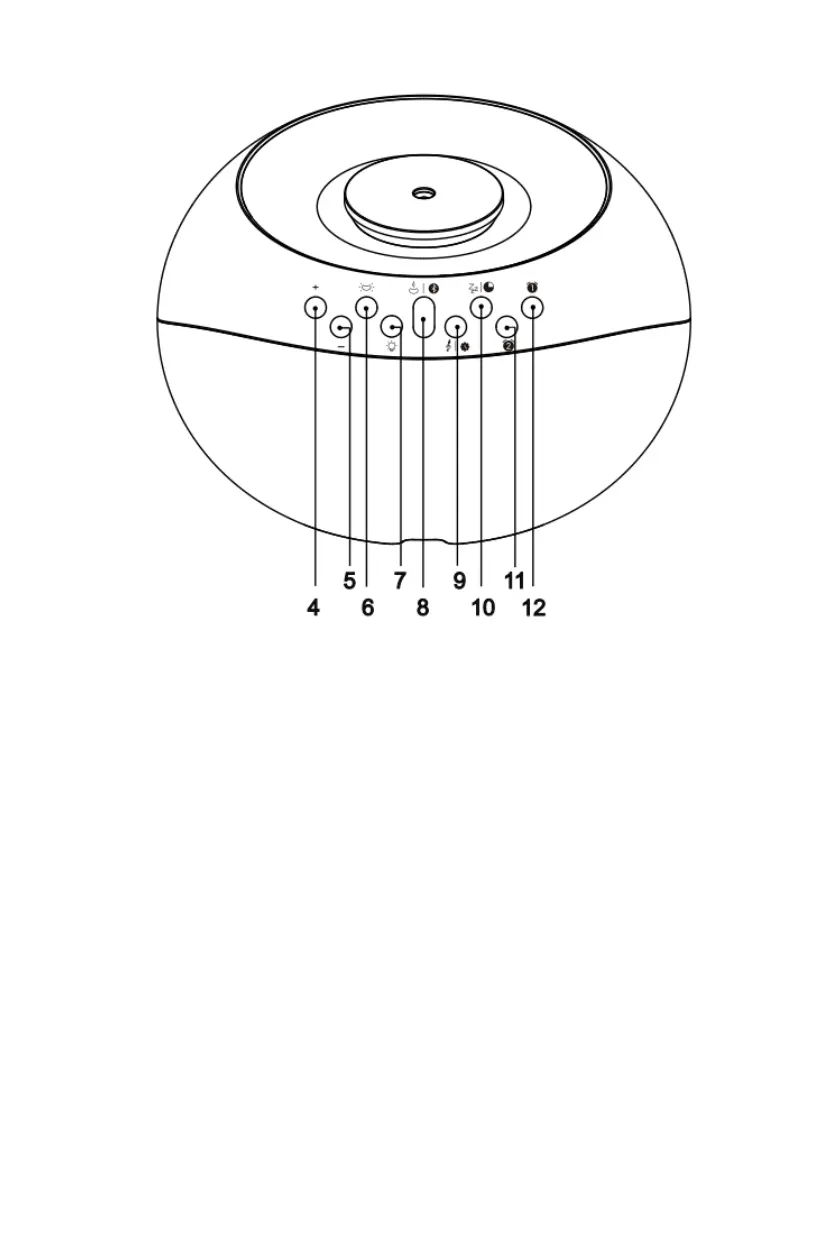
4) Volume up\Clock selection button
5) Volume down\Clock selection button
6) Light colour selection button
7) Light brightness selection button
8) MIST\Bluetooth mode button
9) Set time button
10) Nap\Sleep button
11) Alarm 2 set button
12) Alarm 1 set button
Power Caution
• Risk of product damage! Make sure that the power voltage corresponds to the voltage printed on
the bottom label.
• Risk of electric shock! When you unplug the AC power cable always pull the plug from the socket.
Never pull the cable.
• Before connecting the AC power cable, ensure you have completed all other connections.
Auto standby
When no music plays from a connected device, the product automatically switches to standby if:
• No button is pressed for 10 minutes.
• There is audio from a connected device for 10 minutes.
Basic operation
Connect the power supply
• Plug the provided AC adapter onto the AC socket, connect the DC plug to main unit and the unit will
then enter clock initial mode. The input is on the underside of the product.


 To Next Page
 Loading...