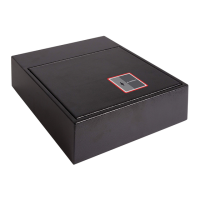
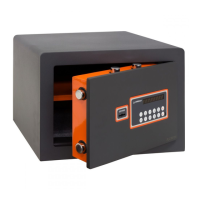
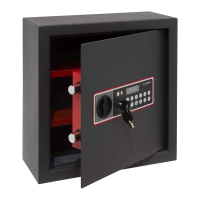
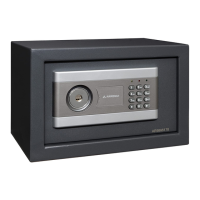
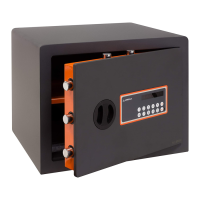
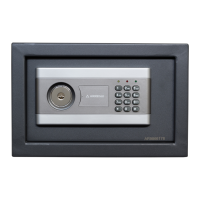
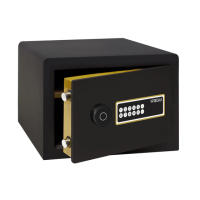
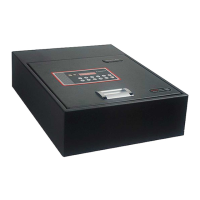
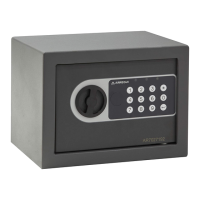
The provided manual describes the ARREGUI FORMA electronic combination safe, a security device designed for storing valuables. It comes with an instruction manual and guarantee certificate, available in English, Spanish, Portuguese, Italian, and Greek.
Function Description
The ARREGUI FORMA safe is an electronic combination safe primarily used for securing items. Its core function is to provide a secure storage solution that can be accessed via a programmable electronic code. It also features emergency opening methods to ensure access even in unforeseen circumstances like forgotten codes or depleted batteries.
Important Technical Specifications
While the manual doesn't explicitly list all technical specifications such as dimensions, weight, or material, it does provide key operational details:
- Power Source: Requires 4 x 1.5 V alkaline batteries, located in a battery holder at the back of the door.
- External Power Supply: Can be opened using an external 9V battery if internal batteries are flat and the emergency key is unavailable.
- Code Length: The personal opening code can have a minimum of 1 and a maximum of 12 digits. The emergency code also follows this range.
- Security Lockout: The safe will block for 15 minutes after 5 consecutive incorrect code entries, emitting a beep every 8 seconds during this period.
- Keypad Feedback: Each key press results in a short beep.
- Timeout Feature: If more than 15 seconds pass between pressing two keys, the safe will close.
- Knob Turning Time: After pressing the key to confirm the code, there is a 3-second window to turn the knob and open the safe.
- Guarantee: The safe is guaranteed for a period of 24 months from the date of purchase, covering manufacturing faults that affect its functioning.
Usage Features
The safe offers several usage features for both routine operation and emergency situations:
1. Opening for the First Time:
- Requires the use of an emergency key, which is hidden behind the knob.
- To access the emergency lock, the knob must be removed. This involves using a metal object to remove a magnetic round piece, then a screwdriver to loosen a screw, and finally removing the knob.
- The emergency key (found in an accompanying envelope) is inserted into the lock and turned counter-clockwise.
- An opening lever (also in the envelope) is inserted into the knob shaft, aligned with the flat part, and then turned clockwise to open the door.
- Batteries (4 x 1.5 V alkaline) must be inserted into the battery holder at the back of the door according to an internal diagram to activate the electronic system.
2. Opening and Closing the Safe (Subsequent Times):
- Opening:
- Press the "C" key. A green light will flash (or red if batteries are low, see point 6).
- Enter the personal opening code (initially 1234). The light will continue to flash.
- Press the "C" key again and turn the knob clockwise.
- If the code is correct, a continuous green light and a long beep will signal acceptance, providing 3 seconds to turn the knob and open the safe.
- If the code is incorrect or no combination is entered, 4 short, deep beeps will sound, and the light will go out. The process must be repeated.
- Closing: Simply turn the knob counter-clockwise.
3. Changing the Opening Code:
- The safe must be open and remain open until the process is complete.
- Insert a plastic rod (supplied with the emergency key) into a circular hole on the back of the door until it stops. A long beep indicates the start of the process.
- Enter the new code (1 to 12 digits).
- Press the "C" key.
- Re-enter the new code for verification.
- Press the "C" key again.
- A continuous sound indicates successful code change; four short beeps indicate an error, requiring the process to be repeated.
4. Emergency Opening:
- Emergency Key and Lever: If the code is forgotten or batteries are flat, the safe can be opened using the emergency key and lever (as described in "Opening for the First Time").
- Emergency Code: If the personal code is forgotten, an emergency code (provided in the envelope) can be used instead of the usual code, following the steps for normal opening (part 2). It is recommended not to change this code for security.
- To change the emergency code: Open the safe, press "C" then "8". Insert a blunt object (e.g., a pen) into the circular hole on the back of the door. Enter the current emergency code, press "C", enter the new emergency code, press "C", re-enter the new emergency code, and press "C" again.
5. Use of the External Power Supply:
- If batteries are flat and the emergency key is unavailable, a 9V external battery can be used.
- Connect the 9V battery's terminals to the two power points (+ and -) on the keypad.
- Keep it connected and open the safe normally (code - "C").
Maintenance Features
The primary maintenance feature described in the manual relates to battery management:
6. Condition of the Battery Indicator:
- The electronic system checks battery condition every time the safe is used.
- Green Light: Indicates good battery condition during the opening process.
- Red Light: Indicates low battery condition.
- Battery Replacement: When the red light appears, the internal batteries (located at the back of the door) should be changed as soon as possible. The safe can perform several openings after the red light appears, but it's not advisable to rely on this.
Troubleshooting (Before Calling Technical Service):
The manual provides a comprehensive troubleshooting guide for common issues:
- Incorrect Code: If the green light flashes, beeps occur with each key press, but 4 short beeps sound and the light goes off after pressing "C", the entered code is incorrect.
- Timeout Between Key Presses: If keys are pressed normally but the light goes off and keys stop working after a few seconds, too much time (over 15 seconds) has passed between key presses.
- Timeout for Knob Turning: If the green light comes on continuously after pressing "C" but turns off before the knob can be turned, too much time (over 3 seconds) has passed to turn the knob.
- Safe Blocked: If the safe emits a beep every 5 seconds and no keys work, it's blocked due to 5 consecutive incorrect code entries. It will unblock automatically after 15 minutes.
- Low Batteries: If the red light flashes when pressing "C", the batteries are running out.
- Red Light After Battery Change: It's normal for the red light to appear for the first 2-3 openings after changing batteries. If it persists, check battery insertion.
Important Reminders:
- Never keep the envelope containing the emergency key, lever, and emergency code inside the safe.
- Ensure the purchase receipt and guarantee certificate are kept together to accredit the purchase date for warranty claims.

 Need help?

 To Next Page
 General