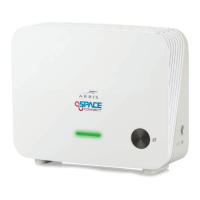
Connecting the WECB460 Wi-Fi MoCA Bridge
Using the WECB460 Wi-Fi MoCA Bridge and existing coax or Ethernet cab les
you may extend the range of your wireless network and reduce “dead spots” in
the house in locations where the gateway/access point signal is weak.
Option 1: Connecting to a MoCA Enabled Network
Requirement: You must have a MoCA enabled router or gateway installed
that is capable of processing MoCA signals on the home coaxial cable RF
network to install the WECB460 Wi-Fi MoCA Bridge in this configuration.
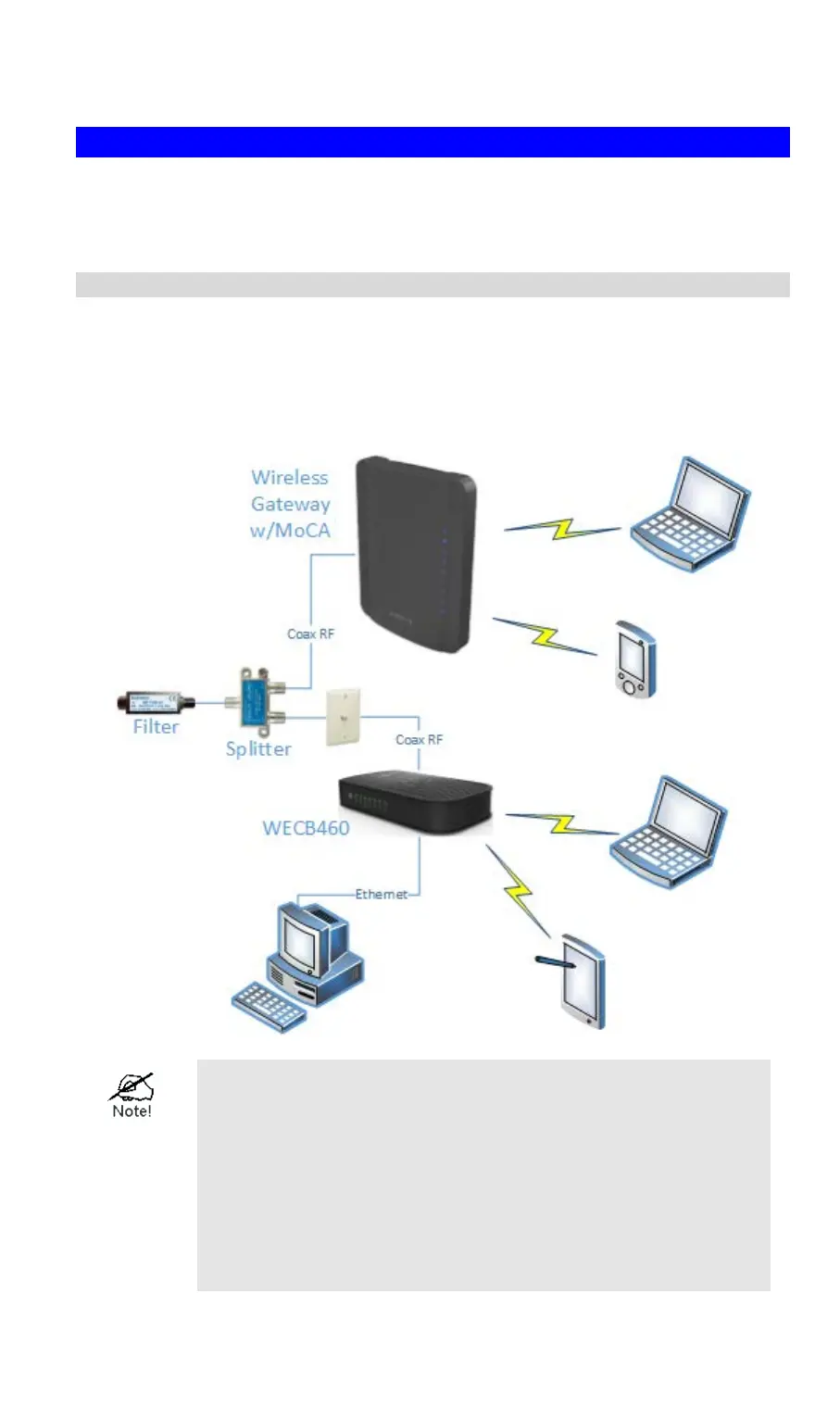
Connecting to a MoCA enabled network is the most common installation. The
following diagram shows a typical installation.
You must have a MoCA POE (Point of Entry) filter
installed within inches of the first multi-way RF splitter
feeding the RF wiring in your home. This is required to
isolate MoCA signals in the home.
You should also install a MoCA filter on any non-MoCA
devices, such as a set top box, that will be connected to
the coax network to avoid interference-related
performance issues on these devices.
6


 To Next Page