3
1.
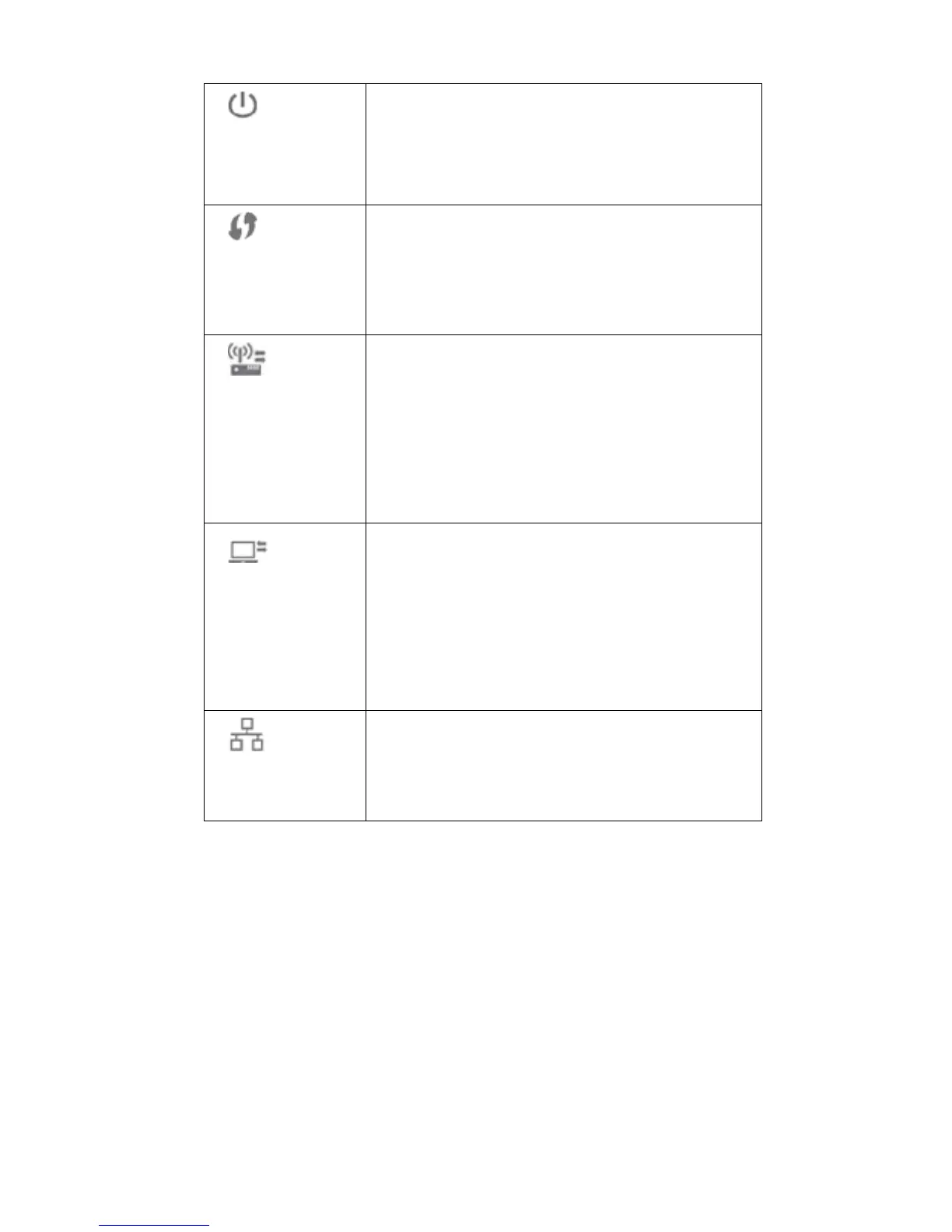
Power LED
(Green/Amber)
On (Green) - Power on.
Off - No power.
Blinking - The Power LED will blink during start
up. This will take 15 to 20 seconds.
On (Amber) - System failure.
2.
WPS LED (Green)
On (Green) - When WPS button is pressed, the
LED will be on for 2 minutes.
Off - WPS feature is not in use.
Slow Blinking (Green) - WPS is activating.
Quick Blinking (Green) - WPS failure.
3.
AP/Repeater LED
(Green/Red)
On (Green) - AP connection is available and the
signal strength is good.
Off - AP connection is not established.
On (Amber) - The signal strength is normal.
On (Red) - The signal strength is poor.
Note: if the LED indicator shows red, you need
to install the device in a better location.
4.
Repeater/Client
LED (Green/Red)
On (Green) - Client connection is available and
the signal strength is good.
Off - Client connection is not established.
On (Amber) - The signal strength is normal.
On (Red) - The signal strength is poor.
Note: if the LED indicator shows red, you need
to install the device in a better location.
5.
Ethernet LED
(Green)
On (Green) - LAN connection is available.
Off - LAN is not connected.
Blinking (Green) - Data is being transmitted or
received via the LAN connection.


 To Next Page