7
Step 6: You will then be prompted for a username and password. If
using the default values, enter admin for the username, and password
for the password.
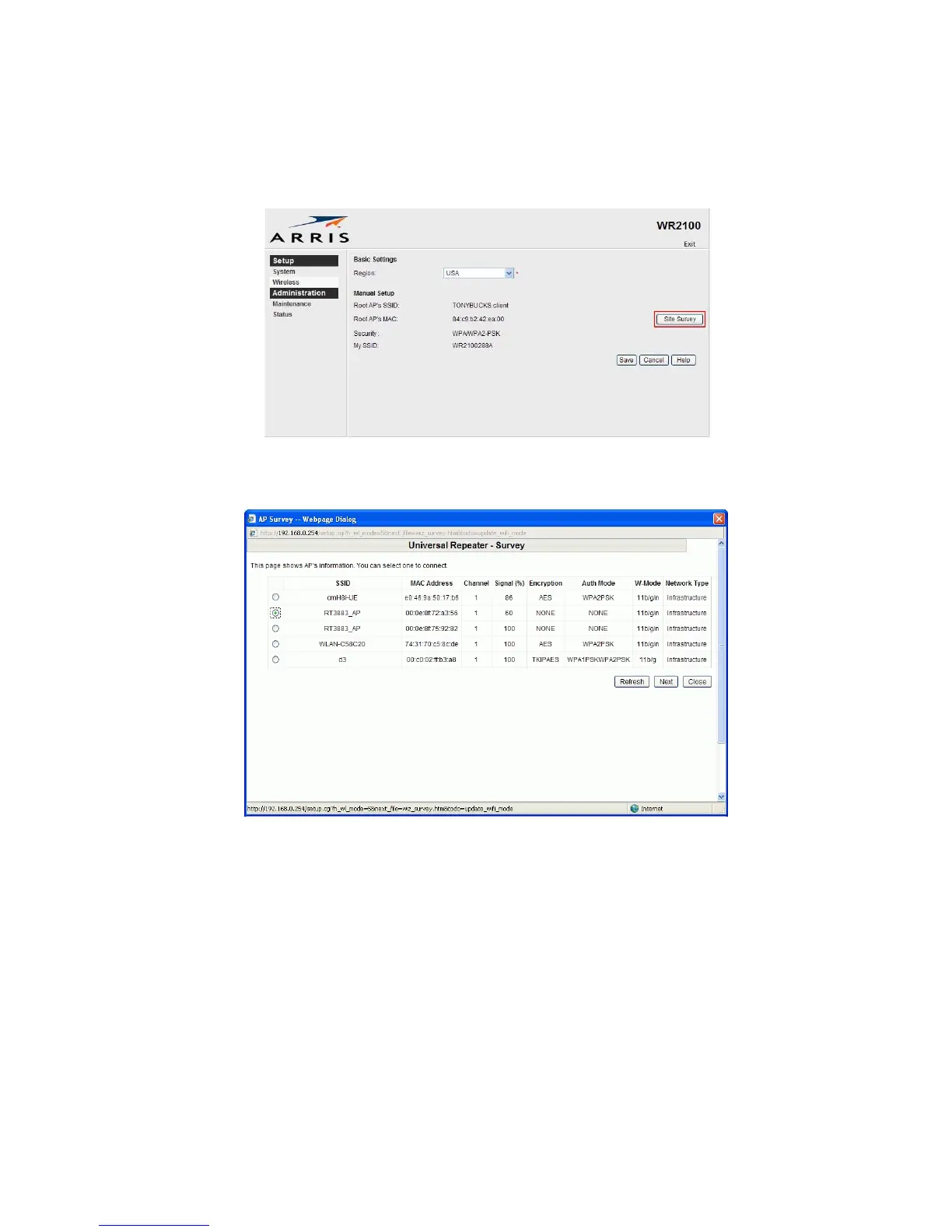
Step 7: Choose the Wireless page and click “Site Survey” button. The
WR2100 will start to search the existing wireless network.
Step 8: Select the desired SSID that you want to connect to. Click Next.


 To Next Page