Chapter 3: Installation types
3. Connect the X5 to power using the provided power supply.
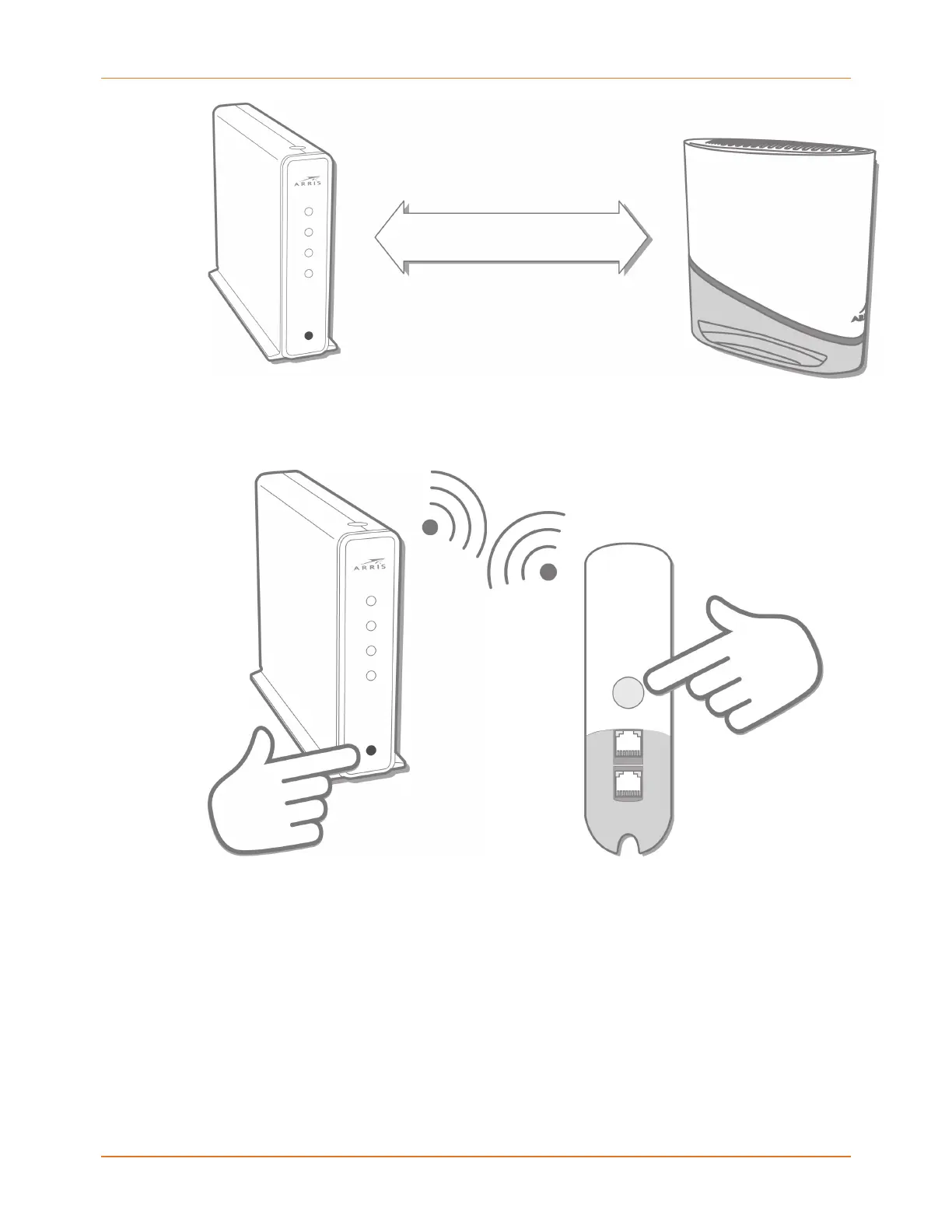
4. Pair the gateway and the X5: Push the WPS button on the gateway, then push the WPS
button on the X5.
The LED on the X5 flashes green quickly when it has paired successfully with the
gateway.
5. Next, the LED will change color to indicate the quality of the link between the gateway
and the X5 . See How to read your X5 Mesh Extender LED (page 3) in this guide to
understand the state the LED color indicates.
6. To add additional X5 units, repeat steps 2-4. Additional X5 units are configured with the
same Wi-Fi settings as the first X5.
X5 Release Mesh Extender Quick Start Guide DRAFT Revision 6


 To Next Page