Installation
To use your Artec Space Spider, you need to have an
account on my.artec3d.com. If you don’t have one yet,
please sign up today. Signing up is easy, fast and free.
If you’re a new customer:
1. Download and install the Artec Installation Center (AIC)
from the my.artec3d.com homepage.
2. Run the Artec Installation Center and login with your
my.artec3d.com account details.
3. Plug your Artec Eva into the computer.
4. Click on Activate and you will be able to download and
Installation
To use your Artec Eva, you need to have an account on
my.artec3d.com. If you don’t have one yet, please sign
up today. Signing up is easy, fast and free.
Installation
To use your Artec Space Spider, you need to have an
account on my.artec3d.com. If you don’t have one yet,
please sign up today. Signing up is easy, fast and free.
If you’re a new customer:
1. Download and install the Artec Installation Center (AIC)
from the my.artec3d.com homepage.
2. Run the Artec Installation Center and login with your
my.artec3d.com account details.
3. Plug your Artec Eva into the computer.
4. Click on Activate and you will be able to download and
Installation
To use your Artec Eva, you need to have an account on
my.artec3d.com. If you don’t have one yet, please sign
up today. Signing up is easy, fast and free.
3
How to take care of your
Artec Space Spider
Space Spider is a high precision, high accuracy metrology
grade instrument. As with all devices of this kind, careful
handling and correct storage is crucial. Following our
simple instructions will guarantee the perfect working
order and an extensive lifetime of your 3D scanner.
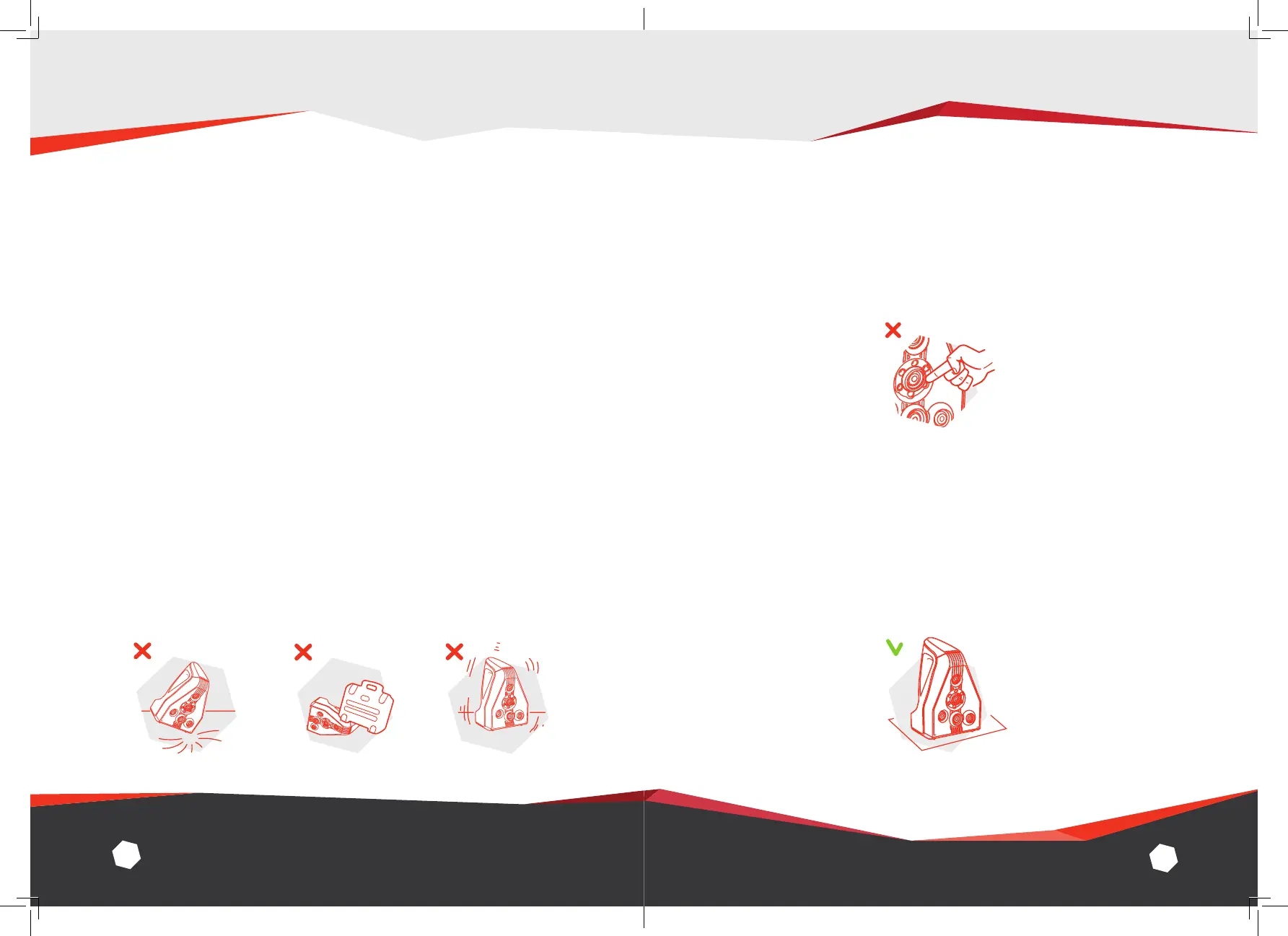
1. Safe handling
Avoid inflicting any impact, vibration or pressure on the device.
DO NOT, under any circumstances, try to open the scanner,
remove any of its parts or tamper with it any other way. This
may lead to the malfunctioning of the scanner.
4
2. Optical parts
We strongly advise that you refrain from touching the optical
parts of the scanner.
3. Standby position
When taking a break from scanning, make sure to place
Space Spider in the upright position, preferably on a non-slip
mat. This is the most stable and secure position for the scanner
and reduces the risk of the device being knocked over.
ARTEC SPACE SPIDER Getting Started


 To Next Page