Installation
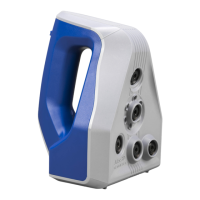
To use your Artec Space Spider, you need to have an
account on my.artec3d.com. If you don’t have one yet,
please sign up today. Signing up is easy, fast and free.
If you’re a new customer:
1. Download and install the Artec Installation Center (AIC)
from the my.artec3d.com homepage.
2. Run the Artec Installation Center and login with your
my.artec3d.com account details.
3. Plug your Artec Eva into the computer.
4. Click on Activate and you will be able to download and
Installation
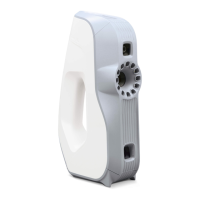
To use your Artec Eva, you need to have an account on
my.artec3d.com. If you don’t have one yet, please sign
up today. Signing up is easy, fast and free.
Installation
To use your Artec Space Spider, you need to have an
account on my.artec3d.com. If you don’t have one yet,
please sign up today. Signing up is easy, fast and free.
If you’re a new customer:
1. Download and install the Artec Installation Center (AIC)
from the my.artec3d.com homepage.
2. Run the Artec Installation Center and login with your
my.artec3d.com account details.
3. Plug your Artec Eva into the computer.
4. Click on Activate and you will be able to download and
Installation
To use your Artec Eva, you need to have an account on
my.artec3d.com. If you don’t have one yet, please sign
up today. Signing up is easy, fast and free.
Follow us:
www.facebook.com/Artec3D
www.twitter.com/Artec3DScanners
www.linkedin.com/company/2498672
www.youtube.com/user/artecgroupinc
If you have any questions about Artec 3D products, please feel
free to contact us at support@artec-group.com.
We hope you enjoy scanning with Artec Space Spider and wish
you every success with your application!
We will be happy to assist you!
ARTEC SPACE SPIDER Getting Started


 To Next Page