19
The Copy Button
The copy feature is designed to work directly with your printer. This
feature allows you to scan an image and be printed directly from your
printer. (A printer must be installed and function normally.)
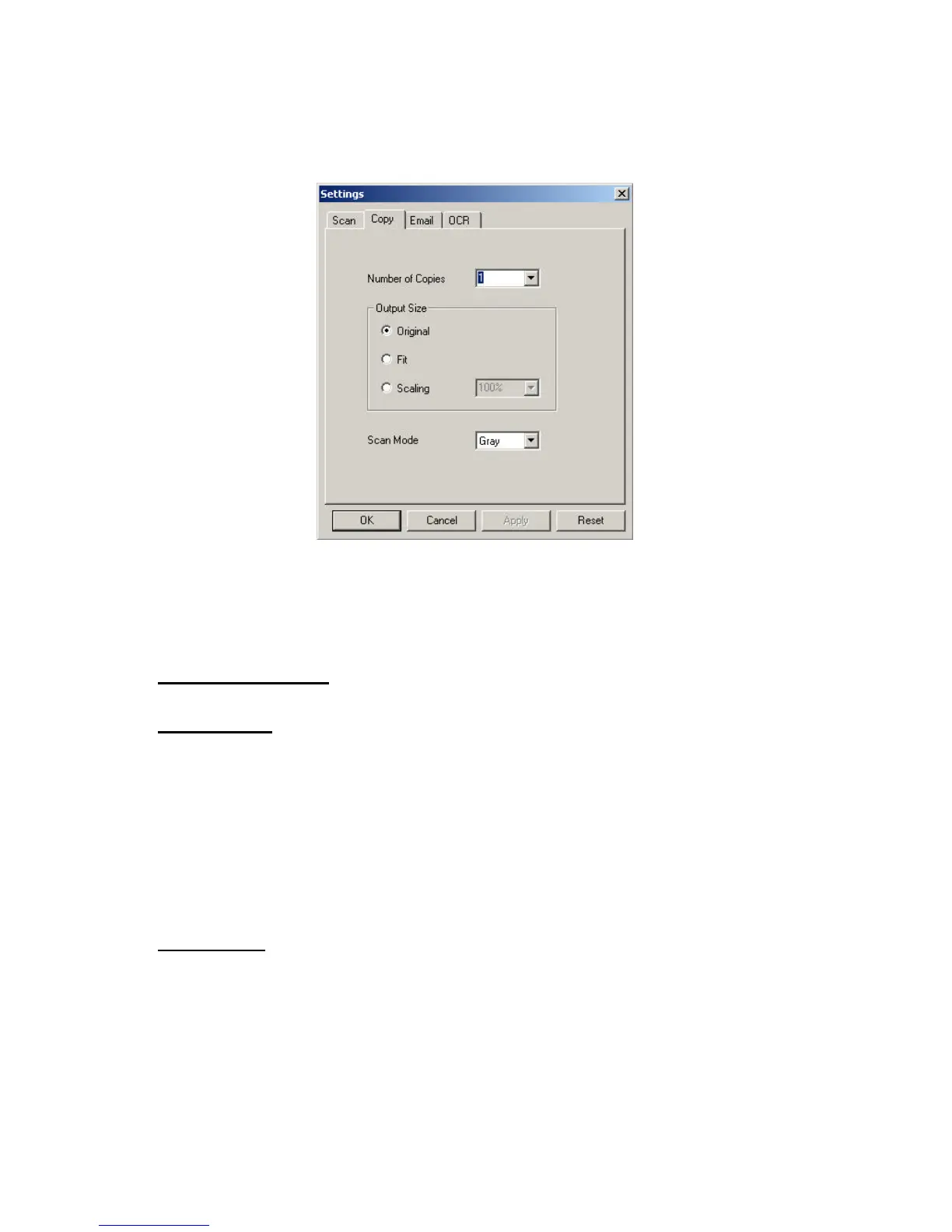
Number of Copies: Number of printed copies you prefer.
Output Size:
Original – the original scanned size of the image.
Fit – fitting the scanned image into the printing area on the paper type
from the printer.
Scaling – setting the scale for the image to be printed from the printer.
You can enlarge or shrink the printing image size.
Scan Mode:
Options for which mode you want to print the picture with. You can
choose from Color, Gray Scale, or Black and White.



 To Next Page