Powering
On & Off
NOTE:
If the STAR Dot Matrix Printer is being used, please
refer to the STAR Printer User’s Manual for printer
connection and operation.
Powering On
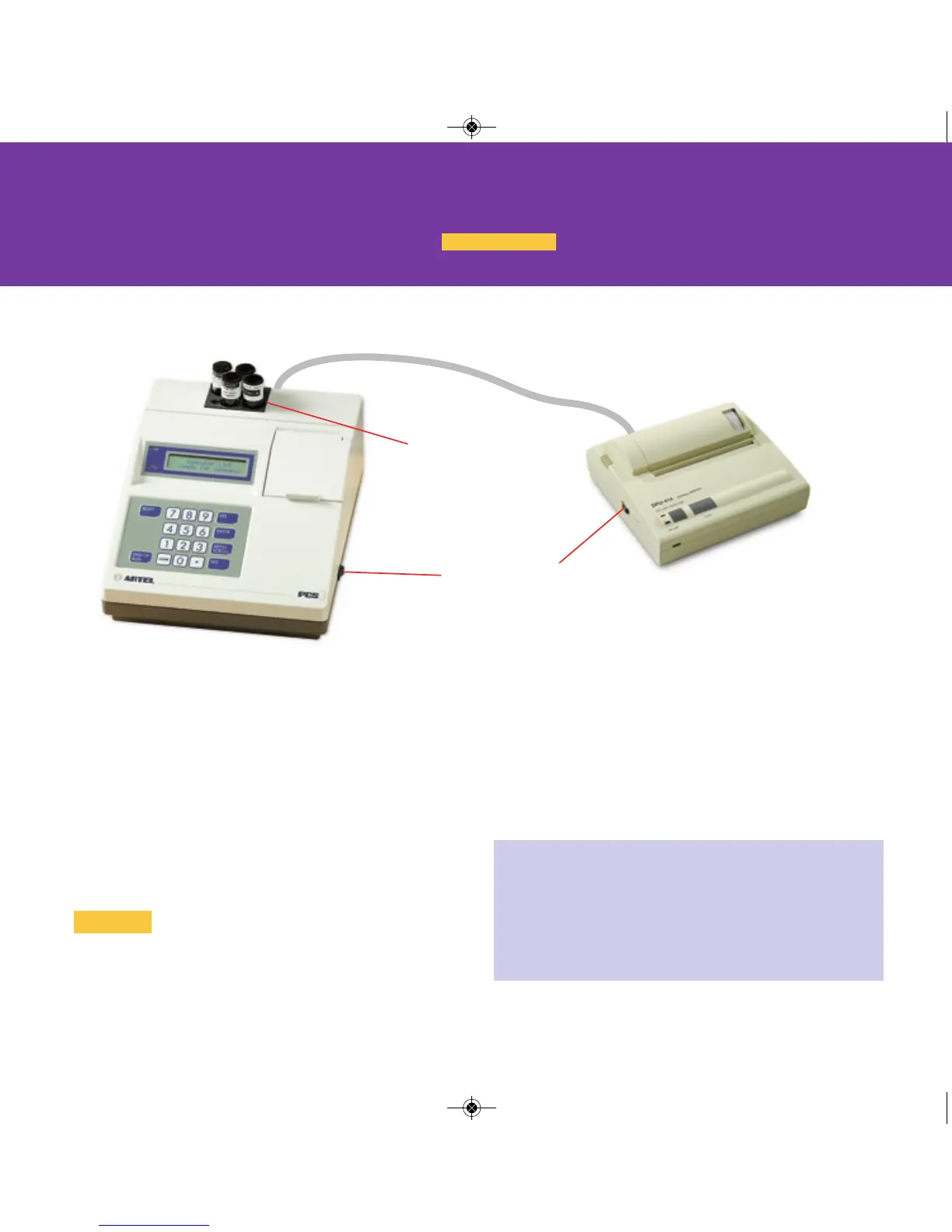
Connect system according to diagram below.
Before performing this procedure, ensure that the
Reagent Kit is at the same temperature as the
Instrument.
• Switch the Instrument and the printer to ON. (The
Instrument is on when the “I” on the rocker switch is
depressed.) The Instrument will perform a system test.
Be sure that the printer is ON LINE.
• Clean vials if necessary.
• Load CAL A and Blank vials into the vial block at the
back of the Instrument at least 15 minutes prior to use.
Powering Off
• Remove all vials from the Instrument.
• Switch the printer to OFF.
• Switch the Instrument to OFF.
• Store all reagents according to storage requirements.
Power switch
Vial block
The color-coded bars within the text throughout this Guide indicate
the sections where specific instructions are given.
PCS Quickstart-15A3179_PCS Quickstart 15A3179 Rev 4/3/13 2:01 PM Page 2


 To Next Page