Need help?
Do you have a question about the Artesia FUN-1 and is the answer not in the manual?
Provides crucial safety guidelines for operation, handling, environment, and maintenance.
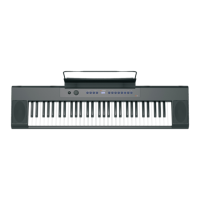
Details the power/volume knob and instrument voice selection buttons on the top panel.
Identifies ports on the rear panel for connectivity and power, such as USB and headphone jacks.
Guide to connecting the AC power adapter to the instrument and wall socket.
Instructions on using the volume knob to turn the piano on/off and adjust sound levels.
Connect external audio sources and use headphones for private practice.
Connect the sustain pedal and link to computers via USB for lessons or music games.
How to change instrument sounds and play built-in demo songs.
Instructions for enabling or disabling touch sensitivity for dynamic playing.
Adult assembly required; warning for small parts and choking hazard for young children.
Information regarding FCC rules, device compliance, and potential interference.
 General
| Type | Digital Piano |
|---|---|
| Number of Keys | 61 |
| Polyphony | 32 notes |
| Effects | Reverb, Chorus |
| Speakers | Yes |
| Touch Sensitivity | Yes |
| Built-in Sounds | Yes |
| Display | LCD |
| Power Supply | AC Adapter |
| Sound Engine | PCM |
| Connectivity | Headphones |
| Pedals | Sustain Pedal Input |

 To Next Page