Need help?
Do you have a question about the Artfone CS181 and is the answer not in the manual?
Press the red button for 2.5 seconds to turn the phone on.
Ensure the keypad is unlocked, then press the red button for 2.5 seconds to turn the phone off.
Explains the meaning of various status icons displayed on the phone's screen.
Press the side button (No.15) to turn the flashlight on or off.
Details on setting up and using the SOS feature, including numbers and SMS.
Instructions for making calls via direct dialing, contacts, SOS, or speed dial.
How to adjust the calling volume using the Up/Down buttons.
Steps to change ringtone, message tone, and volume via settings.
Procedure to reset the phone to its original factory settings using password 1234.
Information on supported SIM card types (nano, micro, standard).
Confirms the phone operates on 2G GSM networks with specific quad bands.
Confirms that Artfone phones are unlocked for global 2G GSM networks.
States that earphones are not included, but a 3.5mm jack is available.
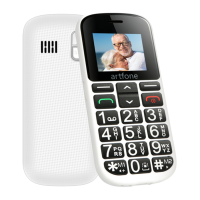
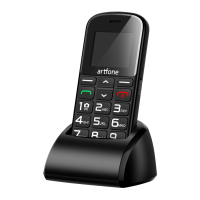
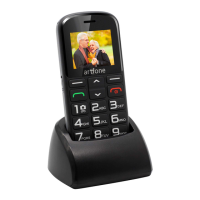
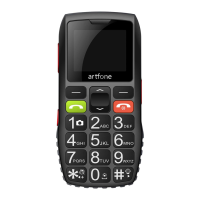
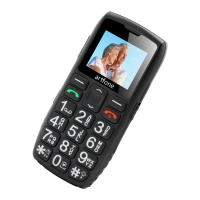
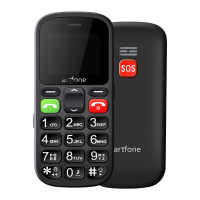
The Artfone CS181 Senior Phone is a compact and user-friendly mobile device designed with simplicity in mind, featuring dual SIM capability and an SOS function. Its design prioritizes ease of use, making it suitable for individuals who prefer a straightforward mobile experience without complex features.
The phone's primary function is to facilitate communication through calls and messages. It operates on 2G GSM networks, supporting quad bands (850/900/1800/1900), which ensures its compatibility across various regions globally. The dual SIM feature allows users to manage two different phone numbers simultaneously, offering flexibility for personal and work use or for utilizing different network providers.
A key safety feature of the Artfone CS181 is its SOS function. This allows users to quickly contact pre-set emergency numbers in critical situations. When the dedicated SOS button is pressed, the phone automatically dials up to five designated telephone numbers sequentially until one is answered. Additionally, it can send a customizable SOS message to these contacts, providing an extra layer of security and peace of mind.
The phone also includes a built-in flashlight, which can be easily activated or deactivated via a dedicated side button, providing convenience in low-light conditions. For audio needs, it features a 3.5mm audio jack, making it compatible with most standard earphones available on the market, although earphones are not included in the packaging. A Micro USB socket is provided for charging the device.
The interface is designed to be intuitive, with a clear LCD screen and a numeric keypad for dialing and navigation. The device supports basic functionalities such as showing GSM signal strength, indicating unread messages, displaying the current profile (e.g., normal), showing when headphones are plugged in, indicating if an alarm is set, and whether Bluetooth is enabled. The battery status is also clearly displayed, allowing users to monitor their power levels.
Operating the Artfone CS181 is straightforward. To power on the device, the red button needs to be pressed and held for 2.5 seconds. Similarly, to power off, the red button is pressed for 2.5 seconds, ensuring the keypad is unlocked.
Making a call can be done in several ways:
*/# keys can be configured for speed dialing specific contacts, which can be set up in the phone's settings.Navigation within the menu is facilitated by the up/down buttons. The "Up" button serves as a shortcut to messages, while the "Down" button provides a shortcut to multimedia functions. The left soft key is used to enter the main menu from standby mode, confirm selections, and activate selected functions (acting as an "OK" button). The right soft key, in standby mode, is assigned to the "Contacts" function and also serves to exit menus or current operations. Its assignments can vary depending on the context.
Volume adjustment during a call is managed by the up/down buttons, allowing users to easily control the calling volume. The numeric 0 button can also be long-pressed to switch to meeting mode, offering a quick way to manage sound profiles.
The flashlight function is activated or deactivated by pressing the dedicated side button (No. 15). The keypad can be locked and unlocked, indicated by icons (13 and 14), to prevent accidental presses.
Maintaining the Artfone CS181 involves simple steps to ensure its optimal performance. The phone supports nano and micro SIM cards, but it is recommended to use a standard SIM card for best compatibility and performance.
Users can customize various settings to suit their preferences. Ringtone, message tone, and volume can be changed by navigating to "Settings" -> "Profiles" -> "General" -> "Customize." This allows for personalization of the phone's auditory alerts.
In case of software issues or a desire to revert to original settings, the phone offers a "Restore to factory settings" option. This can be accessed via "Settings" -> "Restore factory settings." The default password for this operation is 1234. This feature can help resolve minor software glitches or prepare the phone for a new user.
The device's icons provide quick visual cues for its status, such as GSM signal strength, unread messages, active profile, headphone connection, alarm status, Bluetooth status, and battery level. Regularly checking these icons helps users stay informed about the phone's operational state.
While the phone does not come with earphones, its 3.5mm port ensures compatibility with a wide range of commercially available earphones, allowing users to choose their preferred audio accessories for listening to multimedia or making hands-free calls. The Micro USB socket is a standard charging port, making it easy to find compatible chargers if the original is misplaced.
 General
| Display Size | 2.4 inches |
|---|---|
| Camera | 0.3 MP |
| Battery | 1000 mAh |
| Storage | 32 MB |
| RAM | 32 MB |
| SIM Card | Dual SIM |
| Weight | 90 g |
| Network | 2G |
| Memory Card Slot | MicroSD card slot, supports up to 32GB |
| Features | FM Radio, Torch |

 To Next Page