34 ARTURIA – KeyLab – USER’S MANUAL
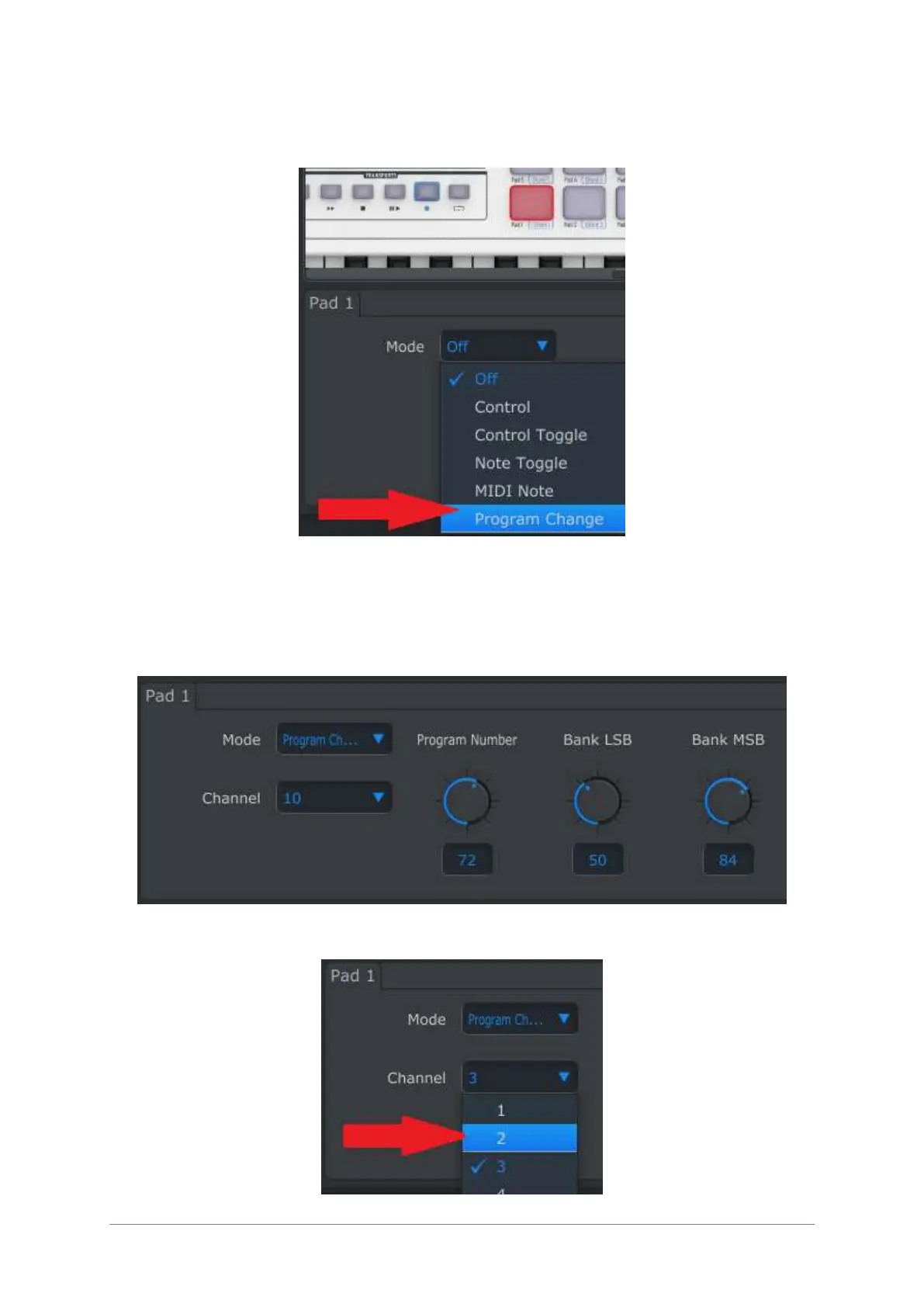
We’ll use Pad 1 for this example. Select it and notice that its graphic has turned red as a
visual confirmation. Then use the pull-down Mode menu to select “Program Change”:
This setting will allow you to send a particular MIDI program change command on the
MIDI channel of your choice, along with MSB and LSB values for Bank Select, the instant
you press the pad.
The lower part of the MIDI Control Center window will display the new editing options:
MIDI Channel, Program Number, Bank LSB and Bank MSB.
Use the Channel field to specify the MIDI channel of the receiving device:












 To Next Page