42 ARTURIA – KeyLab – USER’S MANUAL
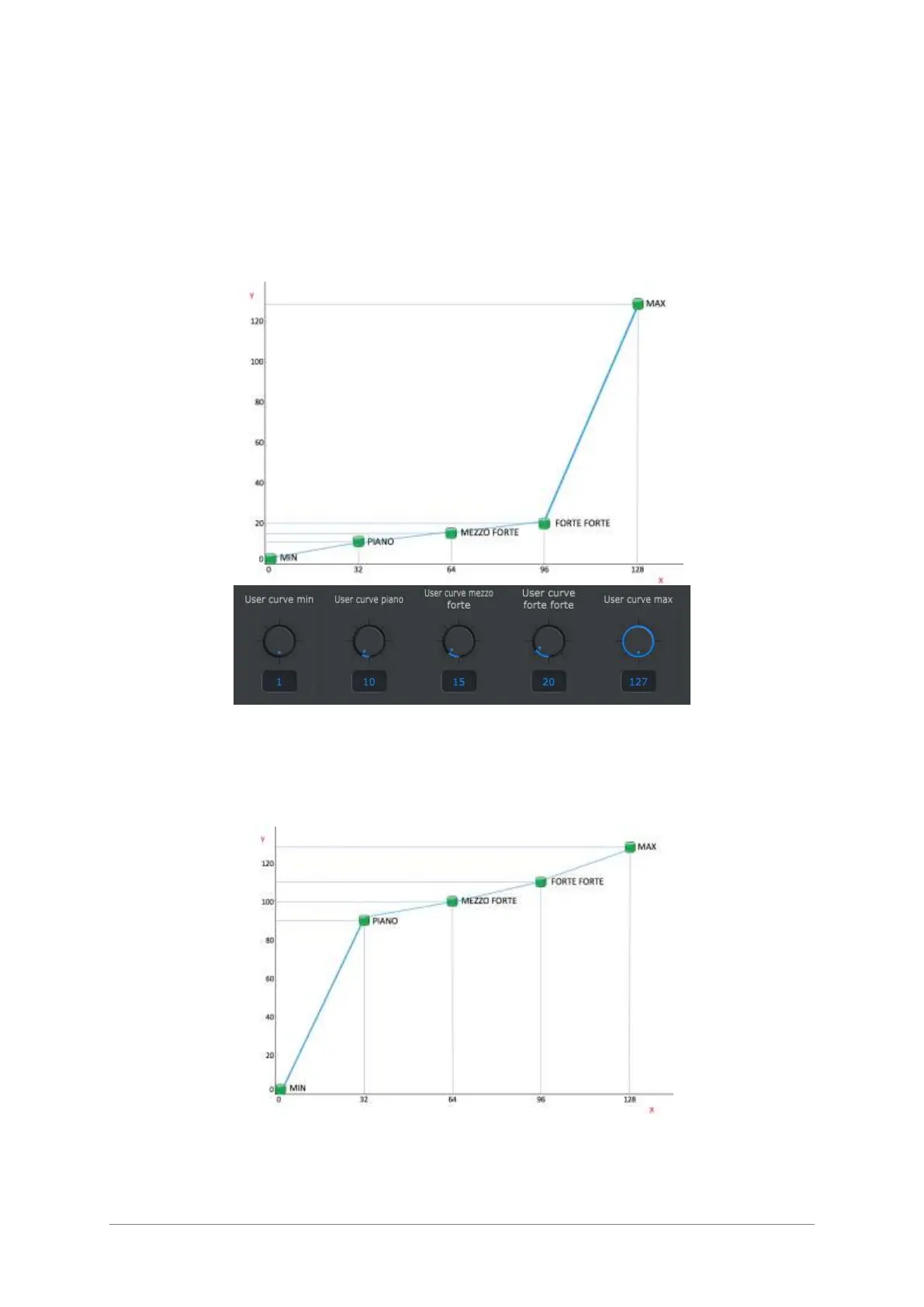
This means that when you hit a key with a raw velocity of 64 it will play a note with a
velocity of 100. Then between the point a linear interpolation is made which means that
we build a straight line for joining the points, so in our example, when you hit a key with
a raw velocity of 80 it will play a note with a velocity of 111.
If you use these next parameters for creating your user curve, as a result we will have a
very “hard” keyboard. You will have to press the keys really hard so the instrument
controlled by the KeyLab 88 can be heard with a lot of volume.
If you use these next parameters for the user curve, you will get a very “soft” keybed.
You will bearly place some preassure on the keys and in result get a very loud volume
from the instrument you are controlling with the KeyLab88.












 To Next Page