ARTURIA – PROPHET V - MANUAL
106
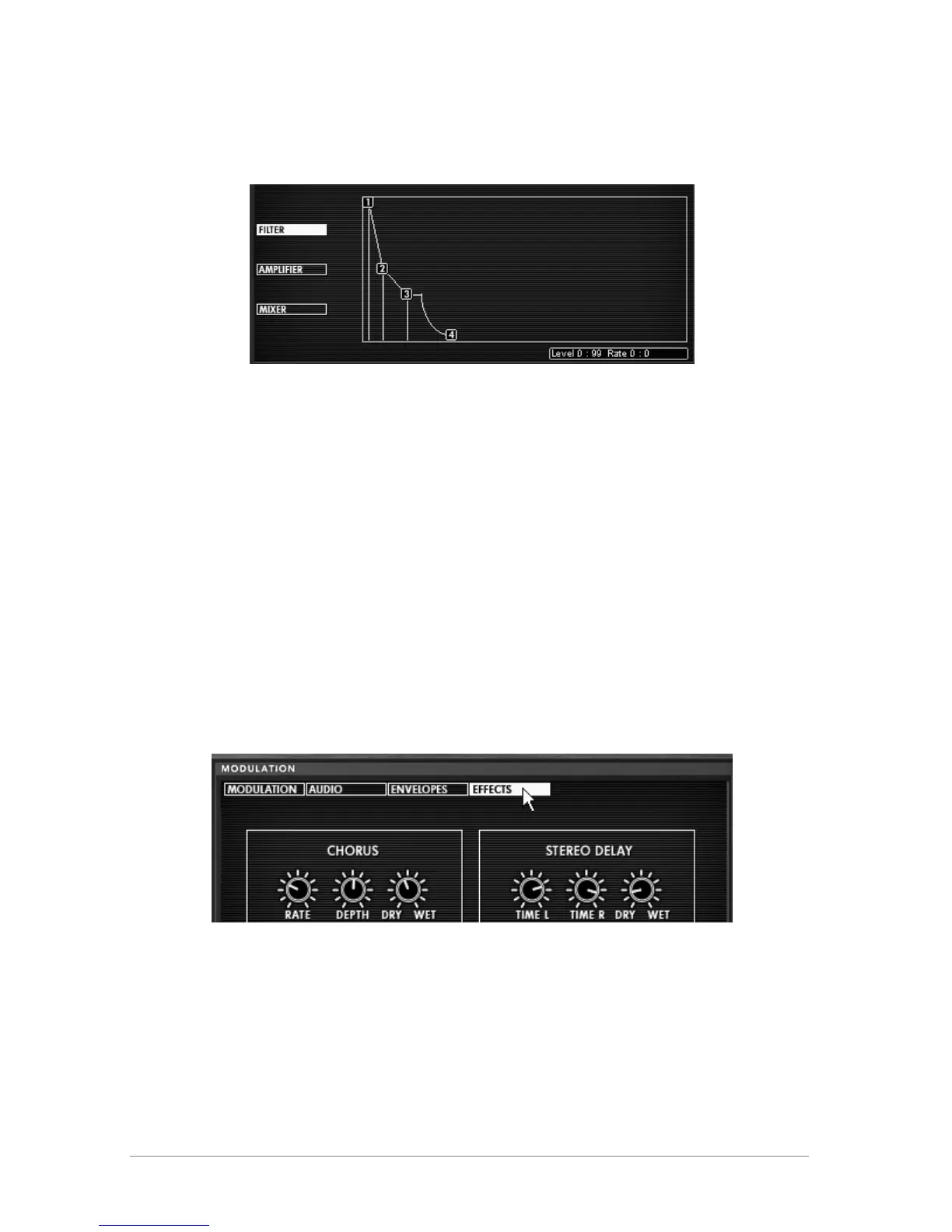
Finally, set point “4”: the LEVEL will remain at 0 and you will set the RATE to about
1500ms. The sound volume will fall progressively at the release of the note.
Settings of the Amplifier envelope
At this point, the Prophet VS will load the attack of your sound, with a timbre close to the sound
of a sitar. The “body” of the sound is composed principally of the Prophet 5 which carries all
the warmth and roundness of analog.
You now have an example of what these two synthesizers can do when combined together!
If you wish to give space to your sound, add a delay effect. To do this, click on the “DELAY”
button found in the utility bar to activate it and open the “EFFECTS” by clicking on the button
found in the LCD screen.
The Delay gives a type of stereo echo which adds space to your sound.
It has independent settings for the speed and the number of repetitions on the right and left
side. It is thus possible to create a large range of rhythmic combinations between the
repetitions. The speed of the Delay can also be synchronized with the MIDI tempo.
Choose the “EFFECTS” option to edit the delay.
Choose the “EFFECTS” option
Adjust the “Dry/Wet” setting of the Delay in order to balance the noise sound of the bass
and the delay.
Next, turn the 2 “Speed” knobs to set the speed of the repetitions on the right (Time
Right) and left (Time Left).
It is also possible to set the number of repetitions for each side (“Feedb. Right” and
“Feedb. Left”).














 To Next Page