ARTURIA – PROPHET V - MANUAL
115
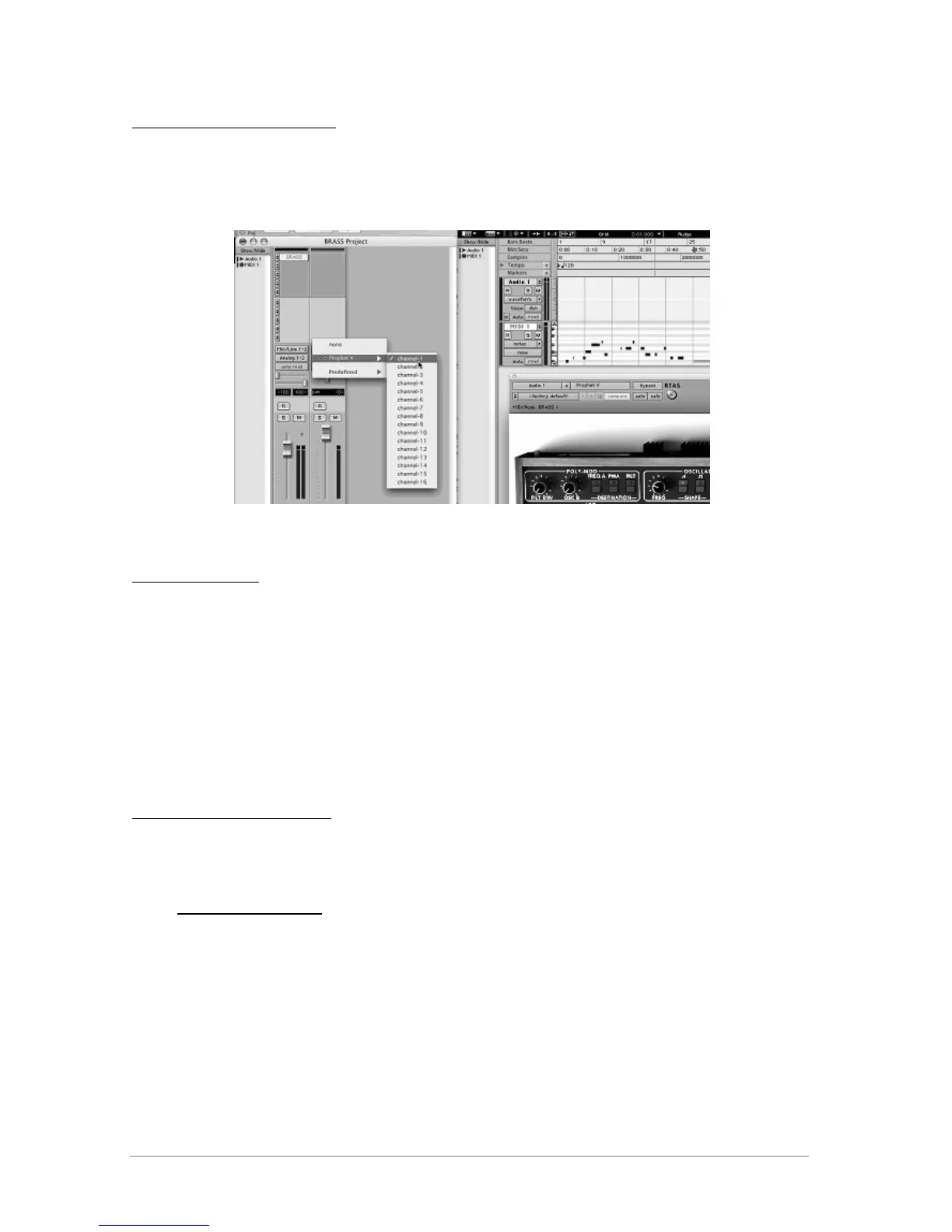
Connection to a MIDI channel
So that Prophet V can play the information coming from a MIDI track, you have to associate it to
a MIDI channel via the appropriate menu. (See the Pro Tools menu for more information on plug-
in connection).
Connecting a MIDI track to Prophet V
Saving the presets
When the session is saved, the status of Prophet V is saved as it is, even if its programming does
not correspond to the preset. For example, if you are working on a preset <<P1>> in which you
have modified the parameters (without saving them in the plug-in itself), the next time you
open the session, Prophet V will charge the <<P1>> preset plus the modifications.
The <<Librarian Menu>> of Pro Tools is able to be used with Prophet V like with all other plug-
ins. Nevertheless it is highly recommended to use the internal Prophet V menu: with the presets
saved like this, they are usable no matter which mode (standalone or other sequencer), and
they can be exported, exchanged more easily, and will stay compatible with the future versions
of Prophet V.
Automation under Pro Tools
The automation function with Prophet V like with all RTAS/HTDM plug-ins (make reference to
the Pro Tools documentation for more details on the plug-in automations).
8.5 DXi (Windows only)
Prophet V is compatible with the DXi protocol, and thus can be used with Sonar and also with all
other sequencers that accept the DXi instruments.
8.5.1 Installation
During the installation, select <<DXi>> among the list of protocols that you wish to activate for
Prophet V on your computer, then follow the instructions on the screen until the end of














 To Next Page