ARTURIA – PROPHET V - MANUAL
34
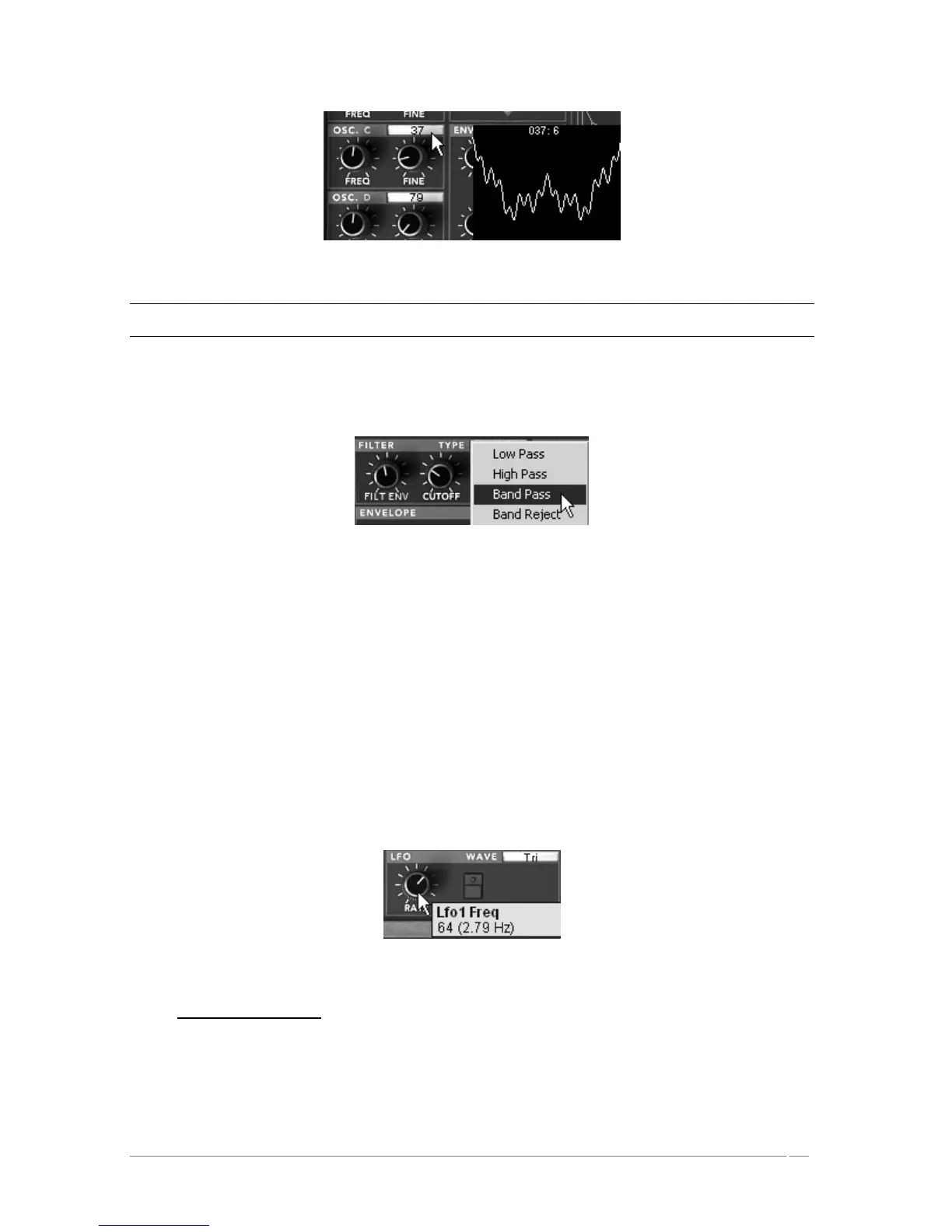
Change the wave-form of this oscillator
Careful! Only four oscillator sources are available in the “Hybrid” interface. This means that it will not be possible to
activate the four oscillators of the Prophet VS if one of the oscillators of the Prophet 5 is active.
Change the timbre of your sound by changing the type of filter of the Prophet VS. Click on
the filter viewer and choose the « Band pass » filter.
Change the type of filter of the Prophet VS
Add a cutoff modulation of the filter with the LFO1 of the Prophet VS. To do this, open
the modulation matrix by clicking on the option “MODULATION” accessible on the right of
the Prophet VS interface.
Click on the bullet situated at the intersection of the source « LFO1 » (horizontal line) and
the destination « Cutoff » (vertical line).
Set the modulation rate with the panel found to the right of the horizontal line LFO1.
Click and hold the value shown then scroll your mouse up or down to either increase or
decrease the value. For more precision, right click with your mouse (shift/click on MAC).
It is also possible to double click on the value to modify it with a numeric keypad.
Set the speed of the LFO1 to your convenience by turning the « RATE » knob (a slower
setting will be appropriate for this type of sound).
Set the speed of the LFO1
3.5 The Effects Section
The effects section allows you to add the stereo delay and the chorus to your sound.














 To Next Page