ARTURIA – PROPHET V - MANUAL
37
It is also possible to set the number of repetitions for each side (“Feedb. Right” and
“Feedb. Left”)
3.6 Real time Controllers and assigning them to MIDI
As in the great sounds that you know and love, the Prophet V is particularly adapted to playing
in real time. One of the greatest evolutions in relation to the original is the possibility to assign
any knob parameter of the Prophet V you wish to an external MIDI controller.
For example:
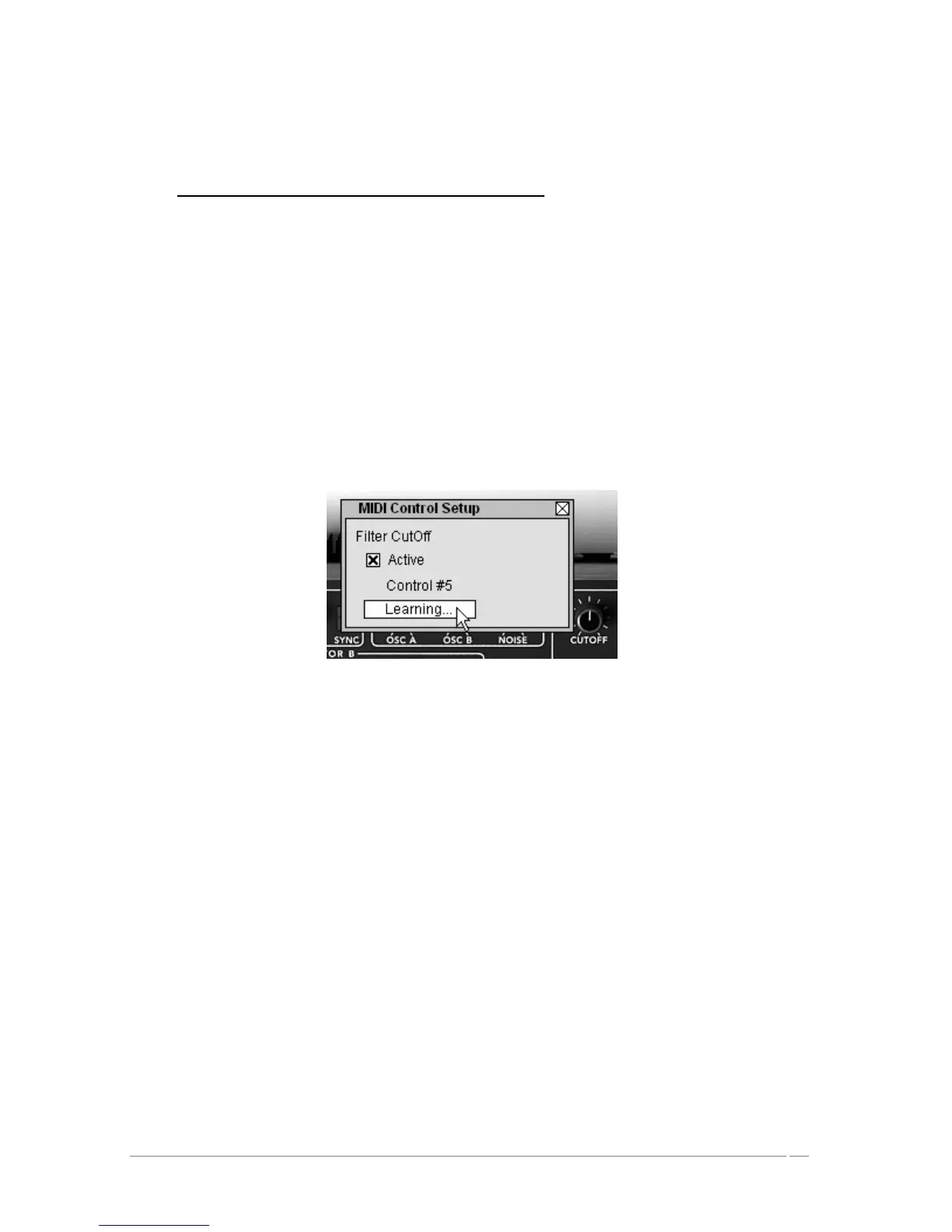
Click on the “Cutoff” switch of the filter while holding the Ctrl key (or the equivalent on
the Mac). The dialogue box for assigning MIDI appears.
Click on “Learn” then move the controller MIDI of your choice (the modulation wheel for
example). The switch of the Prophet V will move at the same time.
Next, you can save the movements of your MIDI controller on your MIDI sequencer or
simply make it evolve directly when you are playing live.
Assigning Midi to the « Cutoff frequency » parameter
To save the settings that you have just made during this chapter, click the button « Save » found
on the tool bar.














 To Next Page