ARTURIA – PROPHET V - MANUAL
38
4 Principal Elements of the Interface
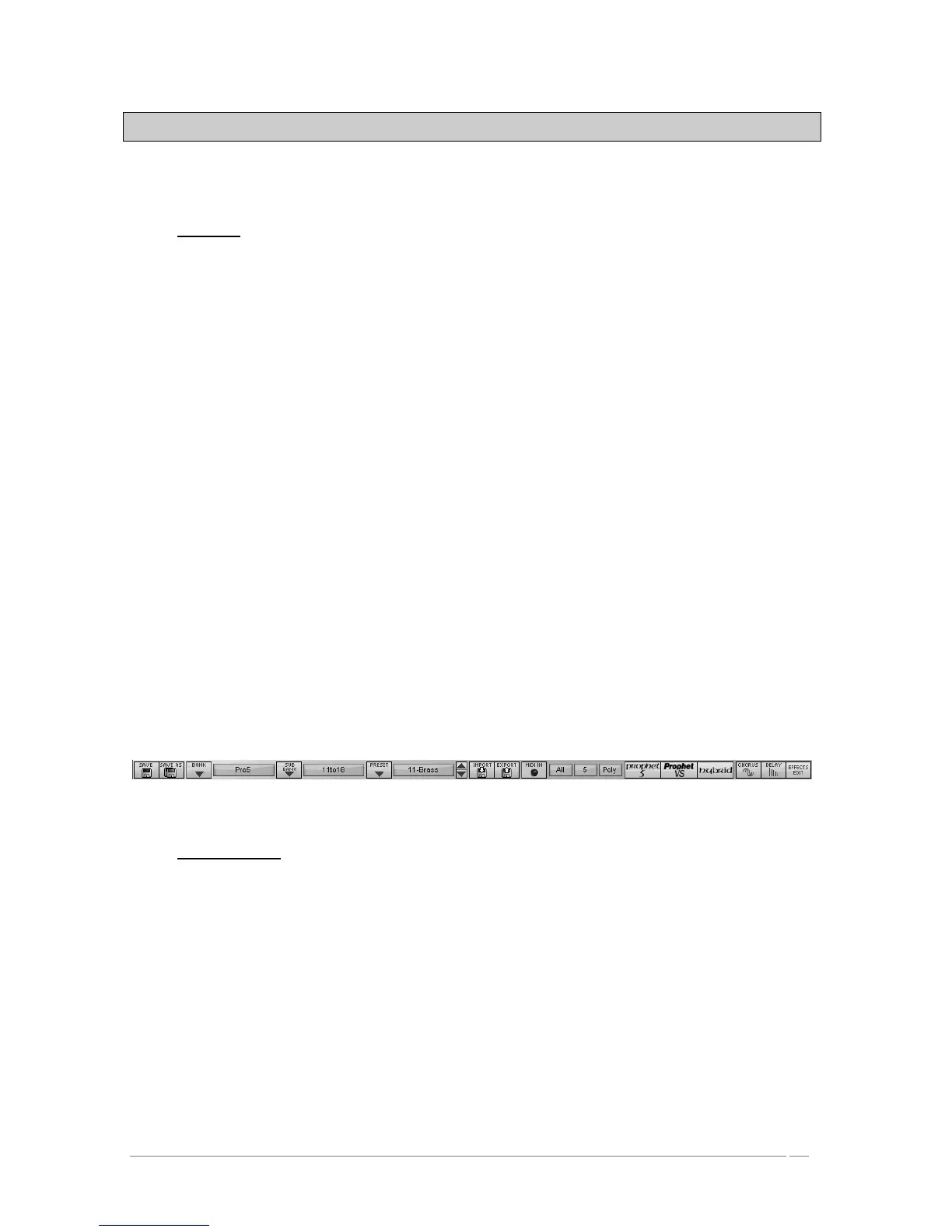
4.1 Tool Bar
The tool bar consists of an ensemble of essential icons for the Prophet V organized from left to
right allowing you to:
• Save your presets
• Access drop menus offering choices of banks/sub-banks and presets.
• Importing and exporting of presets
• MIDI activity light
• Choice of MIDI channels: All, 1 to 16
• The number of polyphonic voices
• Playing Modes: Poly/Mono Low (in the context of a legato between two notes,
low note gets priority) Mono high ( in the context of a legato between two
notes, high note gets the priority) and Mono last (in the context of a legato
between two notes, last note played gets the priority)
• Synthesizer choice: Prophet 5/ Prophet VS/ Hybrid
• Activation of Chorus and Delay effects
• Editing of effects
Example: to load a specific synthesizer interface, click on the buttons « PROPHET 5 »,
« PROPHET VS » or « Hybrid ».
Tool Bar
4.2 Using Presets
Presets allow you to save specific sounds on the Prophet V. A preset contains all the settings
information of the different controllers necessary to reproduce a sound. In the software, the
presets are classed in the “banks” and “sub-banks”. The original banks or factory presets
present a filing of sounds allowing you to find a preset based on the synthesizer chosen:
« Prophet 5 », « Prophet VS » et « Hybrid ». Each bank holds a certain number of sub-banks
determining the general type of sound: bass, sonic effects, etc. Each sub-bank holds a number
of presets.
The Prophet V is shipped with several «factory» banks. But it is possible to create new «user»
banks of sounds, each containing a number of sub-banks and presets. For security, the «factory»
banks cannot be directly modified. It is nonetheless possible to create a sound based on a
factory preset by saving it as a «user» preset.














 To Next Page