ARTURIA – PROPHET V - MANUAL
54
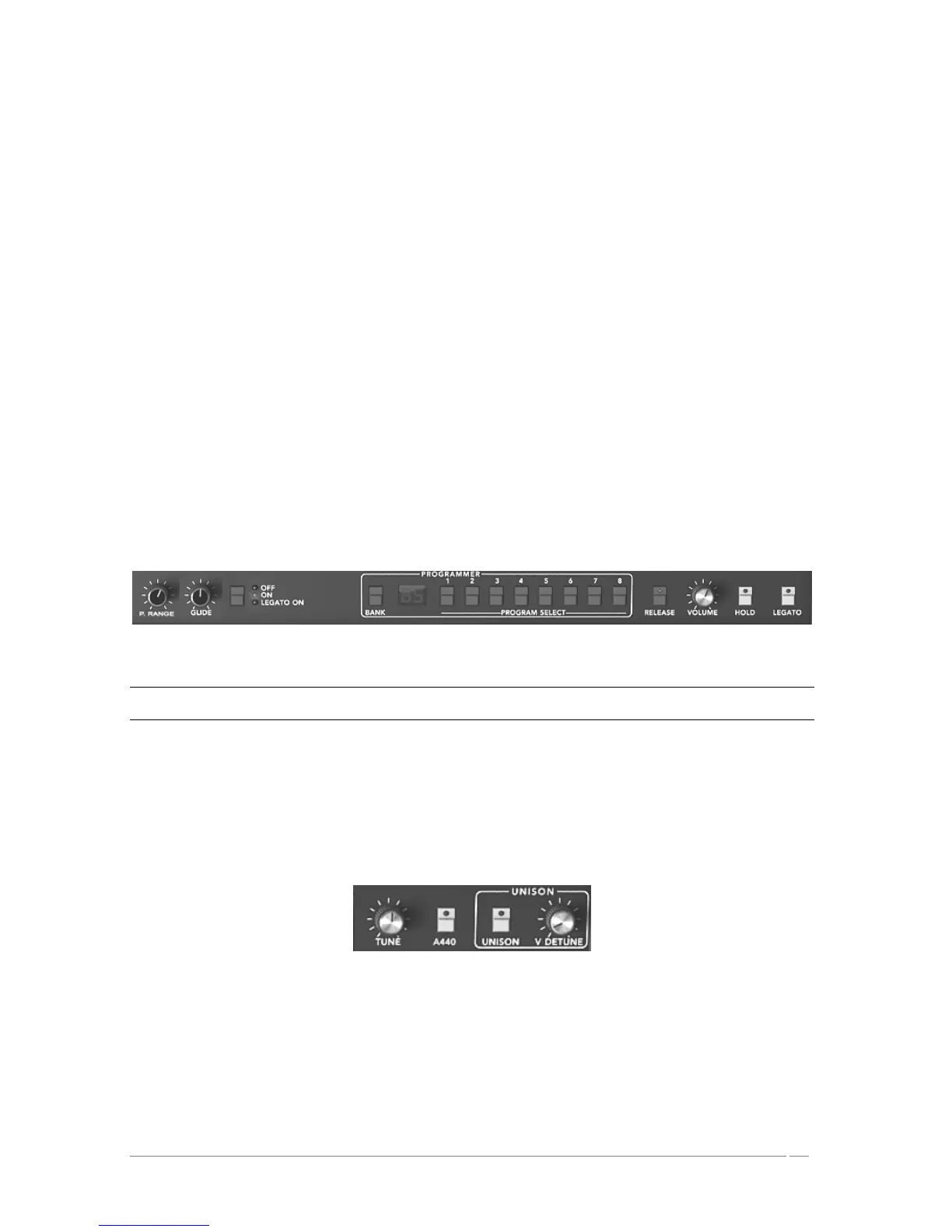
• To deactivate the note release (“RELEASE”). When a key on the keyboard is
released, the sound is immediately interrupted and does not follow the release
phase that is programmed.
• To release the hold continuing the note (“HOLD”). Even when the key on the
keyboard is released, the sound is maintained.
• To activate the “LEGATO” playing mode. In this case, the envelopes are not
released when you link two notes by playing them on your keyboard.
• To activate and set the “GLIDE” mode. This permits you to progressively change
the oscillator frequency when a new note is activated. This function imitates
the glissando of violins, for example.
RELEASE : connection button for the release
HOLD : connection button for holding a note
LEGATO : connection button for the Legato mode (uniquely available in monophonic
mode).
B RANGE : Set the range of the pitch bend wheel
GLIDE : setting for the glide time
Glide Modes : the various modes for the glide (“OFF/ ON/ LEGATO”)
Playing Mode section
CAREFUL! Only the volume envelope will be taken into account by the HOLD function. This permits you to make the
sound “lively” while keeping the envelope available
5.1.10 General Parameters Section
Among the parameters you will find: the general volume, the general tuning of the PROPHET 5,
the activation of the A440, and the parameters belonging to playing in unison.
General Parameters
TUNE : setting for the general tuning of the synthesizer
A 440 : button releasing the A at 440Hz
UNISON : selection button for “UNISON” mode
DETUNE : setting for detuning the voices of polyphony














 To Next Page