ARTURIA – PROPHET V - MANUAL
90
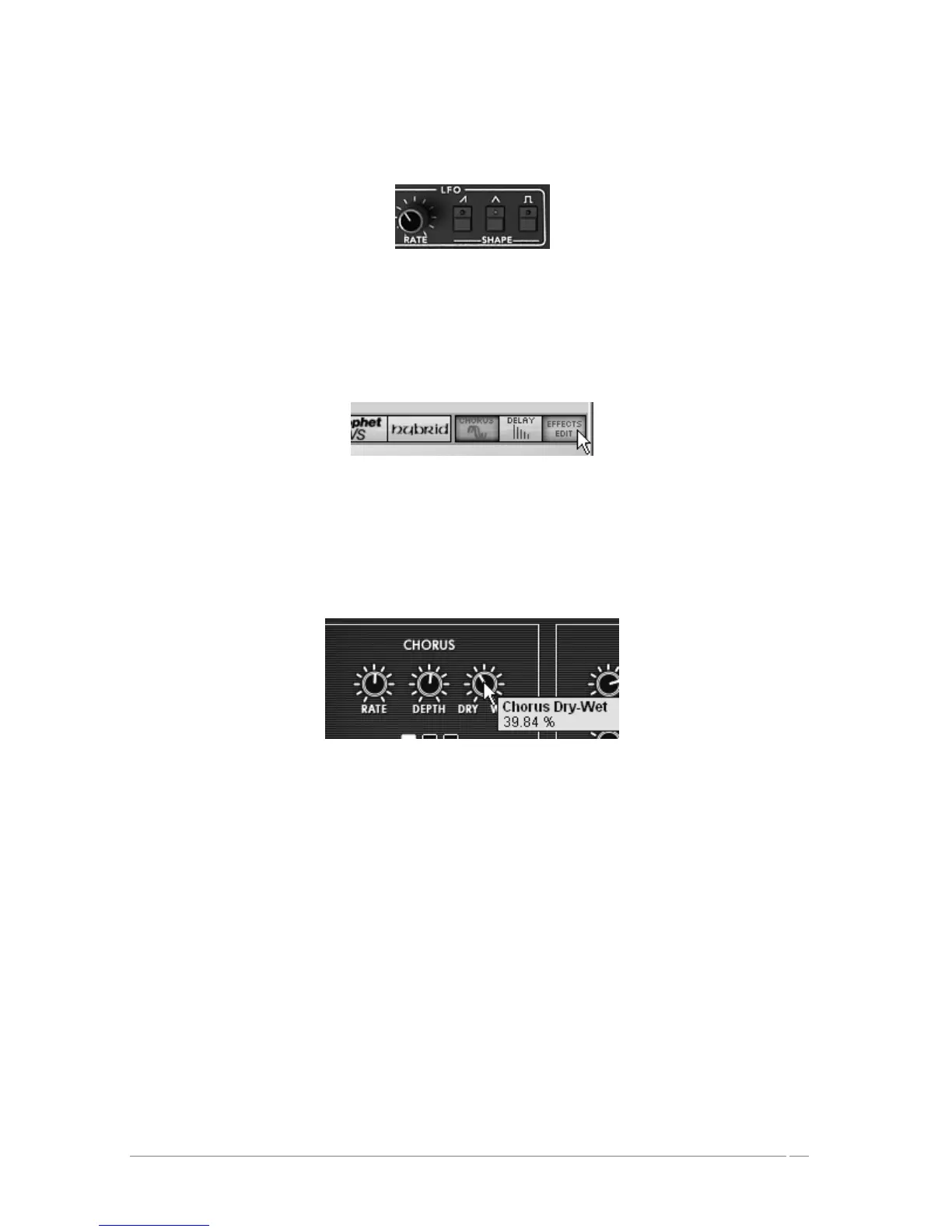
Set the speed of the modulation with the “RATE” knob of the LFO. Choose a value around
3.00Hz.
LFO Settings
If you wish to give space to your sound, add a chorus effect. To do this, click on the button
“Chorus” then “Effect Edit” both found in the utility bar. This contains the settings of the two
effects.
Click on the button “Chorus” then “Effect Edit”
Choose the “EFFECTS” button to edit the chorus
Set the « Dry/Wet » knob of the chorus in order to balance the « Dry » sound and the
return effect.
Set the « Dry/Wet » knob of the chorus
Next turn the « Rate » knob of the chorus to set the speed of the oscillations.
Finally, set the « Depth » of the chorus.
You have the choice between three types of chorus: Chorus 1, 2, and 3. These three
variations give the chorus a range between the simplest – and less demanding on your CPU
– to the most pronounced for stronger detuning effects.














 To Next Page