20 |Installation Aruba 9240 Gateway | Installation Guide
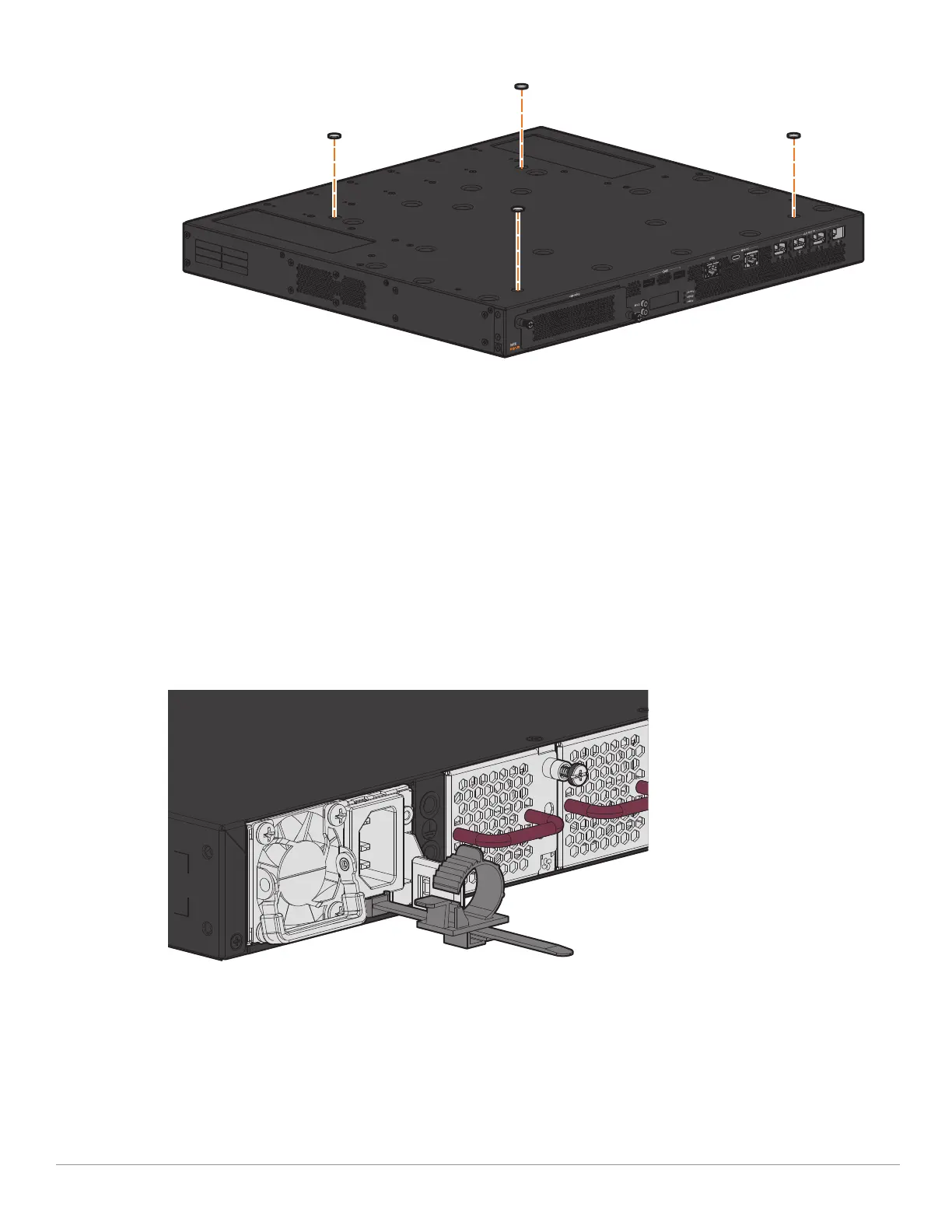
Figure 9 Attaching the Rubber Feet
2. Place your gateway in the location you have chosen.
Connecting and Disconnecting the AC Power Cord
Once you have installed the 9240 gateway, you are ready to power on the device. The 9240 gateway
is not equipped with an On/Off switch. The device will power on when the AC power cord is
connected to the power supply module and an AC power outlet.
To connect the AC power cord to the 9240 gateway:
1. Insert the coupler end of the AC power cord into the AC power connector on the power supply
module.
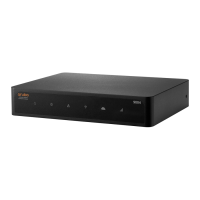
2. Secure the AC power cord using the cable retention holder attached on the power supply module.
See Figure 10.
Figure 10 Inserting Cable Retention Holder into AC Power Supply Module
The 9240 gateway should now be receiving power.
To disconnect the AC power cord from the 9240 gateway:
1. Loosen the cable retention holder that is securely holding the AC power cord.


 To Next Page