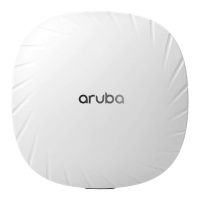
Aruba 570 Series Outdoor Access Points
Installation Guide
Rev 01 | May 2020 1
The Aruba 570 Series outdoor wireless access points (AP-574, AP-575 and AP-577) are high-performance, multi-
radio wireless devices that can be deployed in either controller-based (ArubaOS) or controllerless (Aruba Instant)
network environment.
The Aruba 570 Series access points support IEEE 802.11ax standard, delivering high performance with the MU-
MIMO (Multi-User Multiple-Input, Multiple-Output) technology, while also supporting 802.11a/b/g/n/ac wireless
services.
Package Contents
570 Series access point
Cable gland x 2
USB Type-C console cable x 1
Grounding lug and M4x6 screw x 1
Tools Required
Phillips screwdriver (#2 for M4x6 screw)
Flat blade screwdriver (Ethernet cable gland covers)
8mm allen or hex key (USB console cover)
The weatherproof caps for Ethernet and Console interfaces are connected to the access point, not loose in the
package.
Mounting kits for use with the 570 Series access points are sold separately. Contact your Aruba sales
representative for details.
Inform your supplier if there are any incorrect, missing, or damaged parts. If possible, retain the carton,
including the original packing materials. Use these materials to repack and return the unit to the supplier if
needed.

 Need help?
 General

 To Next Page